Let us help you get answers to your questions.
Jump to Section:
Support Center
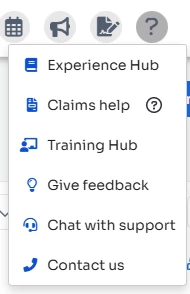
- Click the question mark in the upper right corner and select how you would like us to assist you. You can also send an email to myclientsplusV3.support@ensorahealth.com.
- Experience Hub
- Training Hub
- Chat with Support
- Contact Us via email or phone
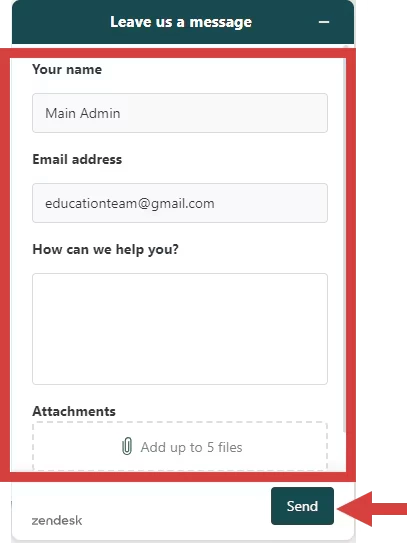
Leave Us a Message
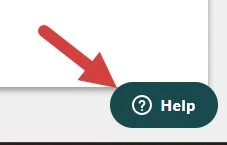
- Click the Get Help button in the bottom right corner to send us an in-app message.
NOTE: This is not a live chat but a way to reach out to our Support Team directly without leaving the system.
- Enter your message in the pop up window and click Send.