PERMISSIONS REQUIRED: You must have Therapist Permissions and be subscribed to Client Portal.
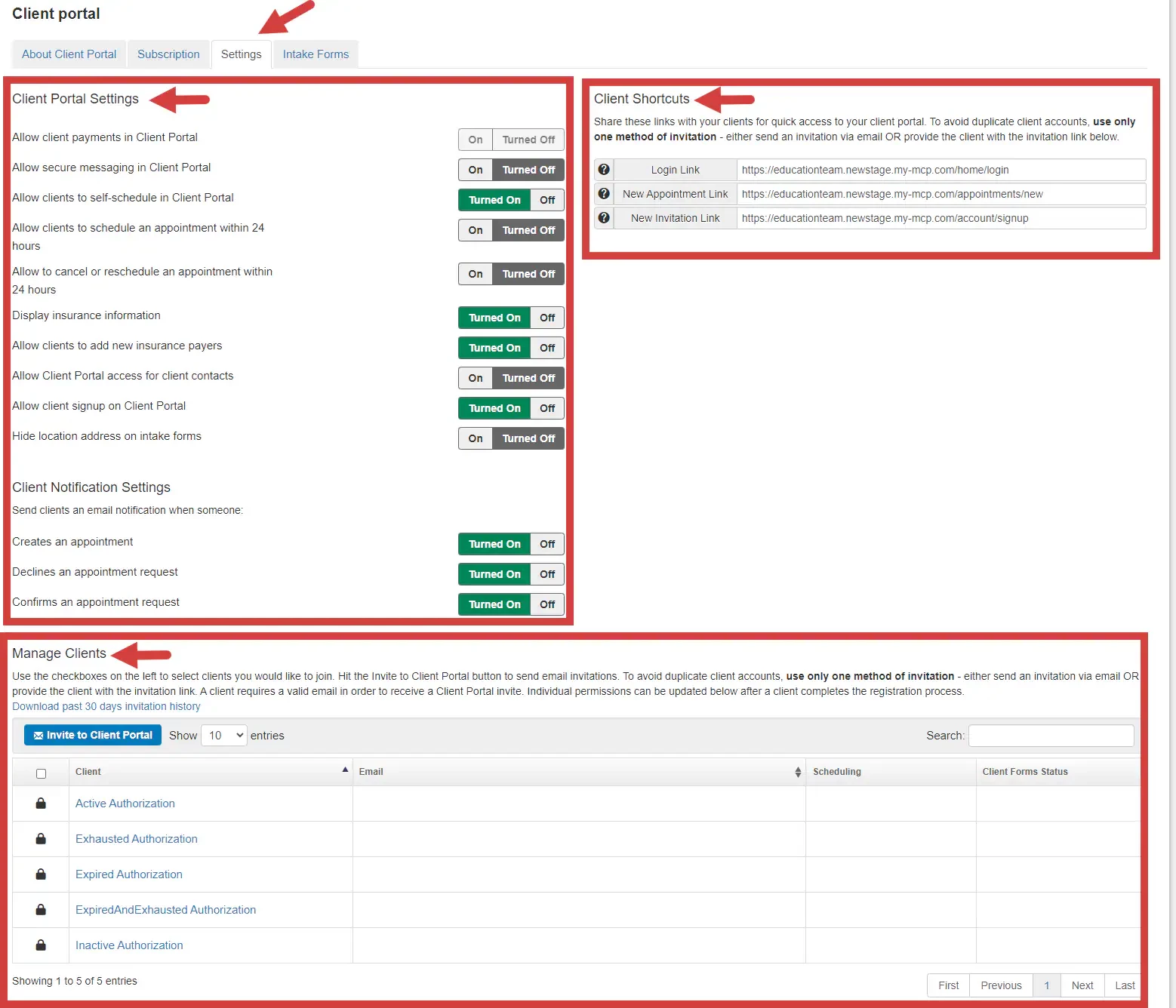
Therapists using the client portal can set their preferences for Service types available for scheduling, Notifications, Locations available for scheduling and client portal invites. Learn More: Allow staff to invite clients to the client portal
To choose Client Portal settings:
- Click Client Portal under Organization in the side panel.
- Click Settings.
- Select settings for Client Portal and Client Notifications. You can also Manage Clients and access Client Shortcut links.
NOTE: Use the Allow client Signup on Client Portal setting to control how clients sign up for the client portal. If the setting is turned off, you will need to send and invite before the client can signup for the portal. These Client shortcuts will also not be available: New Appointment Link & New Invitation Link.