


PERMISSIONS REQUIRED: You must have Administrator Permissions or higher.
Therapists who will be the rendering provider for a client will be assigned a CPT® license to ensure compliance with the AMA CPT® Code copyright.
Assign AMA CPT® License
To assign an AMA CPT® license to staff:
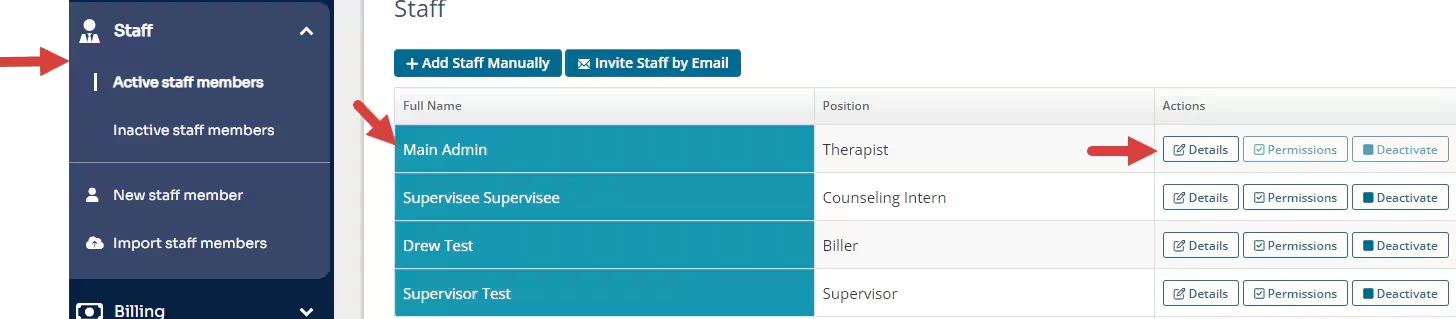
- Click the Clients and Active staff members tab in the side navigation bar.
- Click Details for the staff member.
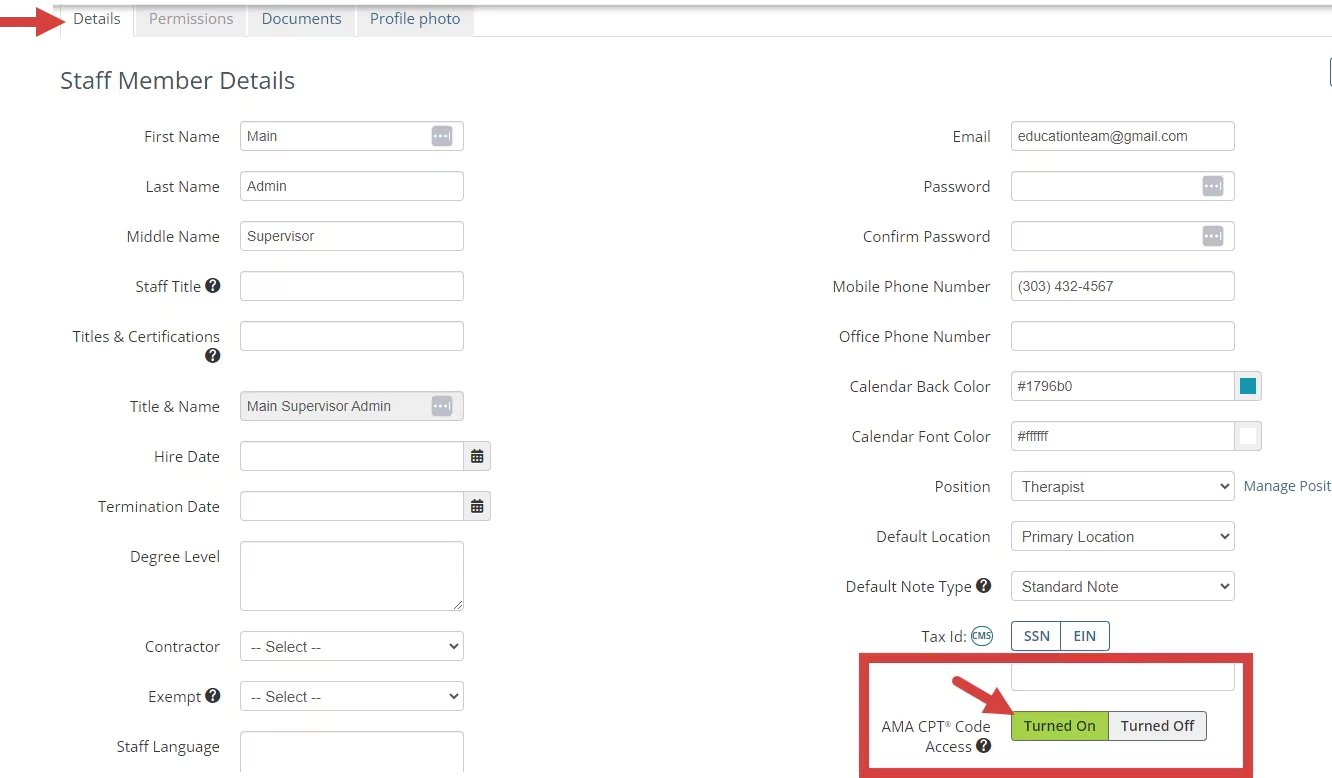
- Click Turned on for the AMA CPT Code Access setting.
NOTE: Click Turned Off to turn off AMA CPT® Code Access. The staff member will still be able to use AMA CPT codes for the remainder of the year, but their license will not automatically renew unless their access is turned back on.
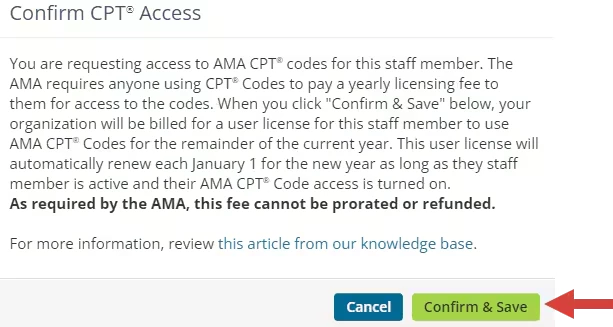
- Click Confirm & Save for the appropriate access.
Related Articles: