


Customize various account settings and alerts from the Prescriber Settings page under the Admin tab.
Jump to Section:
Access Prescriber Settings
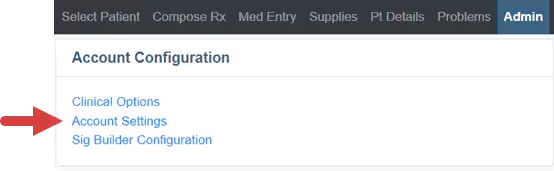
- Click the Account Settings link from the Admin tab.
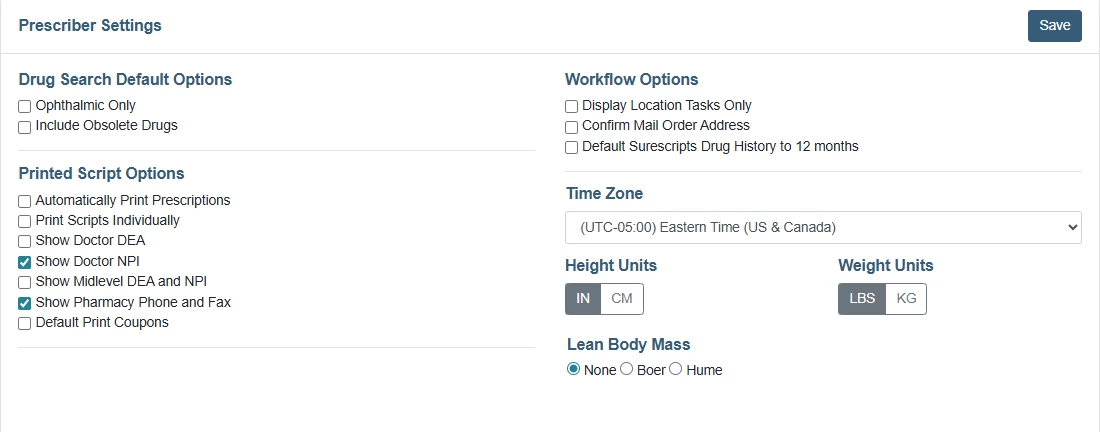
- From here, you can change your Options, default Time Zone and Height/Weight Units.
- Click Save when are finished configuring your settings.
Prescriber Settings Options and Functions
Drug Search Default OptionsOphthalmic Only: Include only ophthalmic drugs. Include Obsolete Drugs: Include drugs that no longer have an active NDC number. | 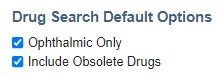
| |
Printed Script OptionsAutomatically Print Prescriptions: Print button prints prescriptions without taking the user to a print/receipt view. Print Scripts Individually: Each prescription prints on a separate page. Show Doctor DEA: Doctor's DEA displays on printed prescriptions. Show Doctor NPI: Doctor's NPI displays on printed prescriptions. Show Midlevel DEA and NPI: Advance Practice Practitioner's DEA and NPI display on printed prescriptions. Show Pharmacy Phone and Fax: Pharmacy phone and fax numbers display on printed prescriptions. Default Print Coupons: Automatically select coupons for printing. | 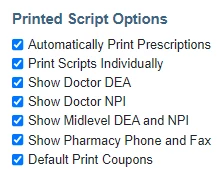
| |
Workflow OptionsDisplay Location Tasks Only: Limit the display of prescriptions, renewals, and change messages to those tied to the currently selected location. Confirm Mail Order Address: Display an address confirmation window when a mail-order pharmacy is selected. Default Surescripts Drug History to 12 Months: Drug history will default to 12 months when connecting to Surescripts. | 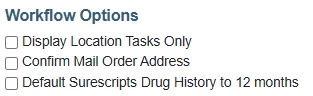
| |
Time Zone, Height and Weight UnitsTime Zone: Set local time zone for the practice. Height Units: Set default units for patient height. Weight Units: Set default units for patient weight. Lean Body Mass: Set default for lean body mass | 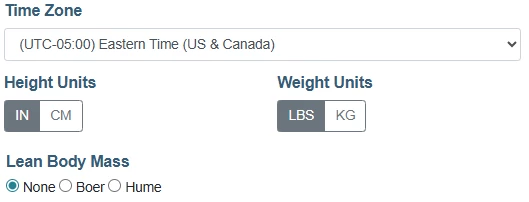
|