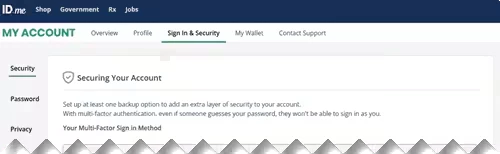
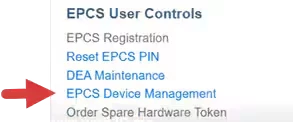
You can access your ID.me account from within the system by clicking on the EPCS Device Management link on the Admin Page. Log in to your ID.me account to manage your MFA sign in methods.
- Click the EPCS Device Management link on the Admin Page.
- Log in to your ID.me account. You can view and manage your MFA methods on the Sign In & Security tab.