Your initial hardware token is included in the cost of your EPCS registration. You can order additional hardware tokens directly from Exostar to keep as a spare or backup if your token becomes lost or stolen. You can place the order from within the system on the Admin tab.
NOTE: If your hardware token is broken and you need to order a replacement, see Resync, Reset or Replace the Hardware Token.
Order a Backup Hardware Token
- Navigate to the EPCS User Controls section of the Admin tab.
- Click on the Order Spare Hardware Token link.
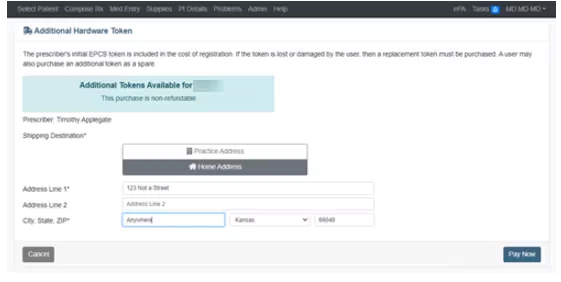
- Select your Shipping Destination (Practice Address or Home Address) and enter Address, City, State and Zip.
- Click the Pay Now button.
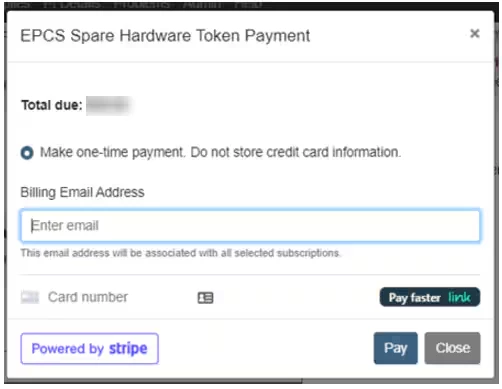
- Enter Billing Email Address and Credit Card Number, Expiration Date, CVV and Billing Zip Code.
- Click the Pay button.
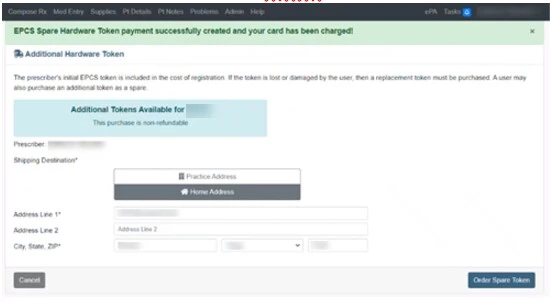
- The Additional Hardware Token screen confirms your order.
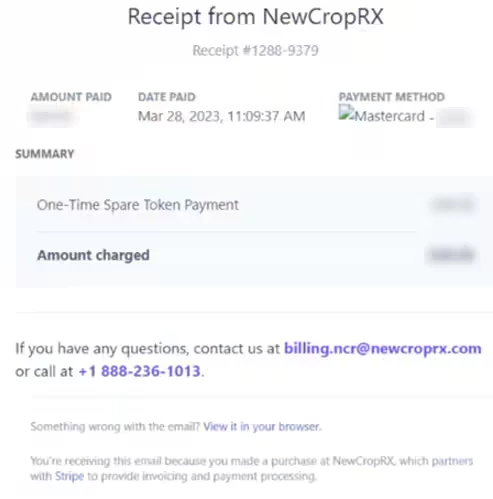
- Your receipt is emailed to the Billing Email Address.