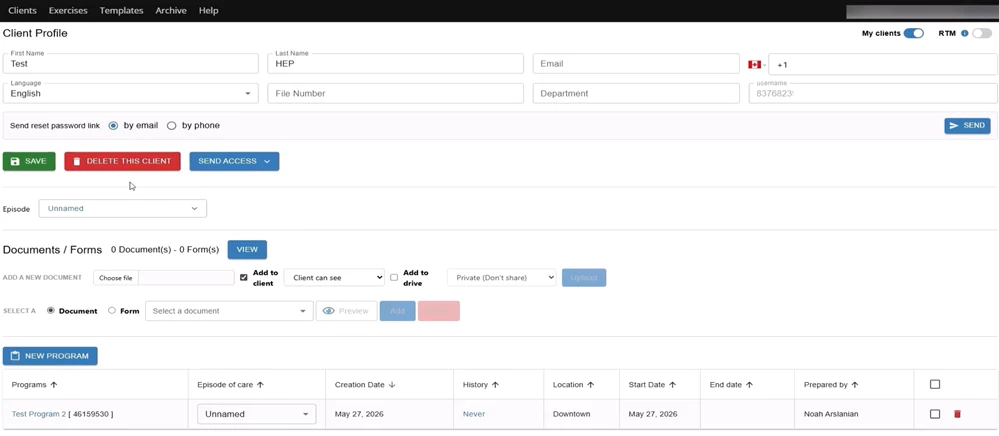
Once your clinic’s Wibbi Home Exercise Program (HEP) integration is enabled, a Wibbi HEP section will appear in your notes. You can launch Wibbi from the following note types:
- Daily Notes
- Progress Notes
- Reassessment Notes
- Discharge Notes
Opening Wibbi inside your note takes you directly into the Wibbi platform. From there, you can create a new exercise program or manage an existing exercise program for your patient. Exercise details (sets, reps, video demonstrations, etc.) are configured in Wibbi. When you return to Fusion, exercise details from the plan you created in Wibbi are available to pull into your note.
TIP: Check out the Wibbi Knowledge Base for detailed information about creating and customizing home exercise programs using the Wibbi platform.
Launch Wibbi from Inside a Note
- Open the patient note.
- Scroll down to the Plan tab to locate the Wibbi HEP section.
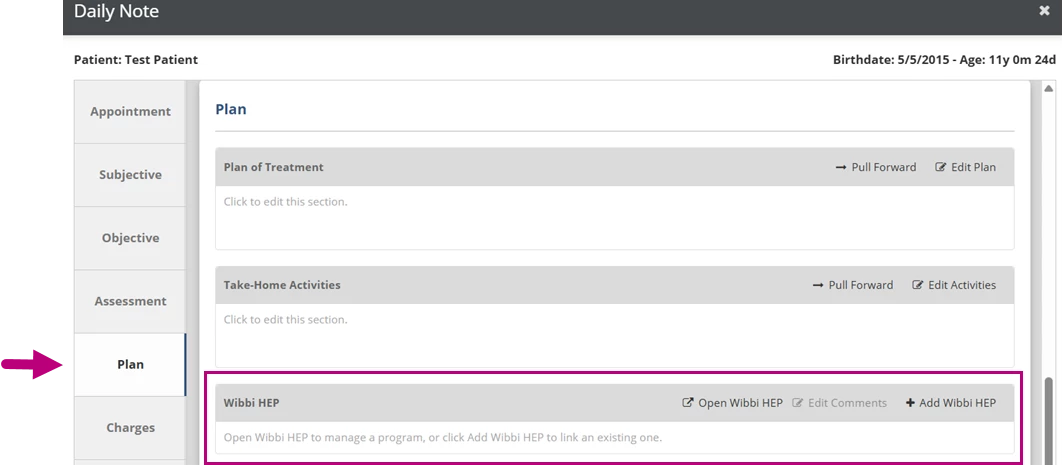
- Click Open Wibbi HEP.

- The Wibbi HEP launches in a new tab on your browser, which gives you full access to the home exercise program functionality within Wibbi. From here, you can:
- Create a new Wibbi HEP for the patient.
- Modify the exercise details (such as specific exercises, sets and reps) on an existing program.