


To enable your clinic’s integration with Wibbi Home Exercise Program (HEP), an administrator must generate a unique license code from Fusion’s Add-Ons section and provide that code to Wibbi. Once Wibbi processes the license code, the integration is activated and the Wibbi HEP section becomes available inside Fusion notes, allowing clinicians to access Wibbi while documenting.
NOTE: Your clinic’s Wibbi subscription must be purchased directly through Wibbi. For more information about the Wibbi HEP platform or to sign up, please contact Wibbi.
Generate Wibbi License Code
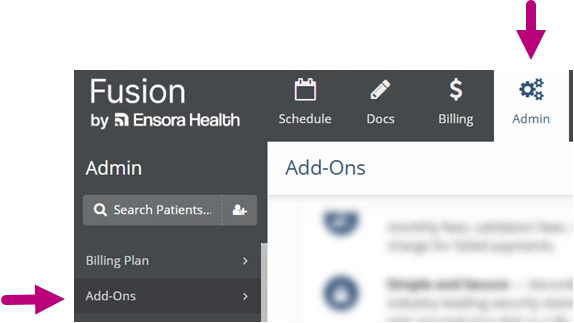
- Click the Admin tab at the top of the screen.
- Click Add-Ons in the menu on the left.
- Scroll down to the Home Exercise Program Integration card to get your License Code.
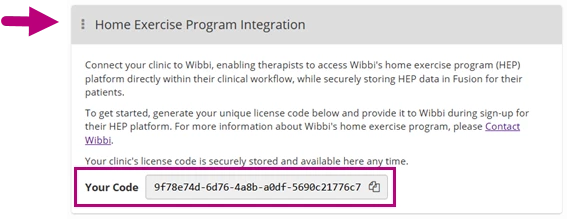
- Contact Wibbi and provide this license code during sign-up for their HEP platform.
NOTE: Your Wibbi integration license code remains securely stored and available in the Home Exercise Program Integration card.