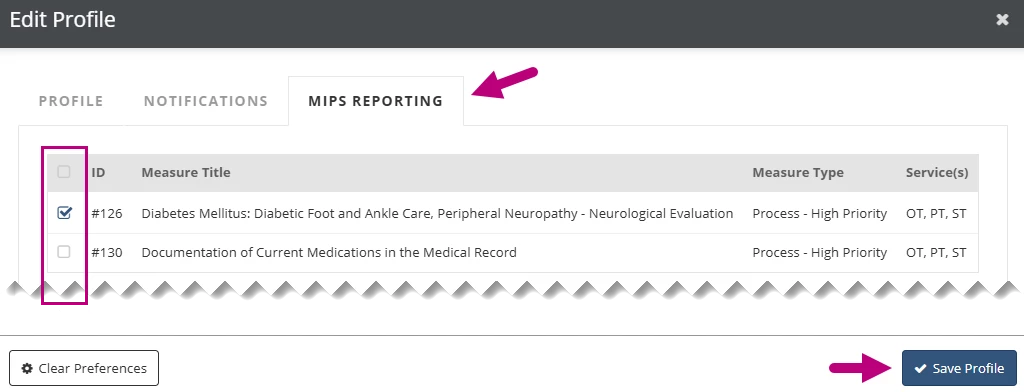
If a clinic uses individual reporting for MIPS measures, each clinician must go to their account profile and select the measures they want to track. The measures selected in the profile will appear in the MIPS Reporting section of the clinician’s daily notes and evaluation documents when they apply to the patient.
Select Individual MIPS Measures
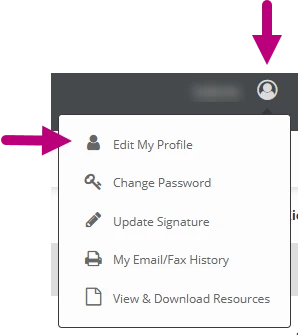
- Click the My Account icon in the upper right corner.
- Select Edit My Profile.
- Click the MIPS Reporting tab.
- Select the MIPS Measures you want to track.
- Click Save Profile.