PERMISSIONS REQUIRED: You need the Docs permission to change a patient's goals.
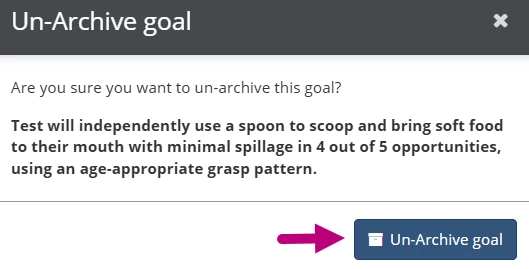
You can restore an archived goal to continue working on it or to include it in daily notes. When you restore a long-term goal, all of the short-term goals associated with it will also be restored if they were active when the long-term goal was archived.
Restore an Archived Goal
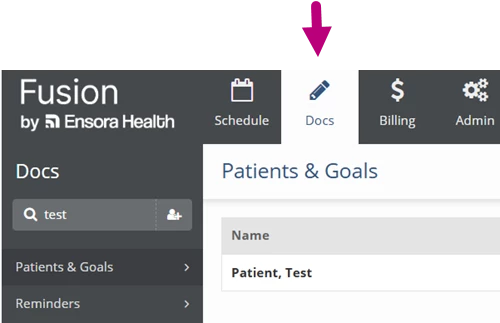
- Click the Docs tab at the top of the screen.
- Click Patients and Goals in the menu on the left.
- Click the Name of the patient whose goal you are restoring.
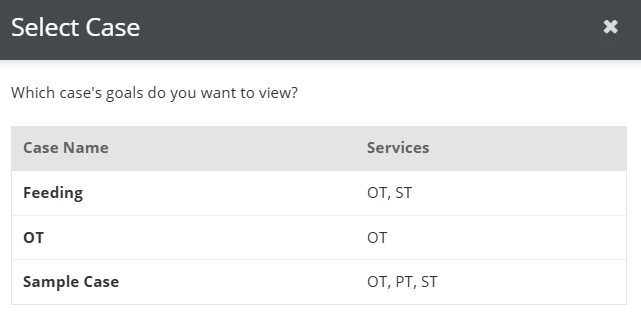
- If your patient has more than one patient case, the Select Case window will appear. Click the Case Name that has the goal you are restoring.
- If your patient has one patient case, that patient case will open by default. You will skip this step.
- If your patient has one patient case, that patient case will open by default. You will skip this step.
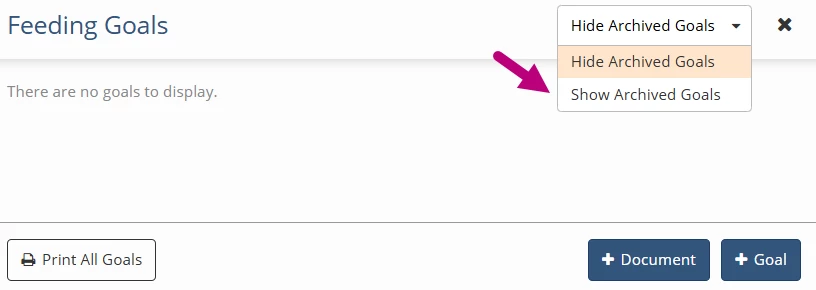
- Click the Hide/Show Archived Goals dropdown in the upper right and select Show Archived Goals.
- Click the Un-Archive icon.
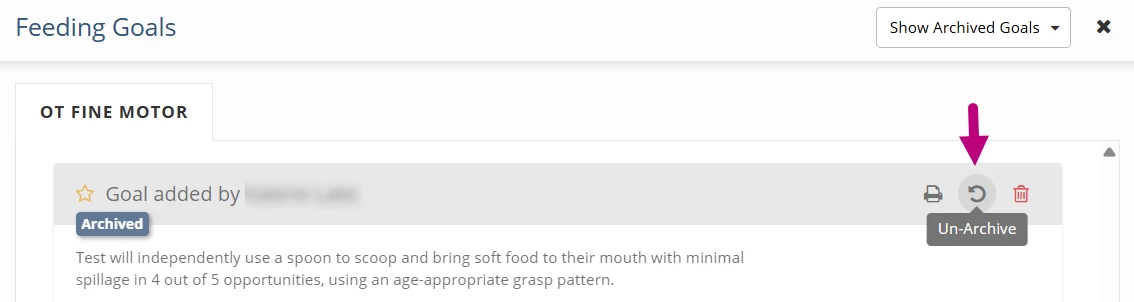
- Click the Un-Archive Goal button.