Co-signer requirements are controlled by three settings: the patient’s payer settings, the user’s signoff permissions, and the Daily Note document settings.
When all three settings below are enabled, a user without signoff privileges cannot sign a Daily Note until a supervisor or co-signer is selected:
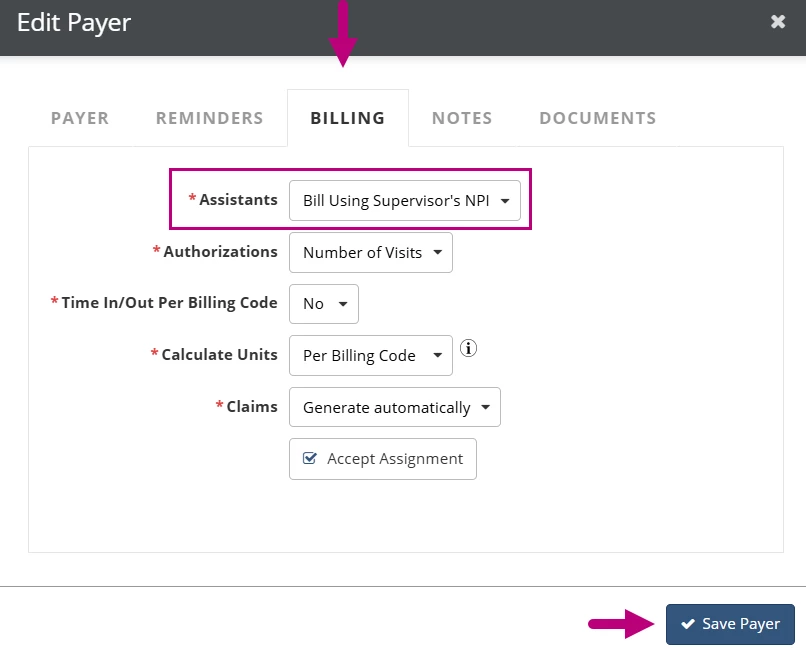
- The payer is configured to bill using the supervisor’s NPI.
- The user is configured to require a co-signer.
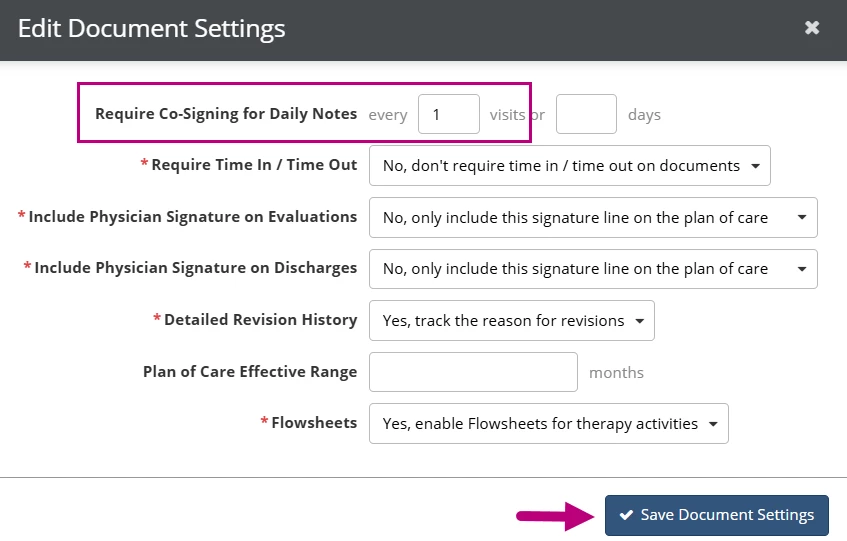
- Daily Notes are configured to require a co-signer under Document Settings.
The user can meet this requirement by selecting a Supervisor in the Charges section of the Daily Note or selecting a Co-Signer when signing the document.
Jump to Section:
Configure Payer Settings
- Click the Admin tab at the top of the screen.
- Click Basic Setup in the side menu.
- Select Payers.
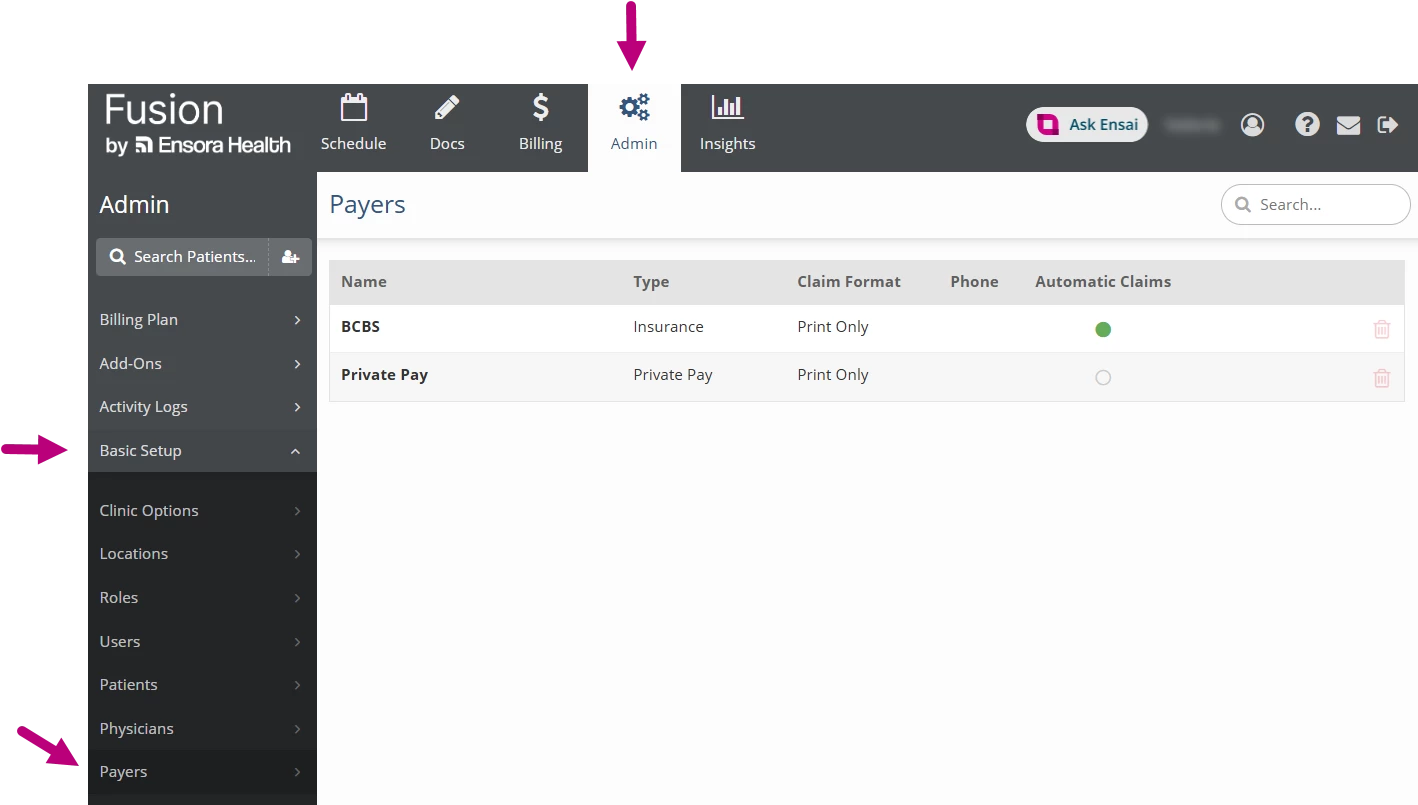
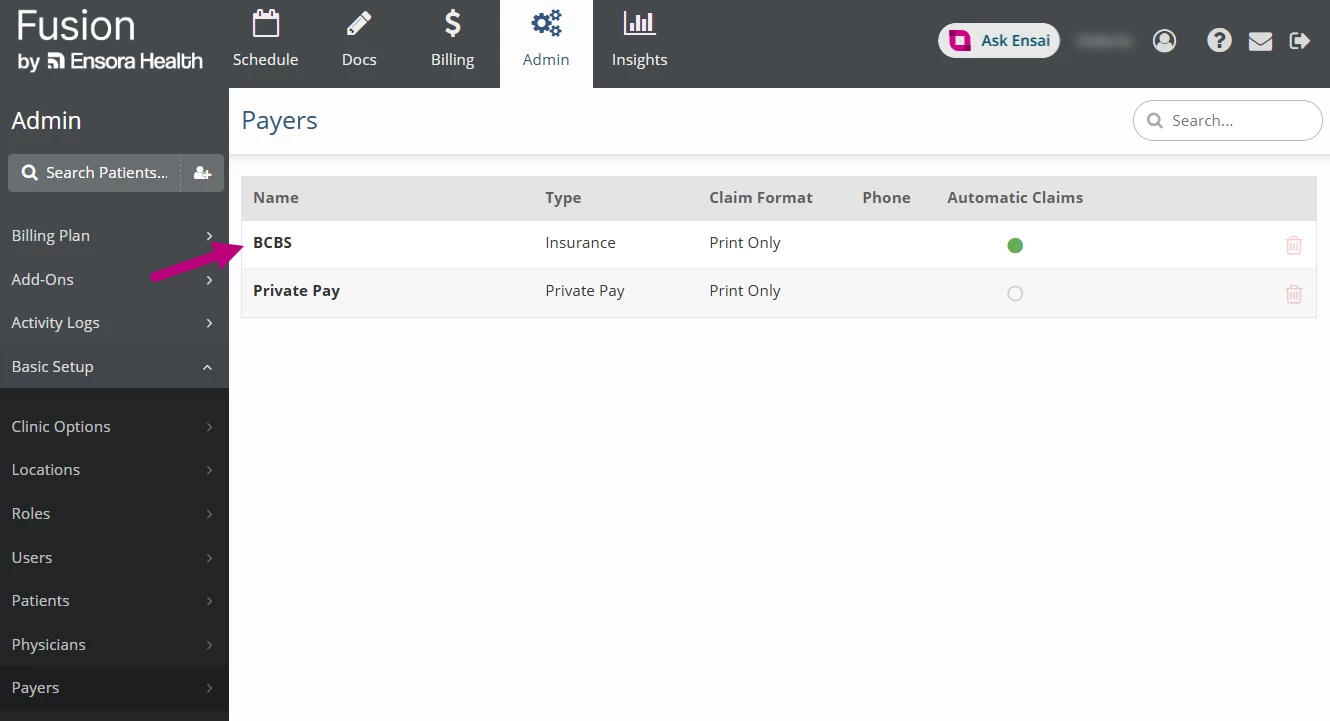
- Click on the the Payer that requires the co-signer.
- Click the Billing tab.
- Click the Assistants drop-down and select Bill Using Supervisor’s NPI.
- Click Save Payer.
Configure User Settings
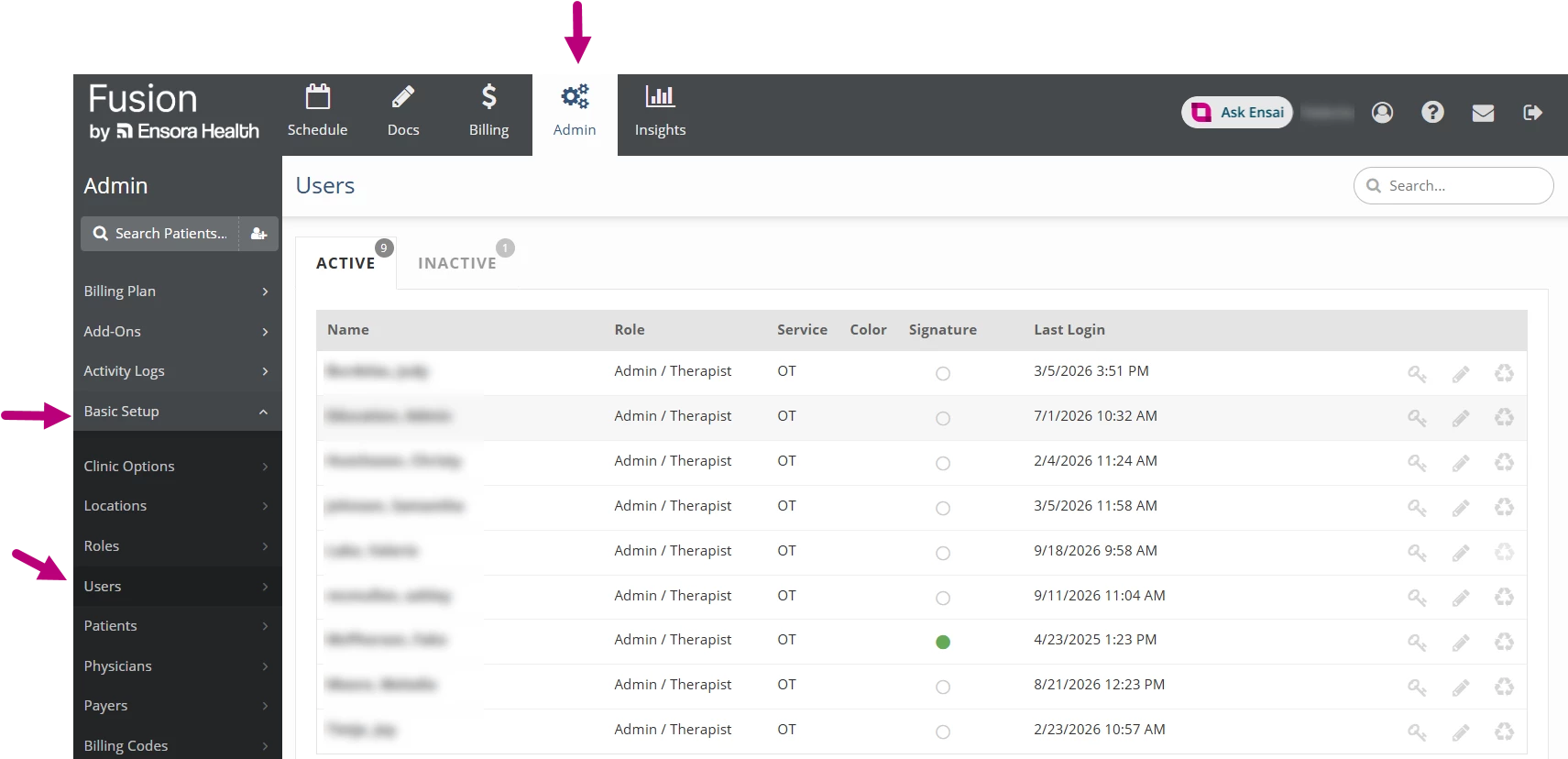
- Click the Admin tab at the top of the screen.
- Click Basic Setup in the side menu.
- Select Users.
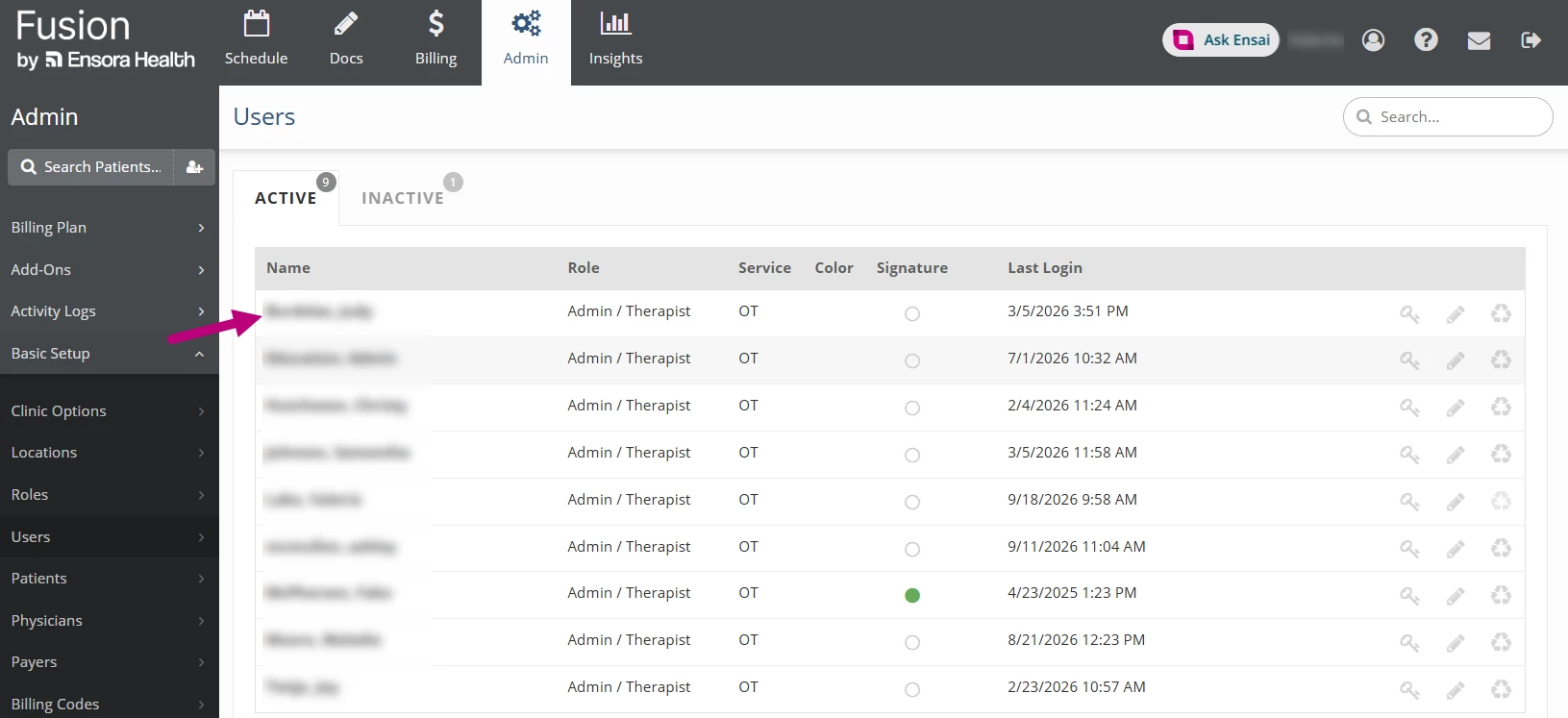
- Click on the the User that requires the co-signer.
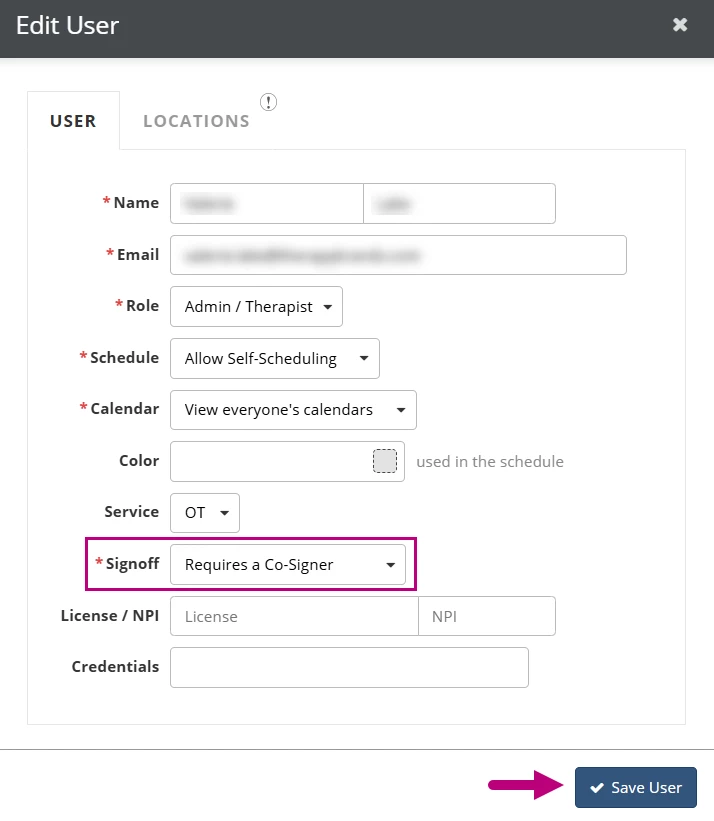
- Click the Signoff drop-down and select Requires a Co-Signer.
- Click Save User.
Configure Document Settings
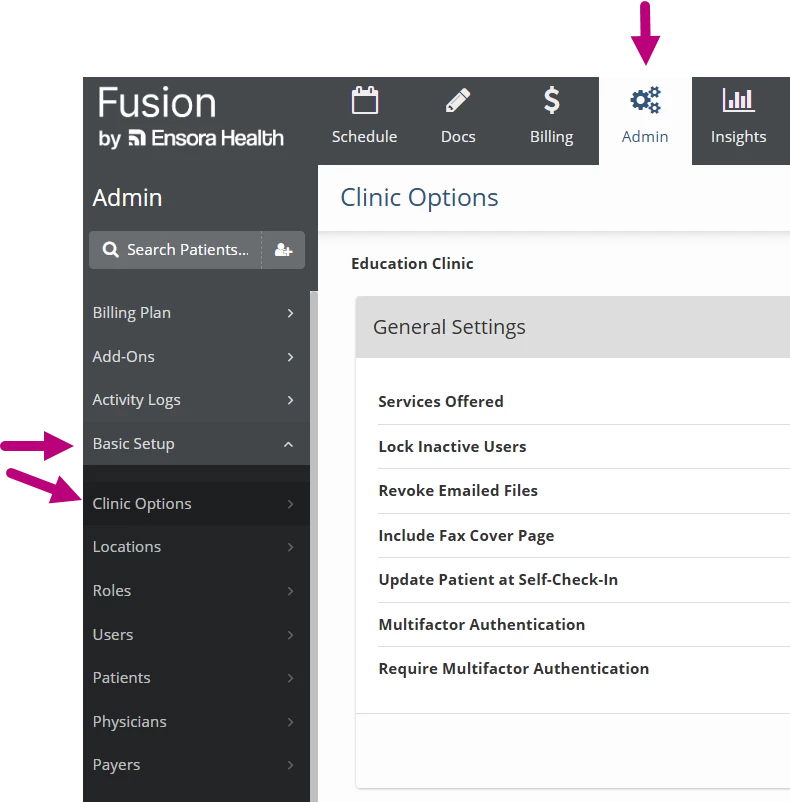
- Click the Admin tab at the top of the screen.
- Click Basic Setup in the side menu.
- Select Clinic Options.
- Go to the Document Settings card and click Edit Document Settings.
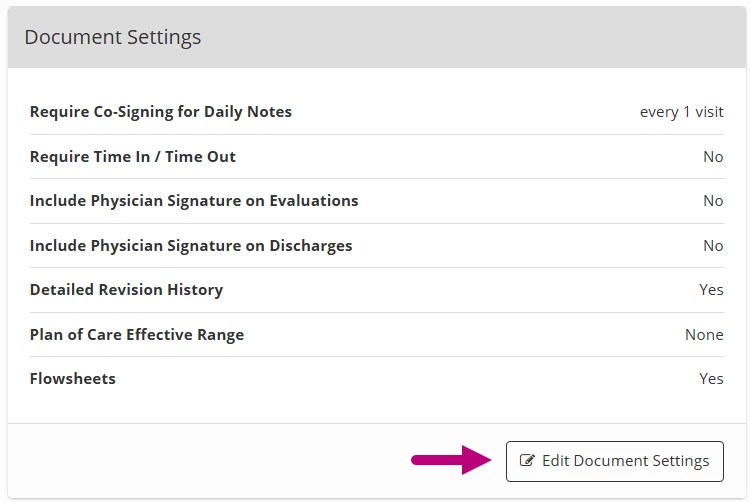
- Enter the number 1 in the Require Co-signing for Daily Notes Every Visit field.
- Click Save Document Settings.