Home Activities are exercises, strategies, educational information, and other activities given to patients and their caregivers as part of a home program. Once a home activity has been assigned to a patient in a daily note, you can send it by email or fax. Email recipients receive a link to the document that automatically expires after seven days, or earlier if the link is revoked by the clinic. Caregivers can also access home activity resources in the patient portal.
Your clinic needs the Home Education Platform (HEP) add-on to use home activities. If you're interested, reach out to fusion.support@ensorahealth.com.
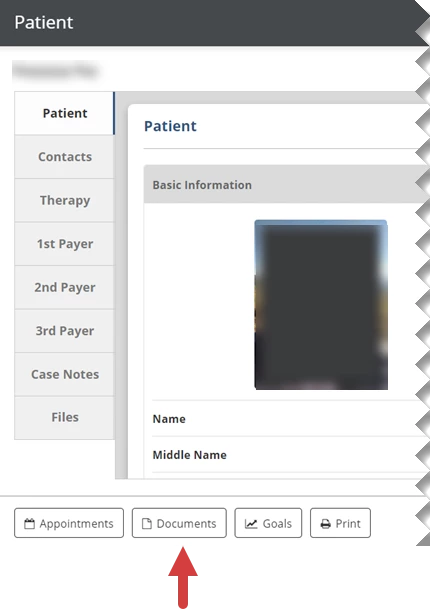
Enter the Patient Name in the Search Patients, then select that patient.
Click the Documents button at the bottom.
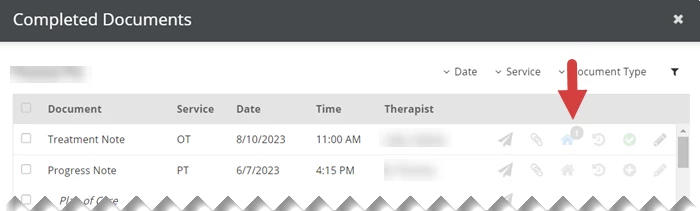
Click the Home Activities icon for the note that the activity is linked to.
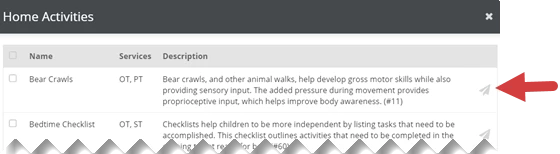
Click the Send icon for the home activity.
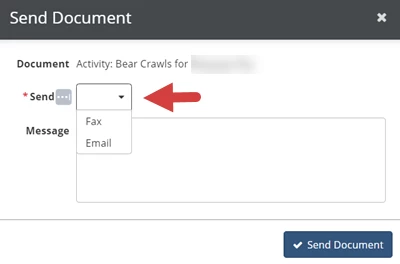
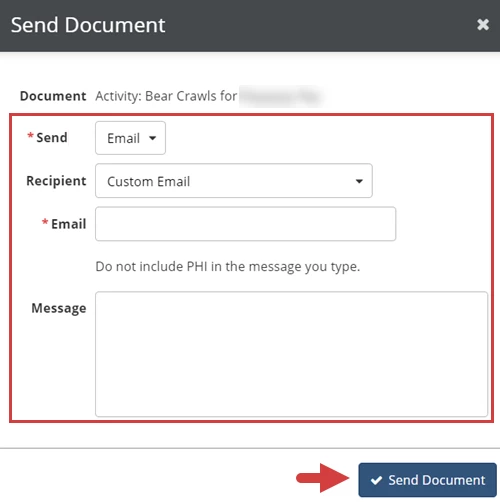
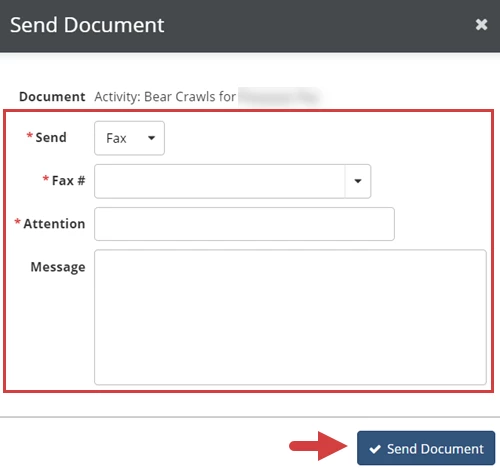
Select Email or Fax from the Send drop-down to indicate how to send the activity.
Enter recipient and message information.
If you select Email, select a contact linked to the patient from the Recipient drop-down or select Custom Email to enter another email address in the Email field, enter a message to the recipient in the Message field (Optional), then click the Send Document button.
If you select Fax, select a number linked to the patient or enter the Fax Number in the Fax # field, enter the intended recipient in the Attention field, enter a message to the recipient in the Message field (Optional), then click the Send Document button.
Revoke a Link to an Emailed Home Activity
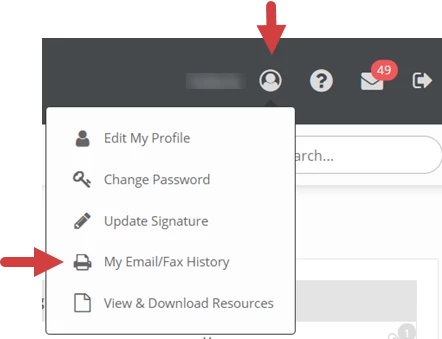
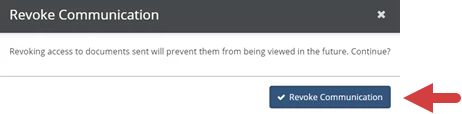
Emailed links automatically expire in seven days. You can revoke a link before it automatically expires in the My Fax/Email History section of the My Account menu.
Click the My Account icon at the top of the screen.
Select My Email/Fax History.
Click the Revoke icon to the right of the activity.
This month, we’re shining a spotlight on another essential part of high-quality care: putting acceptance into action for neurodivergent patients and families.