PERMISSIONS: You need the Docs permission to change a patient's goals.
You will typically record goal data from a daily note, but you can also add data from the Docs tab. Goal data and comments appear on daily notes, and a summary can also be reported on evaluation-type documents.
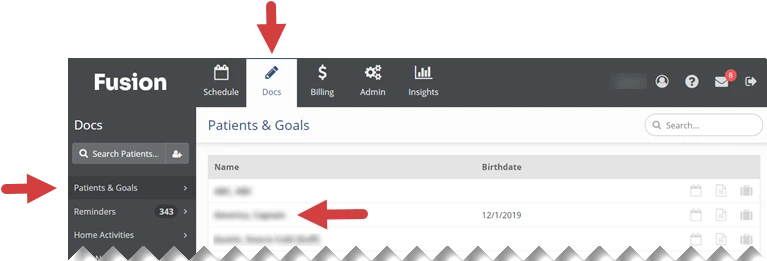
- Click the Docs tab at the top of the screen.
- Click Patients and Goals in the menu on the left.
- Click the Name of the patient whose goal you are adding data to.
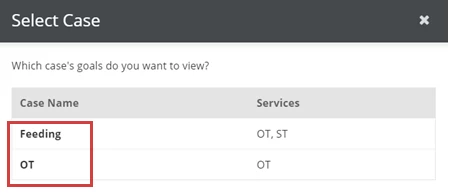
- If your patient has more than one patient case, the Select Case window will appear. Click the Case Name that has the goal you are adding data to.
- If your patient has one patient case, that patient case will open by default. You will skip this step.
- If your patient has one patient case, that patient case will open by default. You will skip this step.
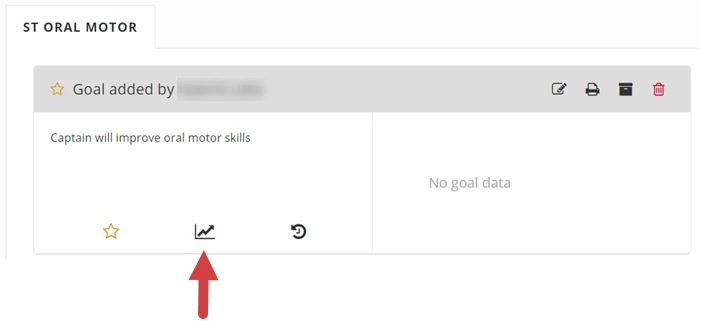
- Click the Enter Data (Graph arrow) icon below the goal.
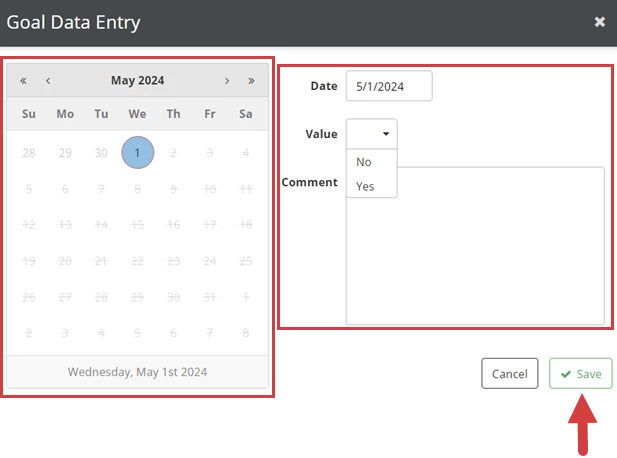
- Click the Calendar to select a data entry Date.
- Click the Value drop-down to select No or Yes.
- Click inside the Comment box to enter a comment.
- Click the Save button.