


Run the Upcoming Subscription Expirations Report in the Customer Maintenance Portal for a list of prescribers whose EPCS subscriptions are expiring within the next 7 days, 14 days, or 30 days.
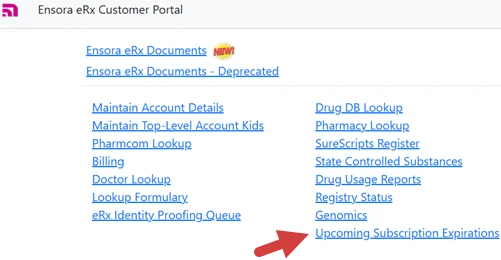
- Log in to the Customer Maintenance Portal and click Upcoming Subscription Expirations.
- Click the Expires dropdown to select the date range (subscriptions expiring within the next 7 days, 14 days, or 30 days).
- Click the EPCS Expiring button.

- The Upcoming Subscription Expirations Report displays.
