You can unregister a provider from for one location or all locations using the NewCrop Customer Portal. Once a provider is unregistered in all locations, that provider can be marked inactive.
Jump to Section:
Unregister a Provider at One Location
- Log in to the NewCrop Customer Portal.
- Click the Maintain Top Level Account Kids link.
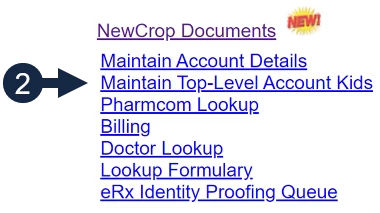
- Click Select next to your Account Name. A list of all hospitals and clinics under the account will display.

- Click Select next to the appropriate Name and Account ID.

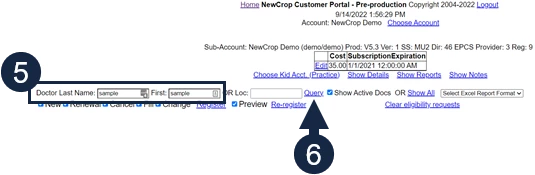
- Enter the provider's Name.
- Click Query.
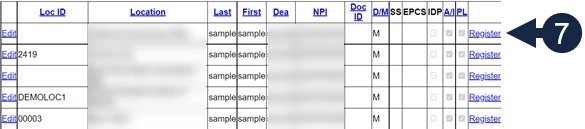
- Click the Register link on the row with the appropriate location.
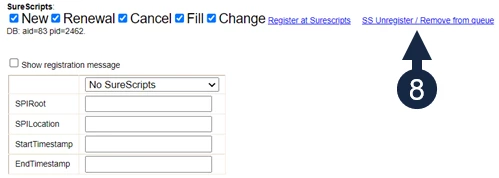
- Click SS Unregister/Remove from Queue in the pop-up window.
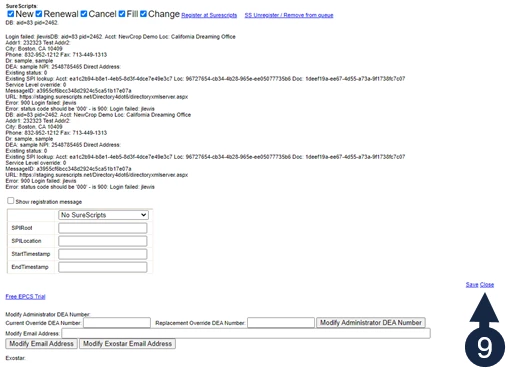
- Click Close.
Unregister a Provider at All Locations
- Log in to the NewCrop Customer Portal.
- Click the Maintain Top Level Account Kids link.
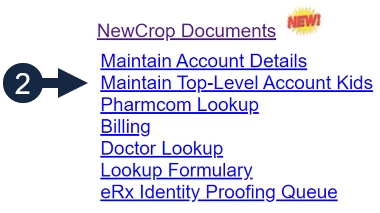
- Click Select next to your Account Name. A list of all hospitals and clinics under the account will display.

- Click Select next to the appropriate Name and Account ID.

- Enter the provider's Name.
- Click Query.
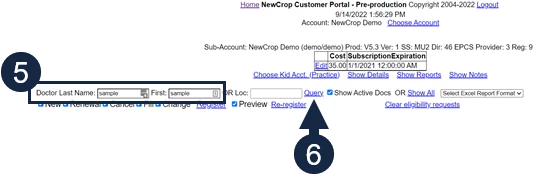
- Uncheck the New, Renewal, Cancel, Fill and Change checkboxes.
- Click Register.
NOTE: This removes service levels and unregisters the provider at all the locations shown.
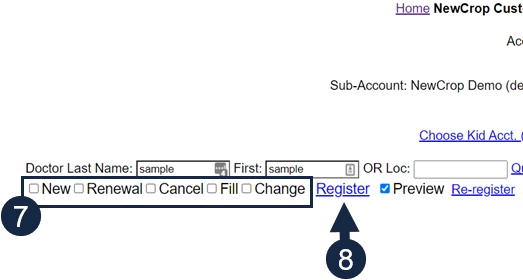
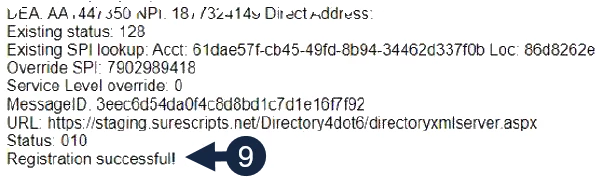
- The Registration Successful message at the bottom of the confirms the provider has been unregistered.
Inactivate a Provider
- Follow the steps to Unregister the Provider in All Locations.
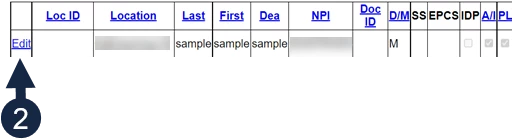
- Click the Edit button next to the prescriber's name.
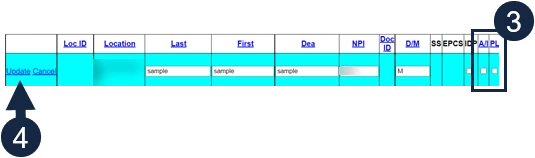
- Uncheck the AI and PL columns.
- Click the Update link.
NOTE: If you need to reactivate this provider, Click the Edit button again, check the AI and PL columns, then click Update. Reactivated providers must be registered with Surescripts.
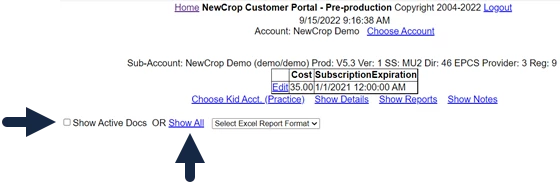
NOTE: To see a list of inactive providers, uncheck the Show Active Docs box at the top, then click Show All.