


The integration with QuickMAR medication management software allows specific information to be requested and then pulled into the system. Information flows in only one direction, from QuickMAR into the system updating the VHR Timeline. The system does not update or overwrite any information in the QuickMAR database.
The setup within in the system occurs in two places: 1) Third Party Integration and 2) VHR Timeline. The processes that request information to populate the VHR Timeline happen in the background. These processes are illustrated in the second section below.
Configure
Navigate to Configuration - Setup > Third Party Integration. Select the QUICKMAR tab.
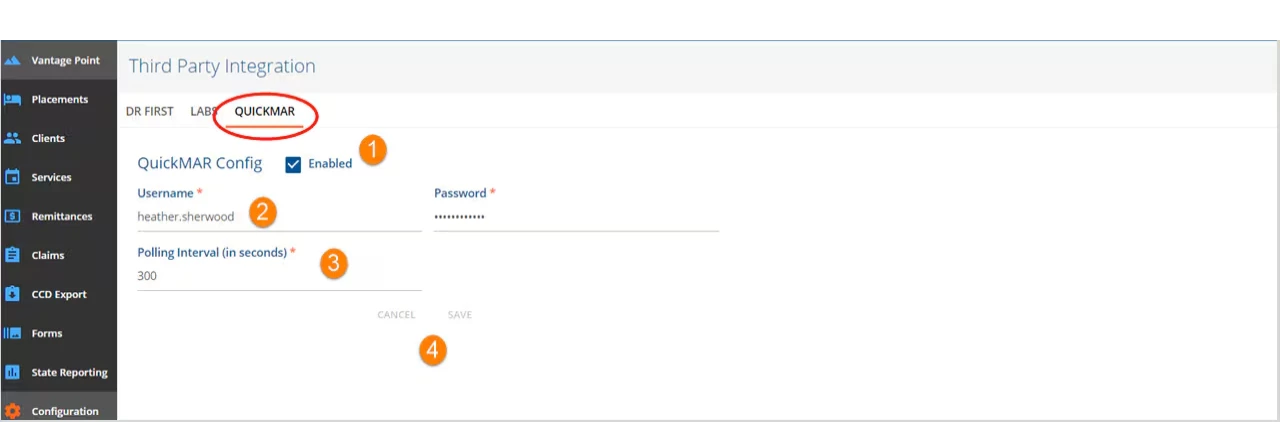
1. Verify the Enabled check box is selected.
2. Enter the Username and Password for the QuickMARÂ application.
3. Enter the Polling Interval. This number is in seconds and specifies how frequently the system goes out to check for new or updated information in QuickMAR.
4. Remember to Click SAVE after any changes or edits.
Background Processes
The Job Processing Service allows the system to communicate with QuickMAR. Once the interface is enabled with the credentials and polling interval defined, processing works in the background to pull information into the VHR timeline.
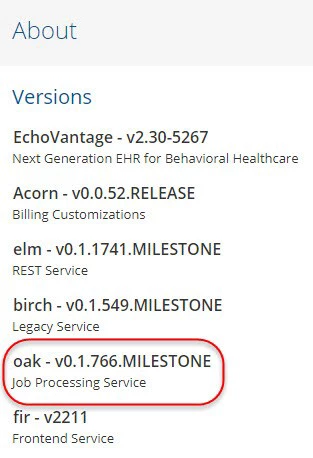
The polling interval automates the process so Users are not required to start or stop the processing