


The Bundled Services tab allows for specific bundled service definitions to be configured on a payer to payer basis. Configuration changes applied within this tab will override the default parameters of the bundle, for the individual payer.
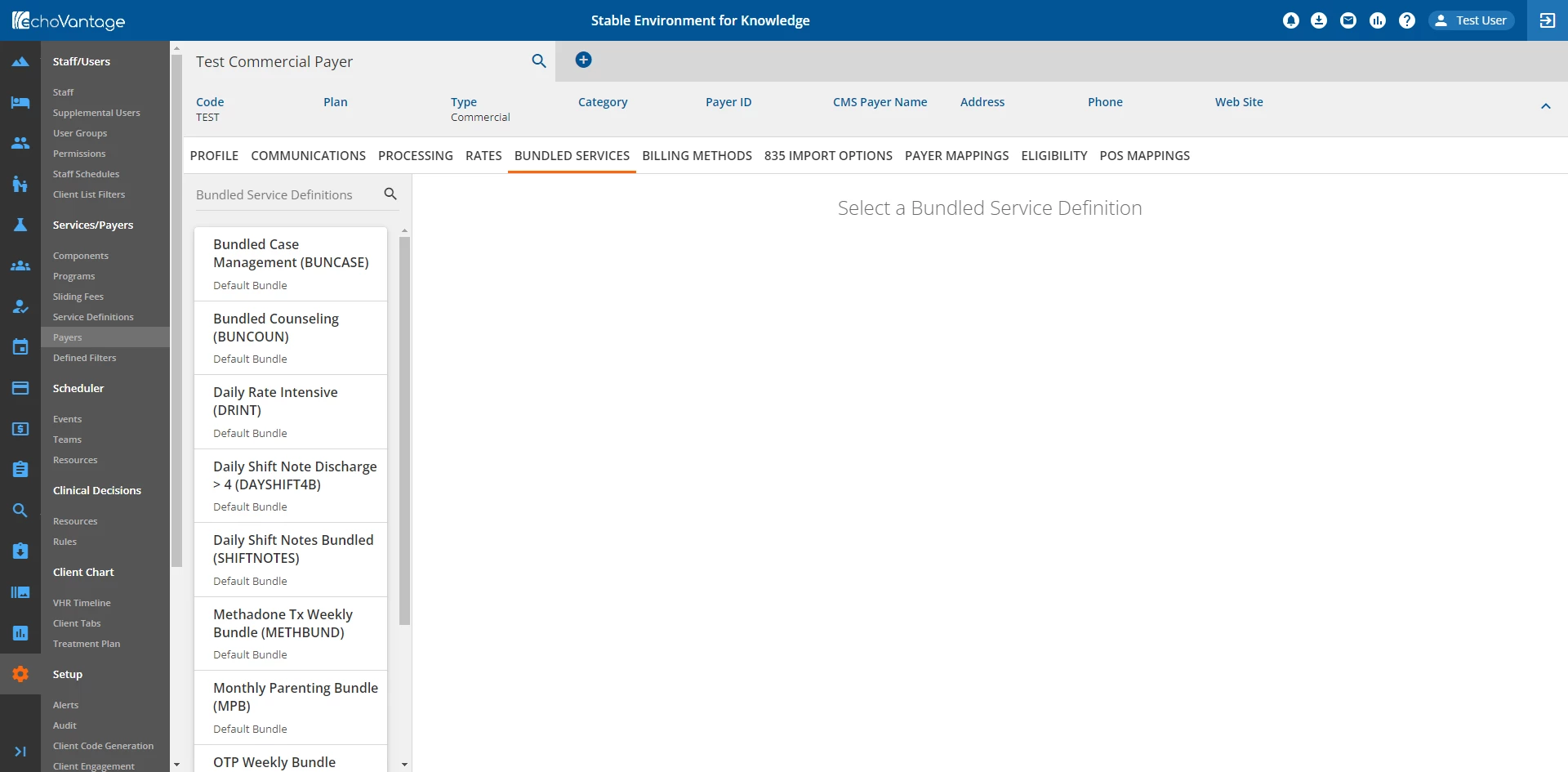
All Bundled Service Definitions that have been published will be shown in the side panel on the left side of the screen.
Use the Bundled Service Definitions search to filter the side panel list view. Select a Service Definition to view its default configuration from the Configuration - Services/Payers > Service Definitions > Profile Tab.
The current Bundling Options for the Service Definition will display with all fields disabled.
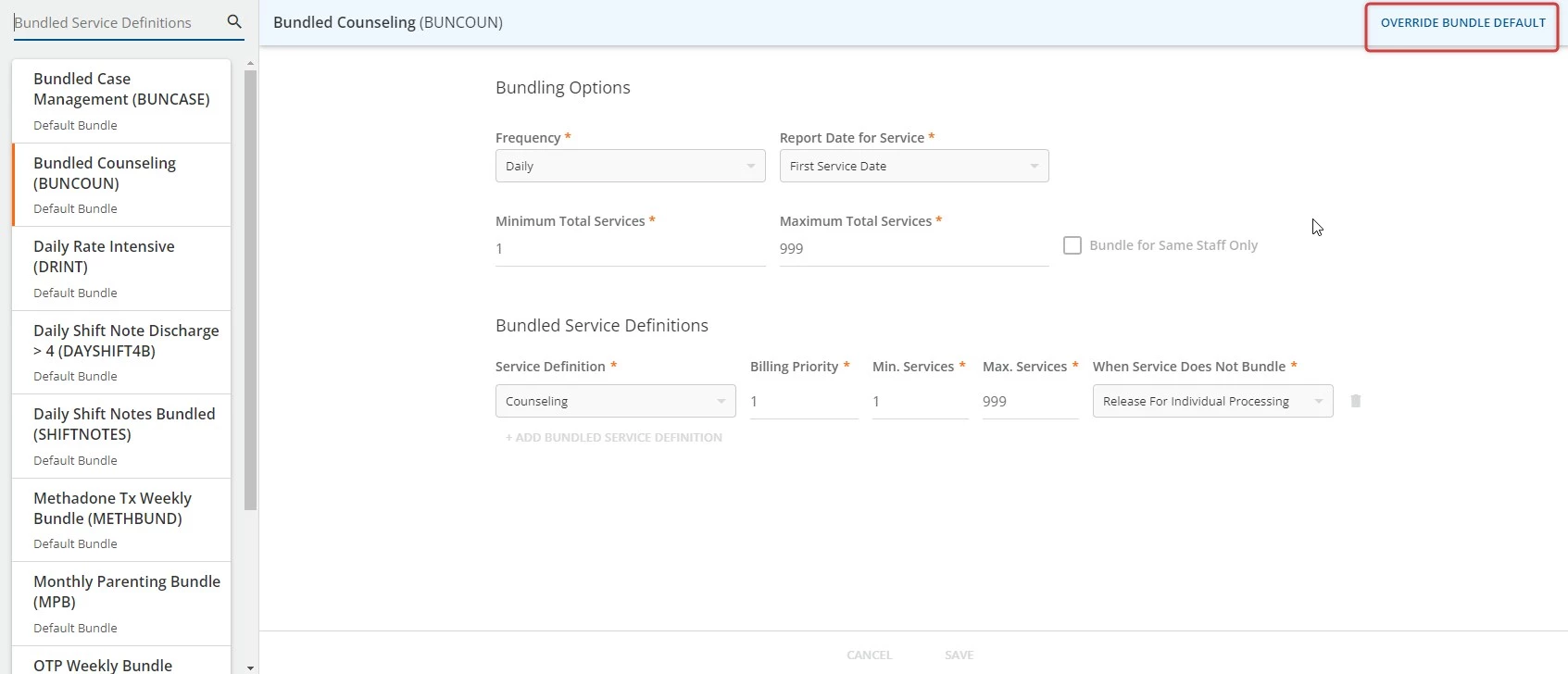
To edit the fields, click the blue Override Bundle Default text button in the blue banner at the top of the screen.
This will open the New Service Definition window and enable editing. Enter values required for this specific Service Definition and Payer. When all required fields are populated, the new information can be recorded.
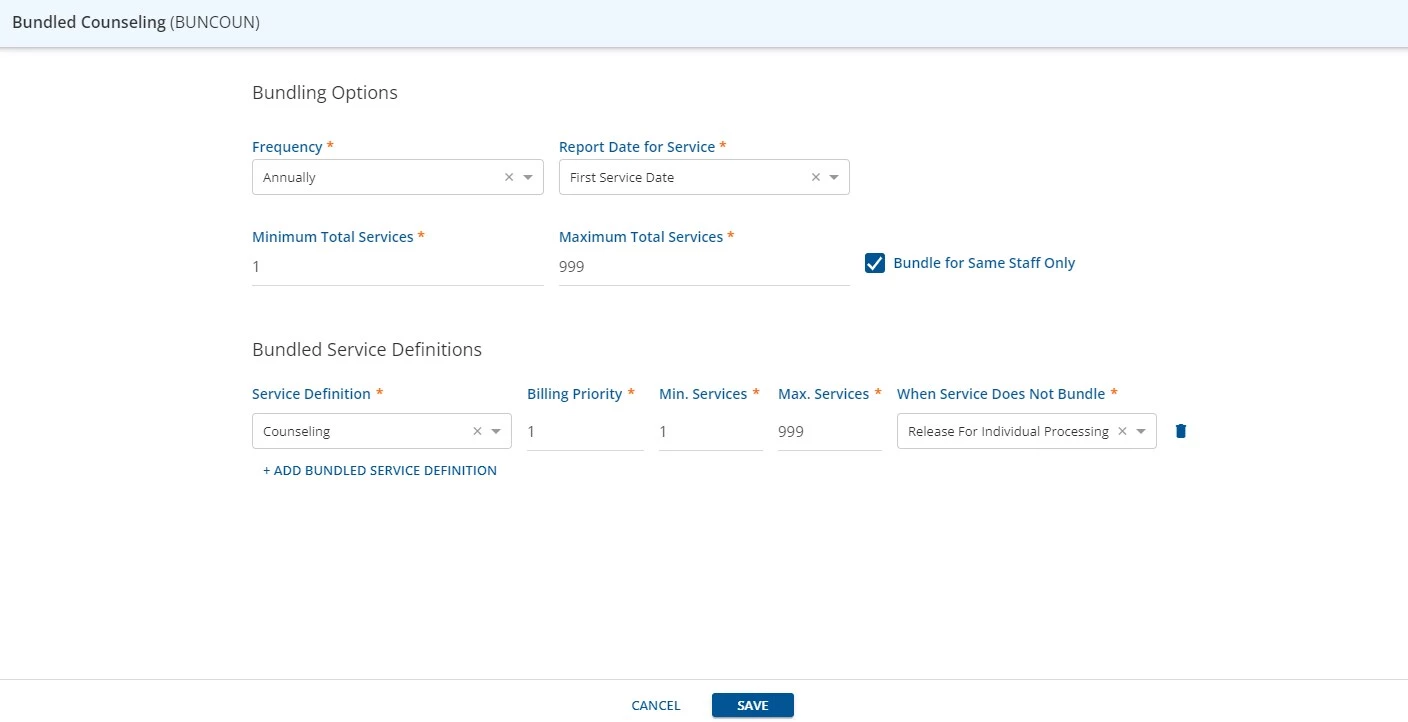
Click the blue Save button to apply edits and save the configuration.
Now, if a Client has this Payer with a Bundle Override for this Bundled Service Definition, the Bundling Options applied in the Bundled Services tab will be used to determine how the bundle is processed.
IMPORTANT: The original Bundled Service Definition within the Service Definitions tab will remain unchanged.