


This user guide section assumes that a Telemedicine session has already been created. See Schedule a Telemedicine Session for more information.
A session is only available to join within 30 minutes before the scheduled Start time or 30 minutes after the scheduled End time. Once the current time is within 30 minutes of the session, the Telemed status area will have a blue JOIN TELEMEDICINE SESSION like the example below.
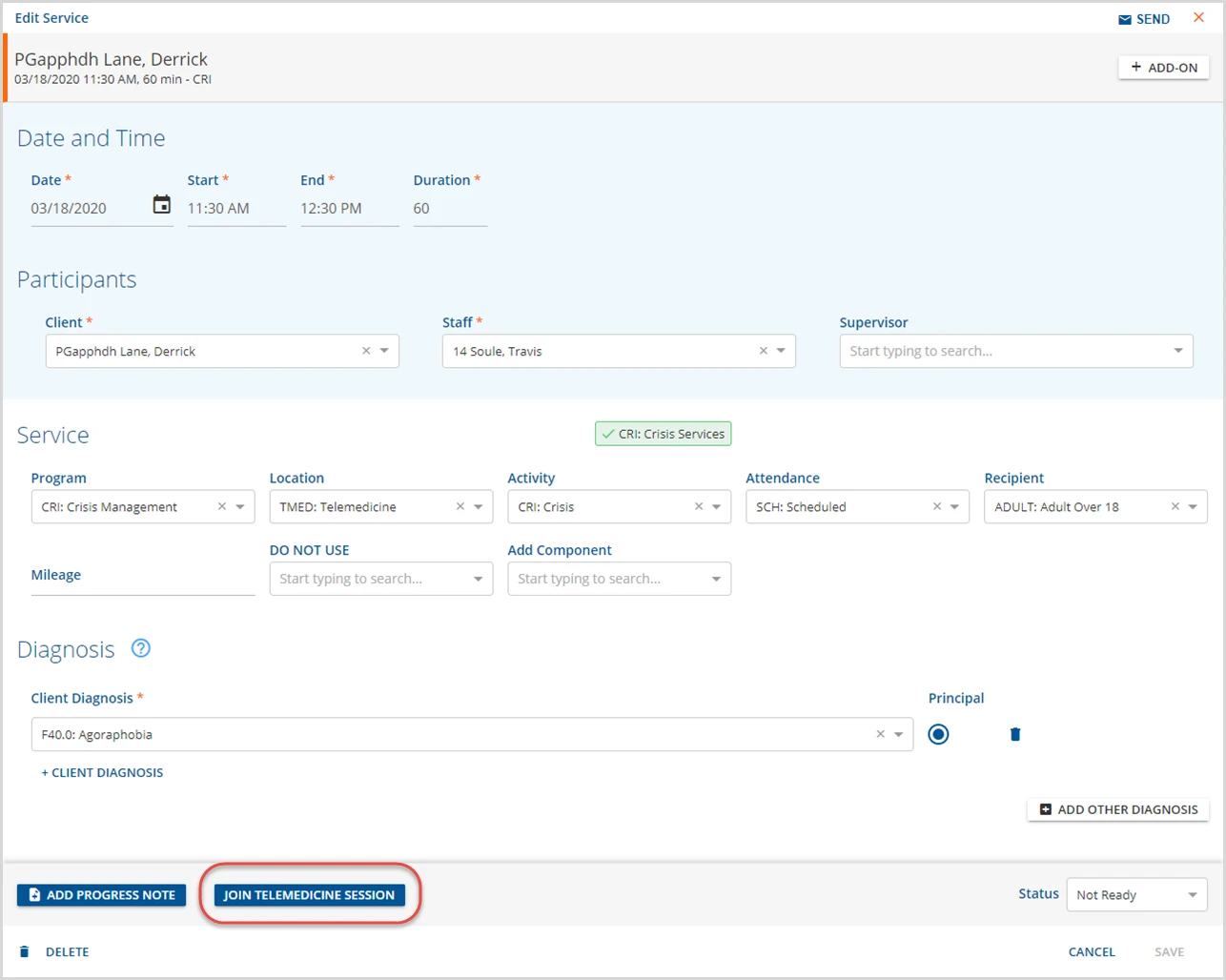
To join the session in the system simply select the blue JOIN TELEMEDICINE SESSION button and follow the on-screen prompts. The session may be joined from either the Services menu or via the Scheduler
IMPORTANT: Only the listed Staff and/or Supervisor of the session may join unless they have the Telemed: Join any session feature permission enabled.
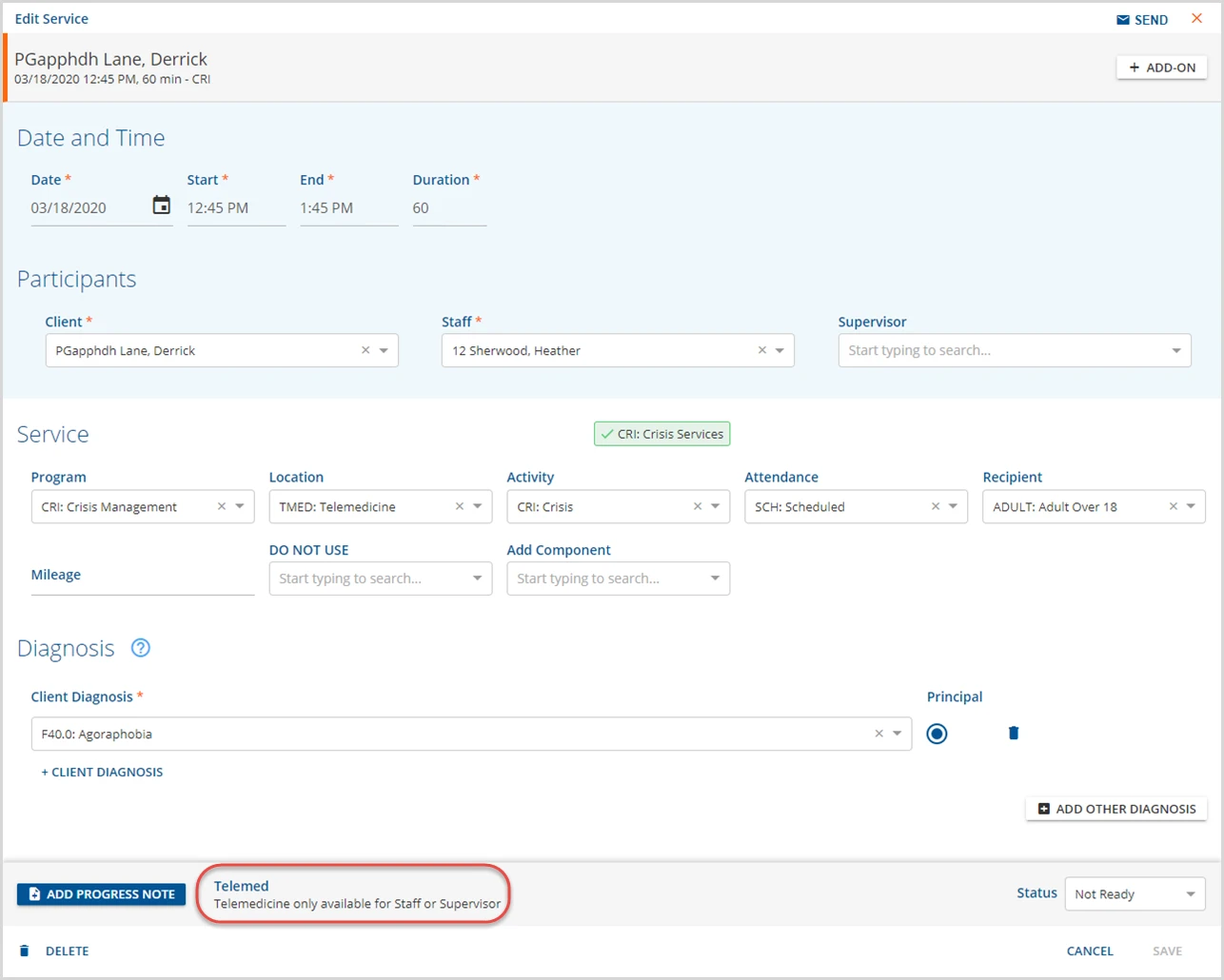
Staff not listed on the Event or Service that DO NOT have the Telemed: Join any session permission, will see the error above.
- See Configuration & Permissions for detailed information on configuring user group Permissions.
- See Editing, Cancelling or Deleting a Telemedicine Session for detailed information on editing, cancelling, and deleting Telemedicine sessions.