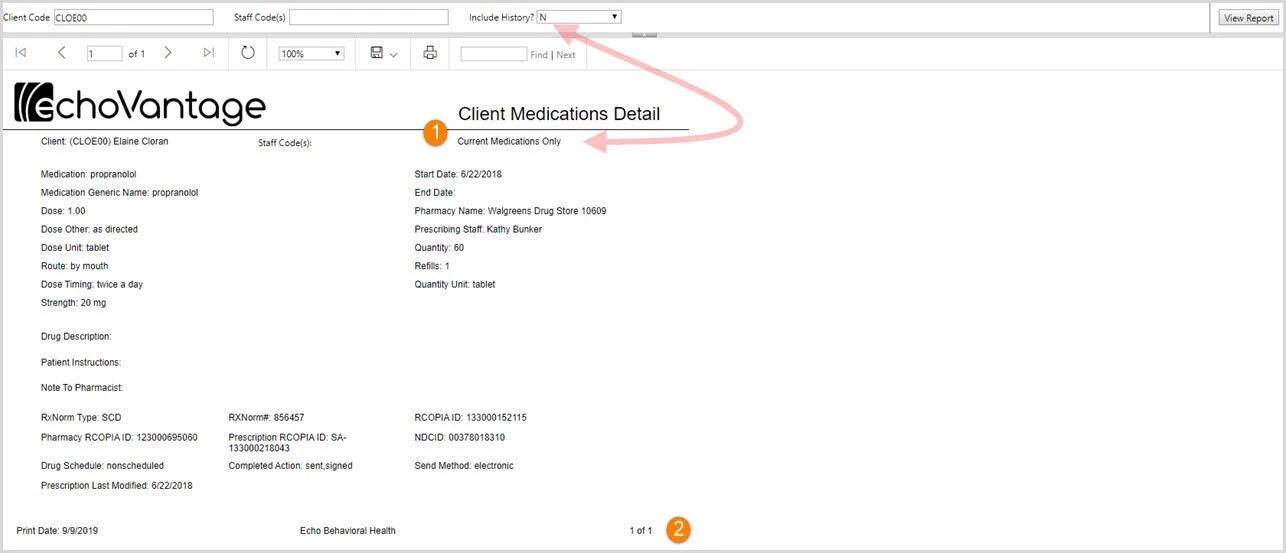
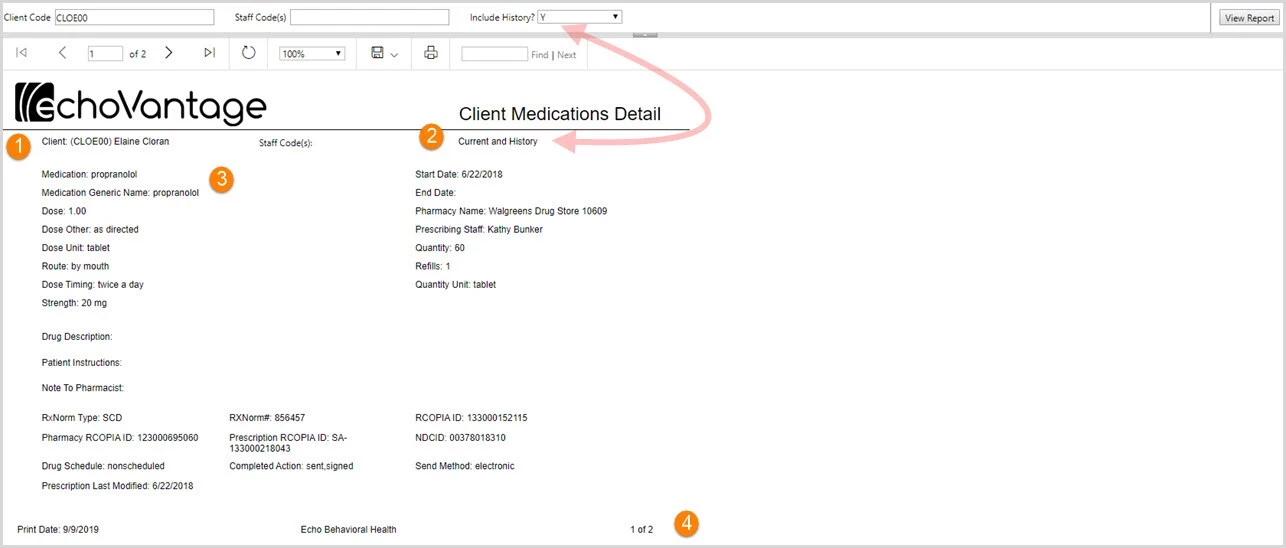
The Client Medications Detail report devotes an entire page to each client's medication. A Client Code must be specified to run the report. A staff code or codes may be entered or left blank to include all.
There is also a parameter for Include History that will include medications that have an end date prior to the current report date if "Y" is selected from the drop-down listing.
- Page one lists the selected client code and client name.
- When the Include History drop-down is set to Y, the header will display Current and History
- The Medication name and Medication Generic name are always displayed followed by the medication and Rx details.
- The page number is displayed on the right-hand side of the page footer.
- The Client Medications Detail was run again for the same client.
- This time "N" was selected in the Include History drop-down listing.
- The header area now displays "Current Medications Only"
- The page footer now also indicates that the report is on page 1 of 1.