


The Client Diagnosis Settings tab has the following three options.
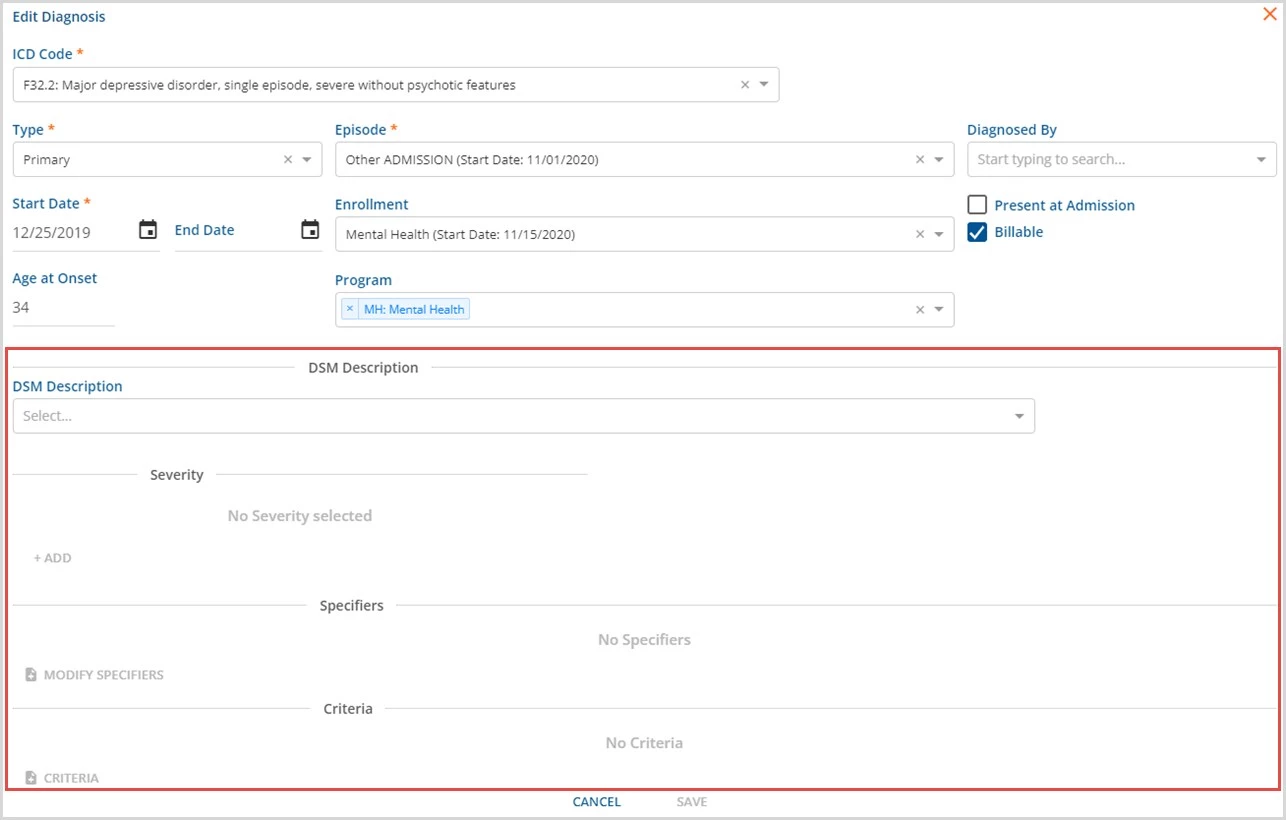
- Show DSM on Client Diagnosis
- Slide right to enable (toggle and Enabled are blue) DSM descriptions on the Client Diagnosis tab.
- Slide left to disable (toggle and Enabled are greyed out) and hide DSM descriptions.
-
NOTE: The DSM Mapping tab is only available when the Show DSM on Client Diagnosis is enabled.
- When this option is enabled, the Client Diagnosis card displays additional DSM fields.
- Show SNOMED on Client Diagnosis
- Slide right to enable (toggle and Enabled are blue) SNOMED descriptions on the Client Diagnosis tab.
- Slide left to disable (toggle and Enabled are greyed out) and hide SNOMED descriptions.
- When this option is enabled, the Client Diagnosis cards displays additional SNOMED fields.
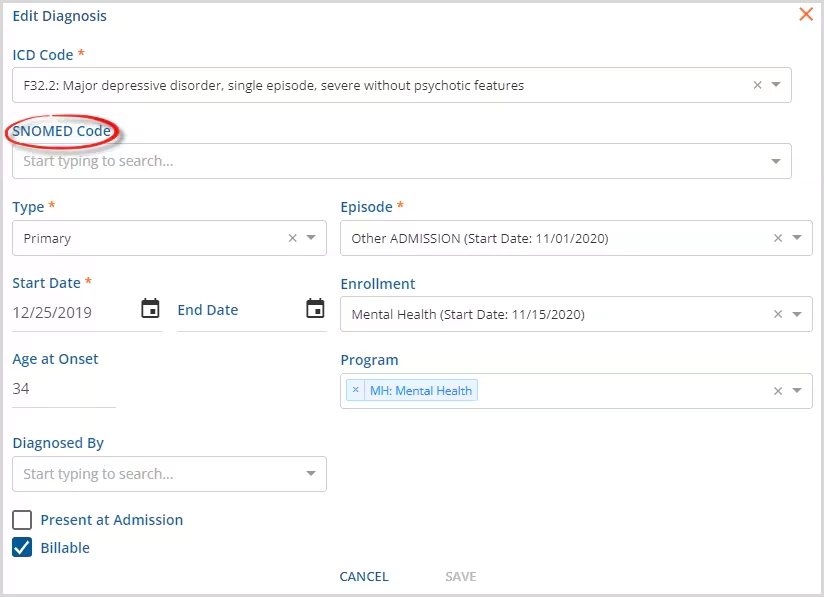
- DSM and SNOWMED Diagnoses can be enabled at the same time.
- Diagnosis Matching on Service Entry
- Allows the agency to determine how the Diagnosis is auto-populated in Service Entry and selected during Census Billing.
- Two options are available.
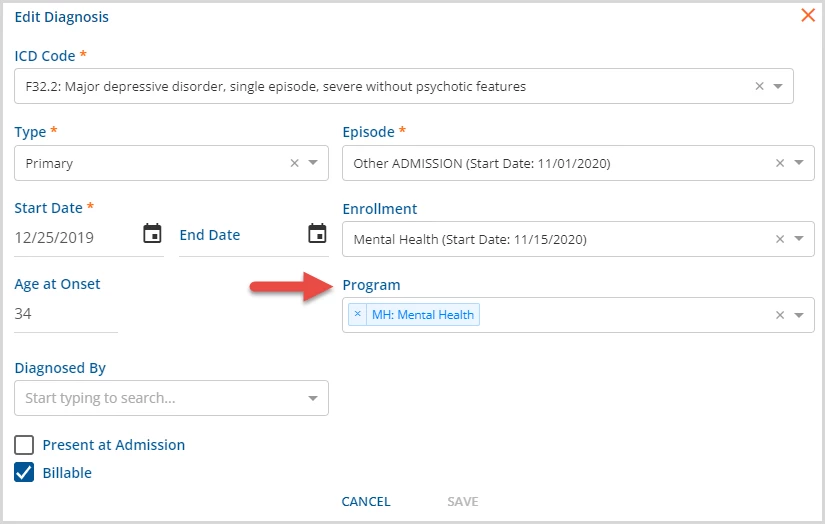
- Program - When selected, the application looks for a match between the Service Entry Program and the Diagnosis Program to select an active, billable, and primary Client Diagnosis first.
- When selected, Program displays on the Client Diagnosis card.
- If no Program is selected it falls back to the selected Enrollment Program.
- If there are no Programs or Enrollments defined on the Client Diagnosis cards, no default Client Diagnosis value is populated in Service Entry.
- When selected, Program displays on the Client Diagnosis card.
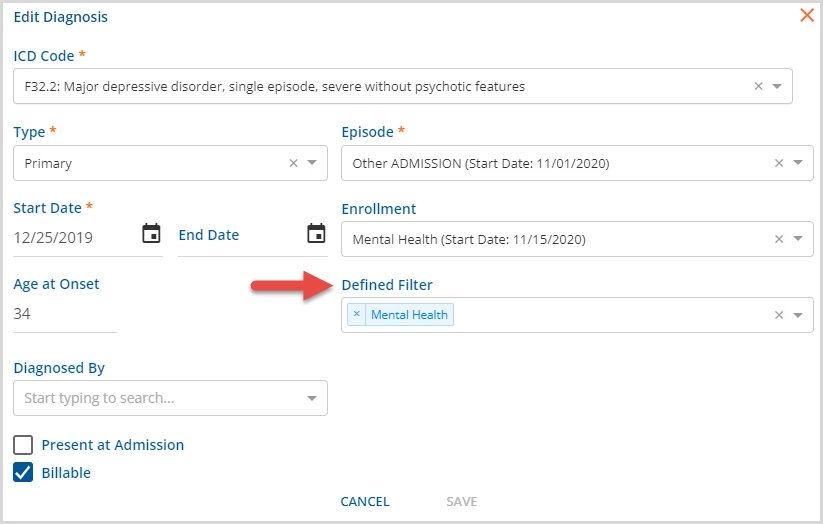
- Defined Filter - When selected the application updates the value in the Client Diagnosis field as Component Code values are selected in Service Entry.
- When selected, Defined Filter displays on the Client Diagnosis card.
- Unlike the Program option, this one does not fall back to Enrollment.
- Program - When selected, the application looks for a match between the Service Entry Program and the Diagnosis Program to select an active, billable, and primary Client Diagnosis first.
- Selecting one deselects the other automatically.