Permissions Required: All Users can access. Information displayed will be different based on Permission Level.
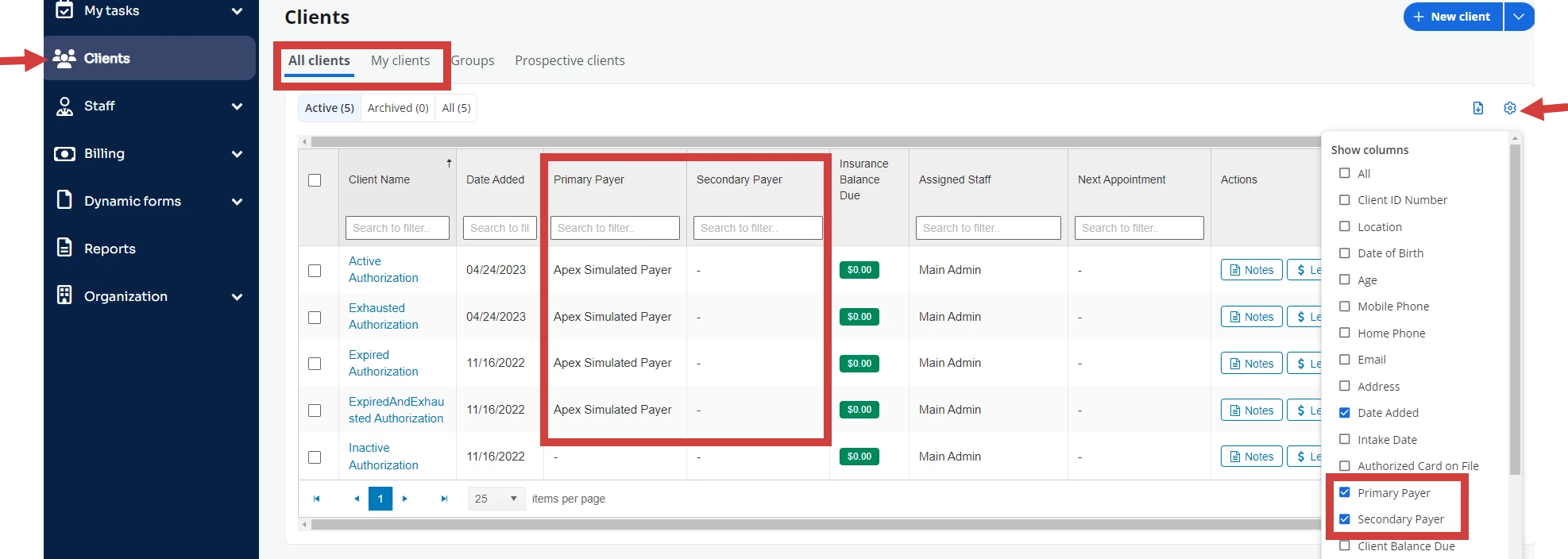
Occasionally you may want to view Clients by Payer. You Payers by either Primary or Secondary Payer.
- Click Clients in the navigation bar, then select either All Clients or My Clients from the drop-down.
- Click the Settings drop-down.
- Select Primary Payer and/or Secondary Payer.
- Use the Search box to filter for a specific Payer.
Only Clients with that Payer will pull into the list.