Permissions Required: All Users can access. Information displayed will be different based on Permission Level.
Staff can access a list of Clients in the system. By default, all Staff will be able to view general Client Details (non-clincal). If you want Staff to only be able to view their assigned Client's you will need to set in Staff Permissions.
NOTE: Staff Members cannot export the Client List. This prevents "Patient Poaching." Administrator can export Client Information using the Export Client Data feature.
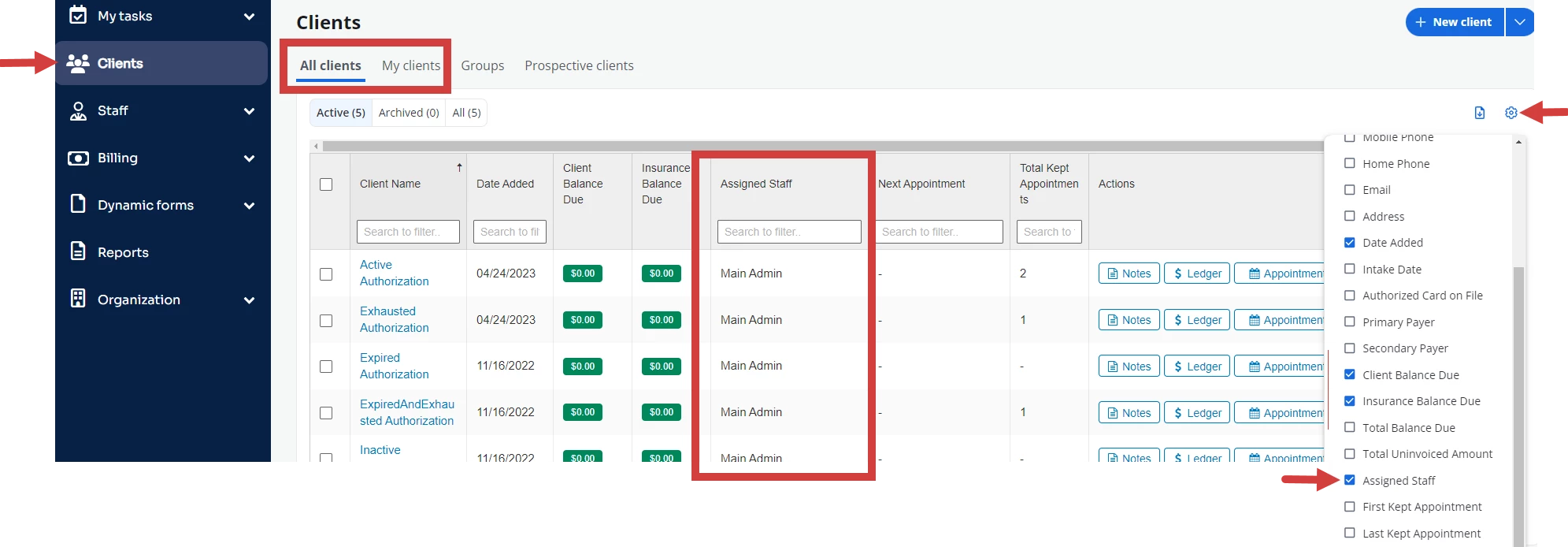
- Click Clients in the navigation bar, then select either All Clients or My Clients from the drop-down.
- Click the Settings drop-down.
- Ensure Assigned Staff is selected.
- Click on the column headers to Search or sort information.