Permissions Required: You must have Billing Permissions.
It is not advised to mark a Payer inactive until you are completely done billing that Payer. Ensure that you have received all Claims from that Payer for the Client and do not plan to submit more Claims to that Payer from this Client.
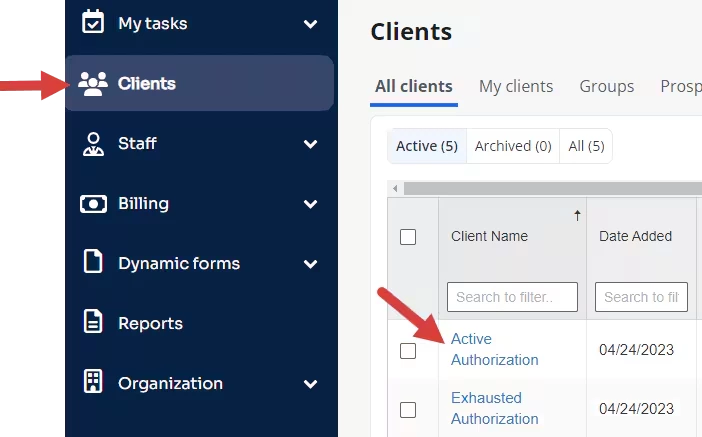
- Navigate to Clients in the side menu. Locate Client and open Client Profile.
- Click Bill To & Insurance Info tab.

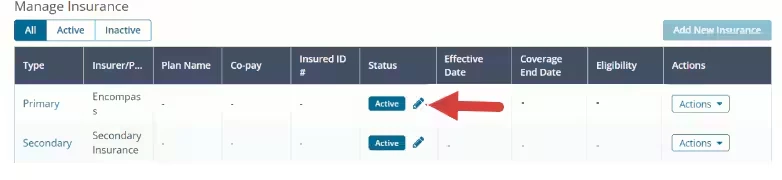
- Scroll down to Manage Insurance section.
- Click Pencil icon in the Status column.
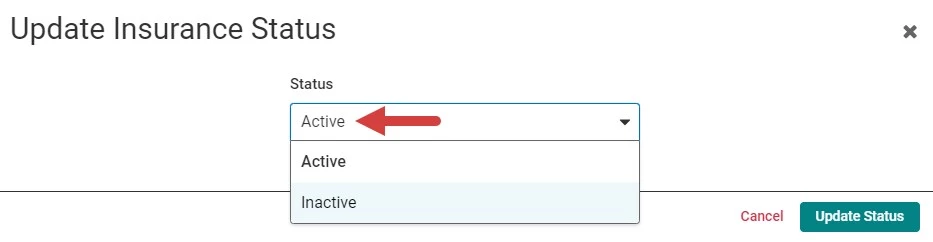
- Change Status to Inactive.
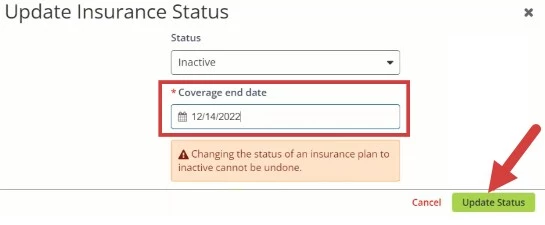
- Enter Coverage End Date.
- Click Update Status button. The Insurer is now inactive on the Client's record.