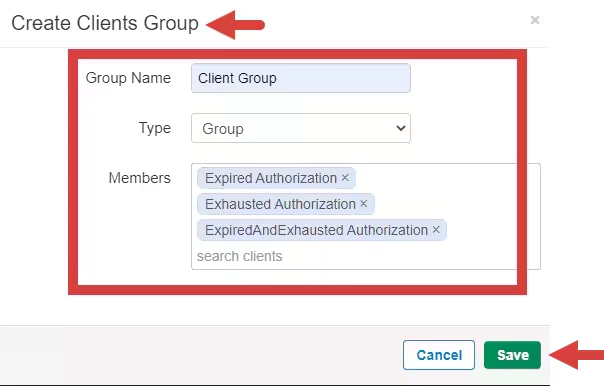
You are able to create client groups. The Group will have its own set of Appointments and its own Case. Within the Case, each group member can have their own Note and Treatment Plan.
IMPORTANT: All soon-to-be Group members must be active Clients to be added to a Group.
- Click Clients tab in primary navigation bar.
- Click Groups from side navigation.
- Click New Group form the New client drop-down. The Create Clients Group window opens.

- Enter Group Name and select the type of Group
- Select Group Type: Group or Family
- Type Client Names and select the name from the drop down list
- Click Save.