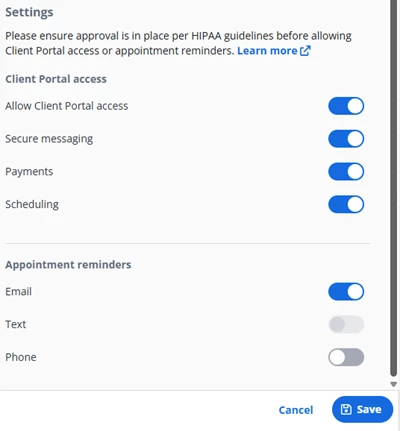
You are able to add or change Contact Client Portal Access Permissions at any time.
IMPORTANT: Client Portal Permissions are on a per Client basis. If the Contact has access to multiple Client Portals, their permissions may differ for each.
- Locate Client and open Client Profile.
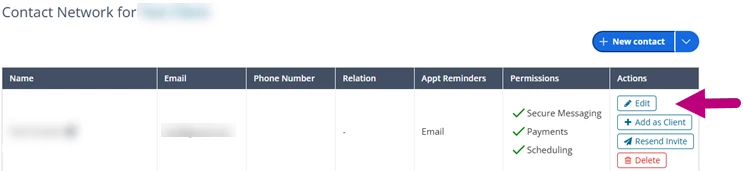
- Click Contact Network tab.
- Click Edit button.
- Click the Settings toggles to change portal access.
- Click Save.