


Bulk Client archiving can be helpful in situations where a Staff Member has left the practice. You can search for Clients by assigned Staff Member and then bulk archive all their Clients.
OR, you can archive based on Last Kept Appointment/No Future Appointment. You can customize the Client List Grid to pull in last kept Appointment and then archive all Clients who haven't had an appointment in X number of months.
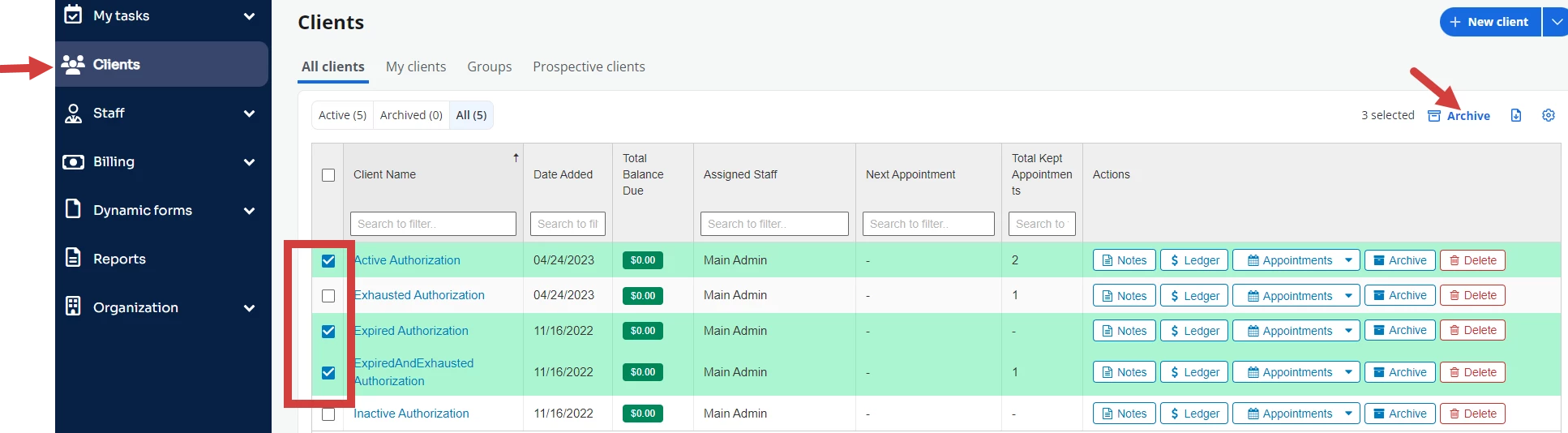
- Click Clients
- Select checkboxes for all Client you wish to Archive and click Archive.
- Click Submit to confirm archive.
