


The PHQ-9 Modified for Adolescents also known as a PHQ-A, is one of the Core Assessments included standard with the product. This assessment is a tool to measure the severity of depression. The form used is the PHQ-9 Modified for Adolescents.
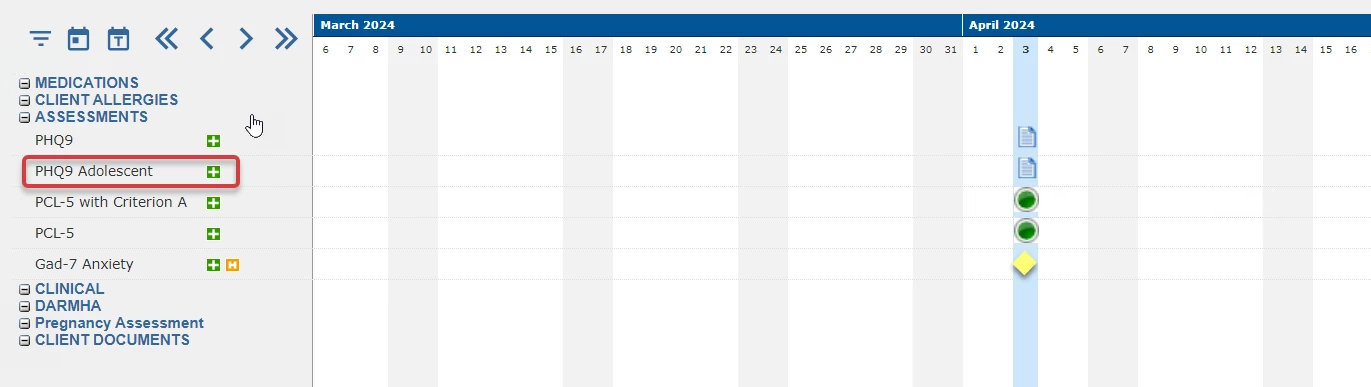
The user can access the form directly in the Timeline by clicking the green + sign. The form window will pop-up displaying the assessment. This 13 question assessment has the same navigation and functionality as the PHQ9 Assessment.
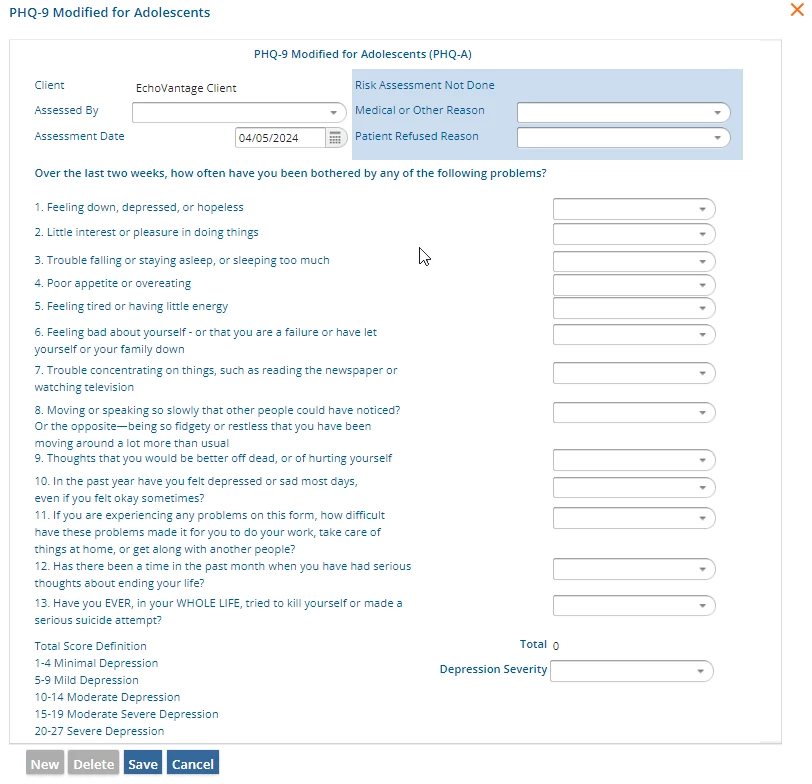
Client - The field is auto-populated with the selected Client.
Assessed By - The dropdown list is populated with Staff as defined in Configuration - Staff/Users > Staff.
Medical or Other Reason - Use the dropdown list to make selection. Options are:
- BLANK (no reason)
- Medical contraindication (finding)
- Procedure contraindicated (situation)
- Procedure not indicated (situation)
- Treatment not tolerated (situation)
Patient Refused Reason - Use the dropdown list to make selection. Options are:
- BLANK (no reason)
- Procedure refused for religious reason (situation)
- Procedure refused (situation)
- Patient non-compliant - refused intervention / support (situation)
- Patient non-compliant - refused access to services (situation)
- Refusal of treatment by patient (situation)
- Patient non-compliant - refused service (situation)
Statements 1-9 each have the same available responses in the dropdown list. A value is assigned to each response and used to calculate the Total score. Responses available to select are:
- 0 Not at all
- 1 Several Days
- 2 More than half the days
- 3 Nearly every day
Question 11 has a different set of responses that are also each assigned a value that is included in the Total score. These responses are:
- 3 Extremely difficult
- 2 Very difficult
- 1 Somewhat difficult
- 0 Not difficult at all
Questions 10, 12 and 13 have the same available responses in the dropdown. These are also each assigned a value that is included in the Total score. These responses are:
- 0 No
- 1 Yes
Total - Once responses have been selected for the statements/questions, a total score for the PHQ9 Adolescent is calculated and displayed in the Total.
Depression Severity - Use the dropdown list to select the appropriate description for the Depression Severity based on the user's interpretation of the Total score. The options are:
- Depression Screening Negative (finding)
- Depression Screening Positive (situation)
Remember to click Save to record entered information. A sample completed PHQ9 Adolescent form is shown below.
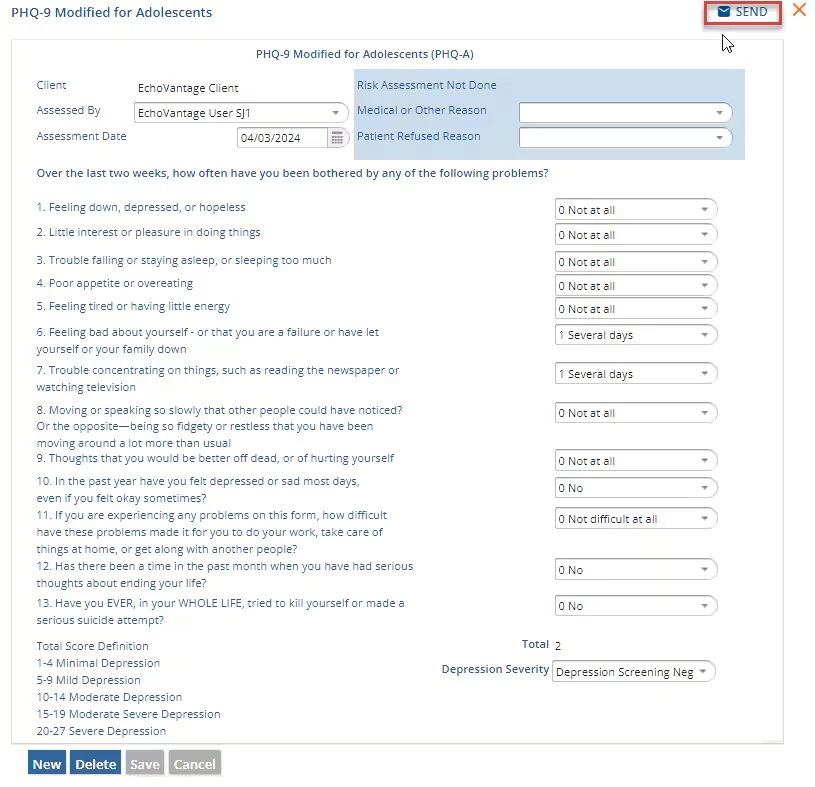
Another user can be notified that the PHQ9 Adolescent form was completed by selecting the SEND button. By selecting SEND and Review Requested, the message will show in their inbox with a link to the PHQ9 to be reviewed.
A completed PHQ9 Adolescent form will also display on the Timeline. For this assessment, a paper icon is the configured depiction.