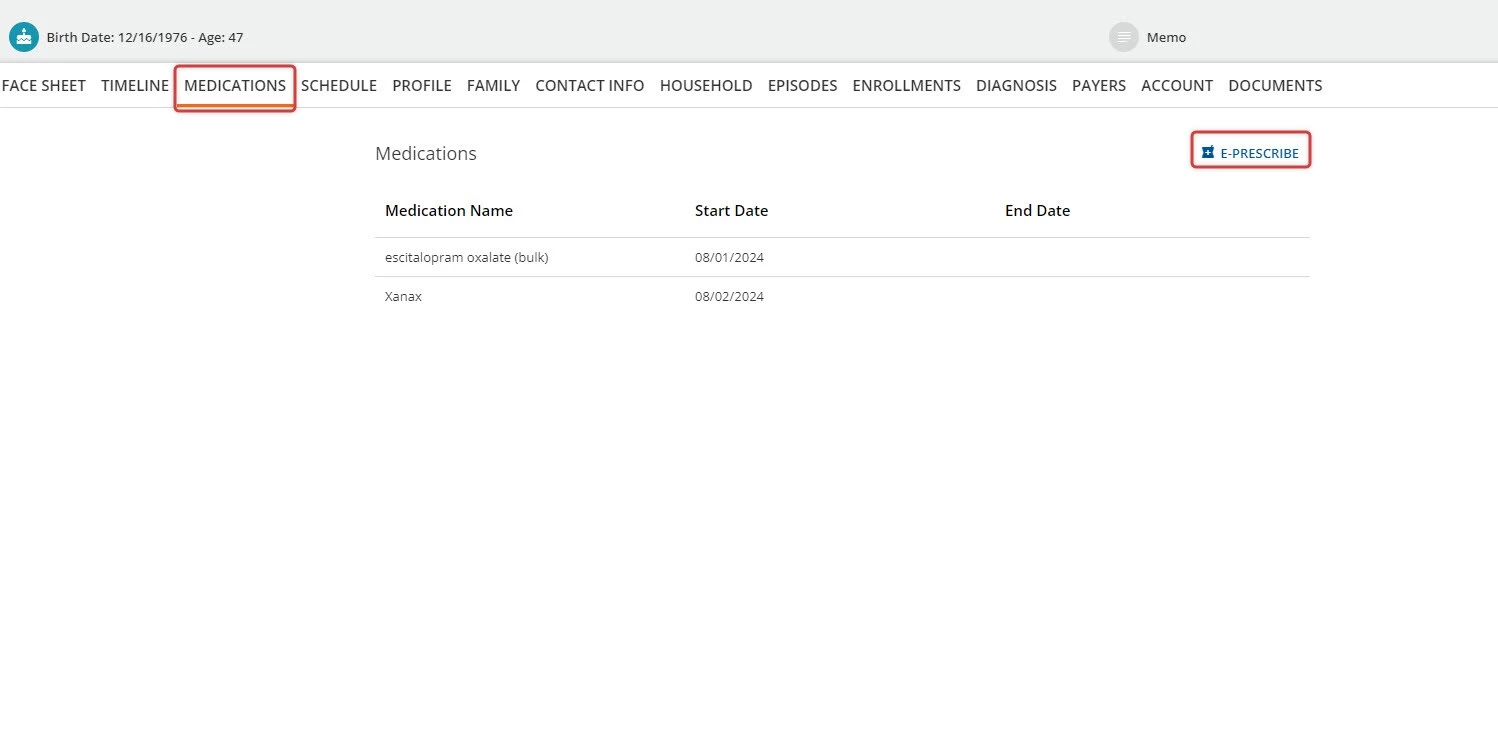
The Medications tab allows users to view a list of medications prescribed to a Client and e-prescribe a new medication from the page directly, without navigating to the Timeline.
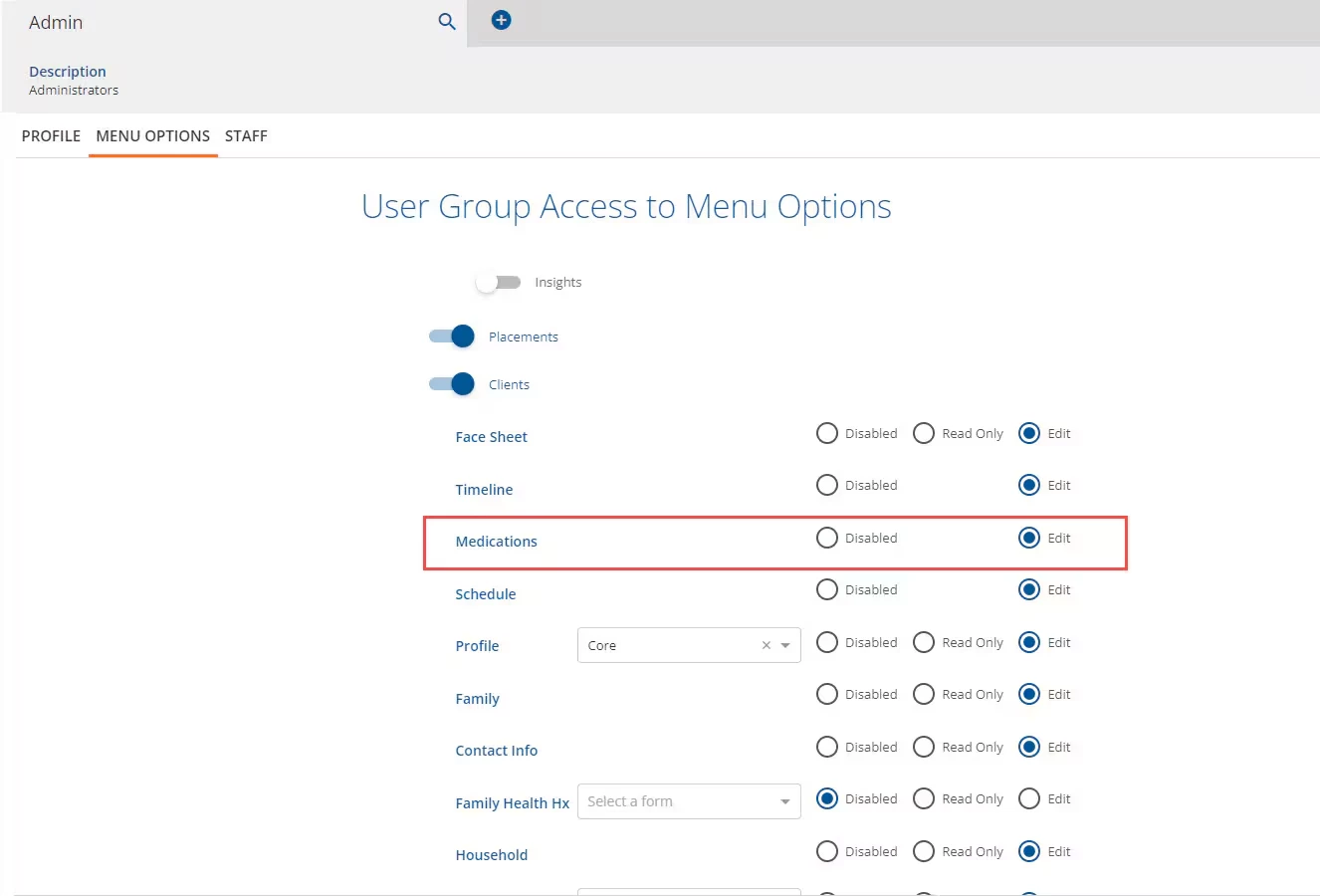
NOTE: The tab must be configured within Configuration - Staff/Users > User Groups to be accessible.
To enable the Medications tab:
- Navigate to the Menu Options tab.
- Find the Medications line item.
- Click the Edit radio button.
- Click the blue Save button at the bottom of the screen to apply changes.
-
View Client Medications & E-Prescribe
Once permissions are properly configured, the user is able to view the Medications tab within the desired Client.
- Within the tab, the user can view the Medication Name, Start Date, and End Date for each medication (active and inactive).
- To add a medication to the Client's record, click the blue E-Prescribe button to the right of the Medications list. This will launch eRx. See Create a New Prescription for more information on how to enter a new prescription.