


To provide more transparency and improve ease of management, errors that occur when importing orders and results are now displayed within the application.
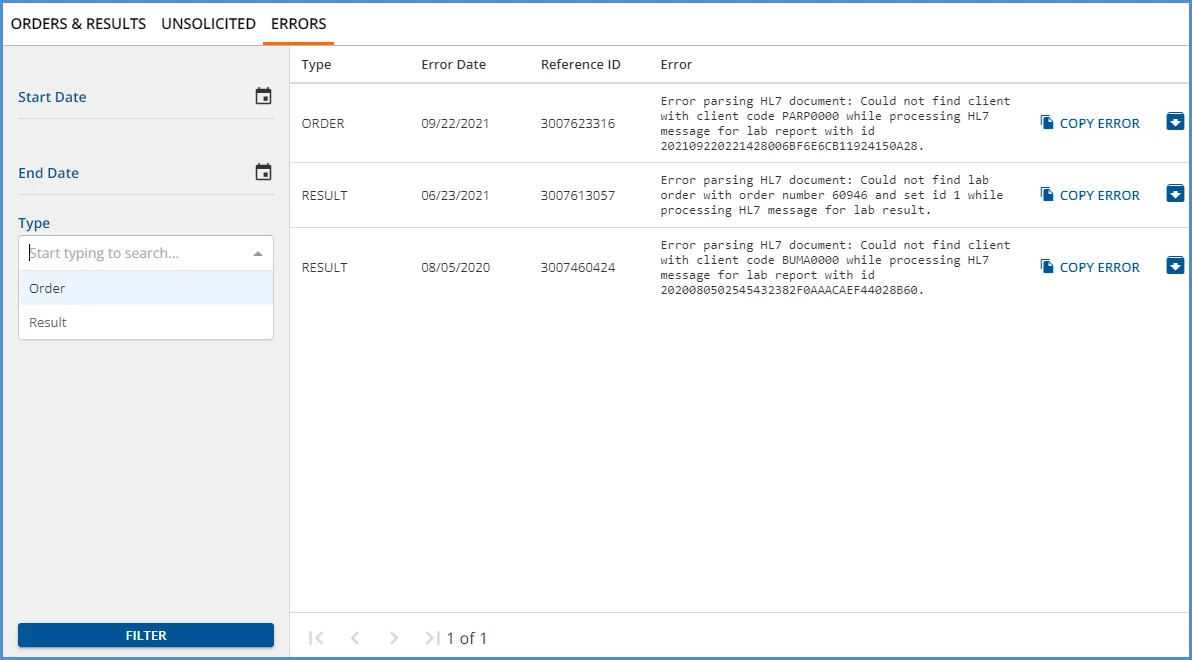
- Filters are available to search by date range and Type.
- The Reference ID column is pulled from dbo.LabReports.ReferenceId.
- The full error message is contained in the database.
- Use the COPY ERROR button for easy Error Capture when working with Support.
- If the Error is non-consequential or already addressed, select the blue archive folder to remove it from the screen. After confirming the archive action, the dbo.labreports.Status column changes from ERROR to ARCHIVED.