


The GAD-7 assessment is one of the Core Assessments included standard with the product. This assessment is a tool to measure the severity of anxiety. The form used is the GAD-7 Anxiety.
The user can access the form directly in the Timeline by clicking the green + sign. The form window will pop-up displaying the assessment.
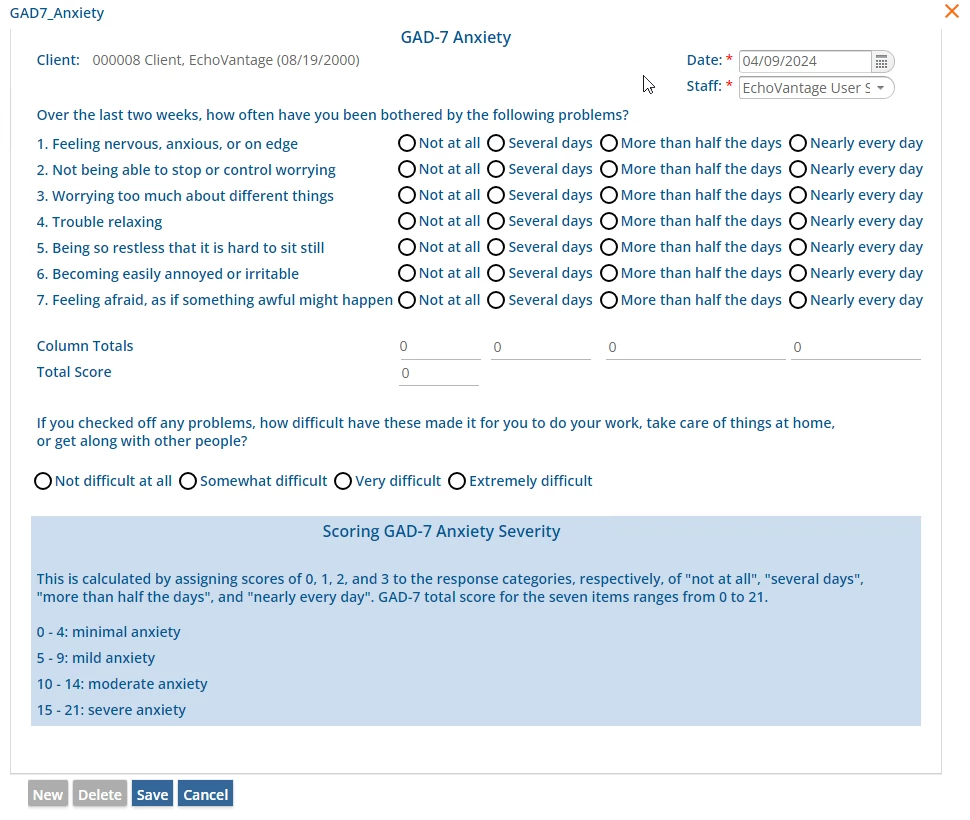
Client - The field is auto-populated with the selected Client.
Staff - The dropdown list is populated with Staff as defined in Configuration - Staff/Users > Staff.
Statements 1-7 each have the same available responses that are each assigned a value that is included in the Column Totals, and then used to calculate the Total Score. These responses are:
- 0 Not at all
- 1 Several days
- 2 More than half the days
- 3 Nearly every day
Column Totals - Once responses have been selected for the statements, a total is calculated and displayed for each column.
Total Score - The total score for all columns for the GAD-7 Anxiety is calculated and displayed in this field.
The last unnumbered Question has a different set of available responses. These responses are not assigned a value and are not used to calculate the Total Score. These responses are:
- Extremely difficult
- Very difficult
- Somewhat difficult
- Not difficult at all
Remember to click Save to record entered information. A sample completed GAD-7 Anxiety form is shown below.
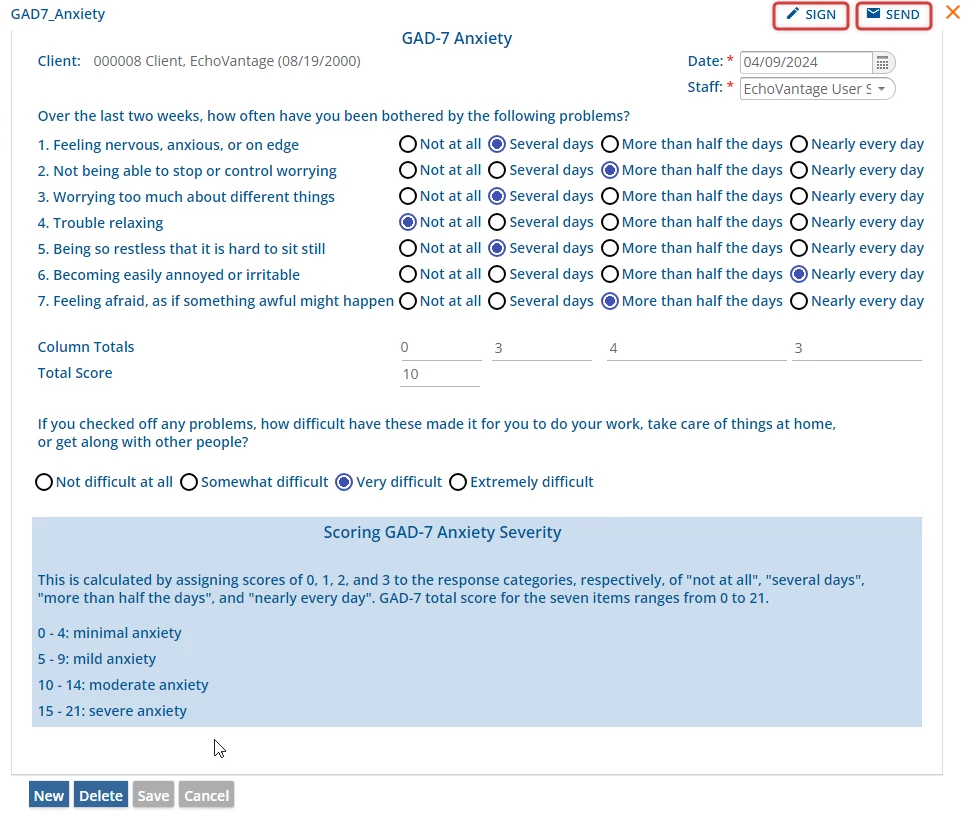
The user can choose to sign the form by selecting the SIGN button. Another user can be notified that the GAD-7 Anxiety was completed by selecting the SEND button. By selecting SEND and Review Requested, the message will show in their inbox with a link to the GAD-7 Anxiety to be reviewed.
A completed GAD-7 Anxiety form will also display on the Timeline. For this assessment, a yellow diamond icon is the configured depiction.