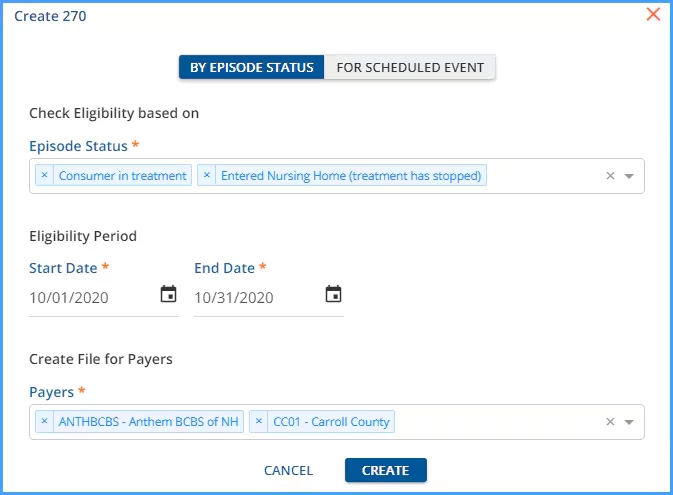
The Create 270 tab opens by default after clicking on the blue plus of the Eligibility > REQUESTS screen. Use this option to generate 270 files based on client Episode status. (Episode status is defined by the organization in Configuration - Setup > Defined Lists > Episode Status.)
-
Episode Status - Episode Status determines which clients are selected for inclusion in the 270. Use the drop-down list to make a selection. Multiple selections may be made.
-
Payers - Use the drop-down list to select the Payer or Payers for which a 270 submission will be created. Again multiple selections may be made.
-
Start Date and End Date - Both Start and End Dates are required.
-
A request is created for every client who has Episode Dates that fall within this date range, including the Start and End Dates.
-
The values reported in the DTP segment do not exceed the date range entered.
-
The following table illustrates how dates are reported, assuming the 270 Request above is created and the following Clients have the matching 270 Episode Status.
-
| Client | Episode Start Date | Episode End Date | Reports As: |
| A | 10/03/2020 | NULL | DTP*291*RD8*20201003-20201031~ |
| B | 09/28/2020 | 10/05/2020 | DTP*291*RD8*20201001-20201005~ |
| C | 07/04/2020 | NULL | DTP*291*RD8*20201001-20201031~ |
-
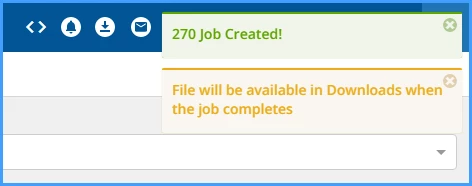
Click SAVE to record the entries and create the 270 file. On-screen action boxes will display.