PERMISSIONS REQUIRED: You must have Billing Permissions.
Jump to Section
Create a Write-Off
- Locate Client and open Client Profile.
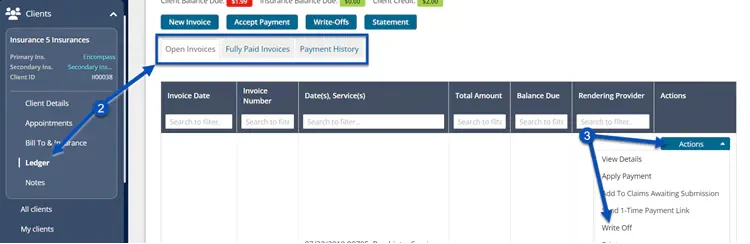
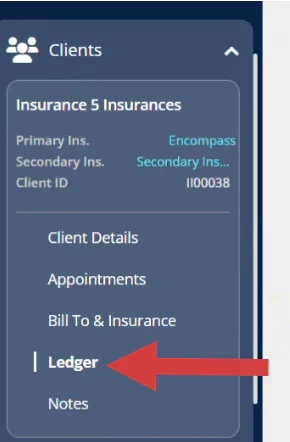
- Click Ledger in the side menu and click the appropriate tab to locate the Invoice.
- Click the Write-Offs button or click Actions and select Write-Off.
NOTE: Write-Off Info defaults to Insurance Write-Off.
- Click the check box for the appropriate Invoice and then the Write-Off Amount field populates.
- If you only need to write off a portion of the Invoice, change the amount in the Write Off Amount field.
- Click Save.
Remove a Write-Off
- Locate Client and open Client Profile.
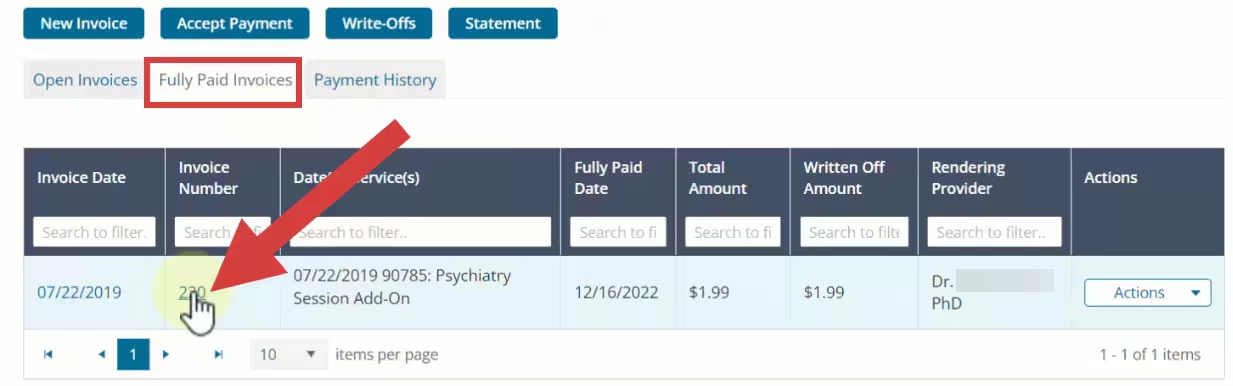
- Click Ledger in the side menu and click the appropriate tab to locate the Invoice.
- Click on the Invoice that the Write-Off was previously added to.
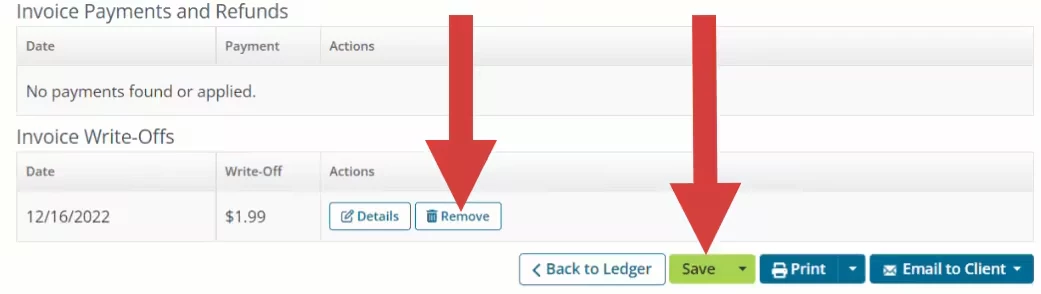
- Scroll down to the Invoice Write-Offs section.
- Click Remove.
- Click Save.