



Permissions Required: Users need Billing Permissions.
A Superbill is a document you can give your Clients so they can submit to Insurance and be reimbursed.
Jump To Section:
Print or Email
- Locate Client and open Client Profile.
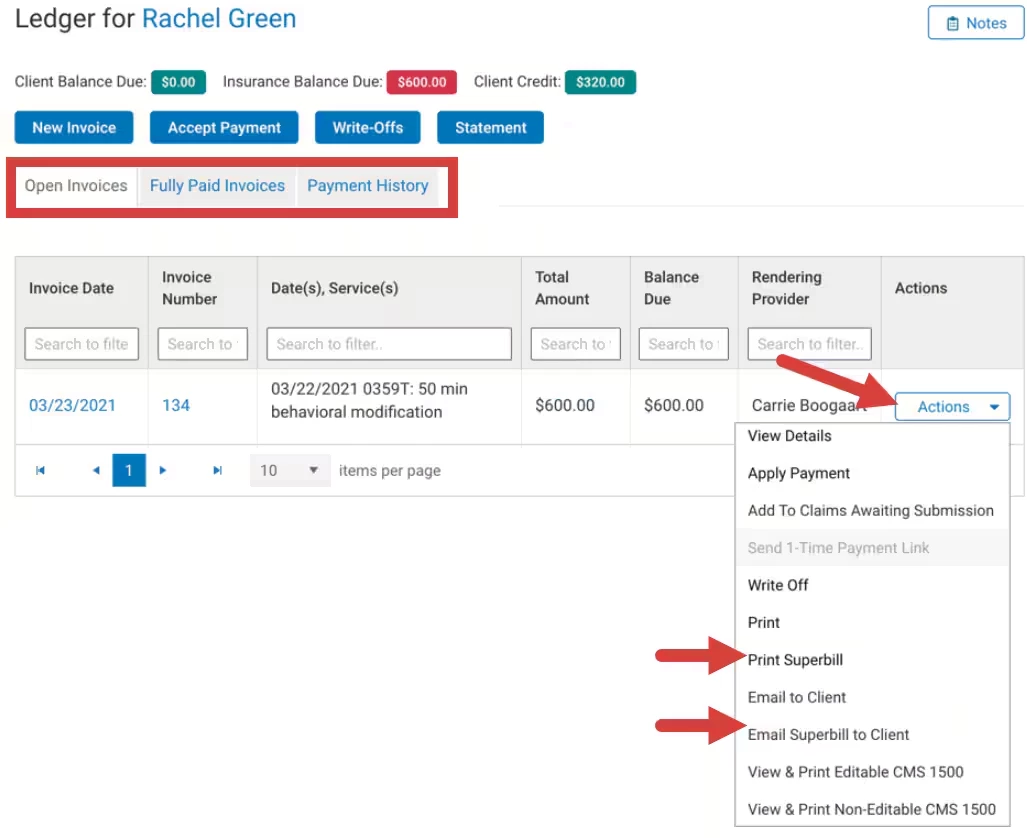
- Click Ledger in side menu and click appropriate tab to locate Invoice.
- Click Select an Action for appropriate Invoice.
- Select Print Superbill or Email Superbill.
- If you Print: Superbill will open in a new screen to download or print as a PDF.
- OR if you Email Superbill: Confirm that you that you want the Invoice sent. The email will be sent through TheraNest to Client.
Sample Superbill Printout
- The superbill printout shows:
- Date
- Service
- Place of Service
- Units
- Client Charge
- Insurance Charge
- Amounts are broken down by:
- Total Client Paid
- Total Insurance Paid
- Client Amount Due
- Insurance Amount Due
- Outstanding Total
NOTE: If an invoice has a balance and the invoice date is prior to the superbill you are sending, the superbill will include the amount balance due from that previous invoice.
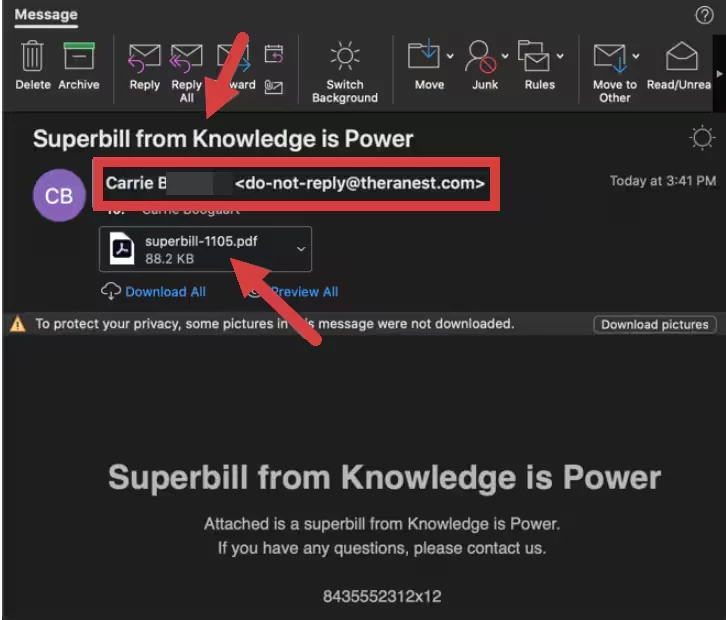
Sample Superbill Email
- Email Subject: Invoice from {Your Organization Name}
- From: Therapist Name <do-not-reply@theranest.com>
- Invoice will be attached.
Related Articles: