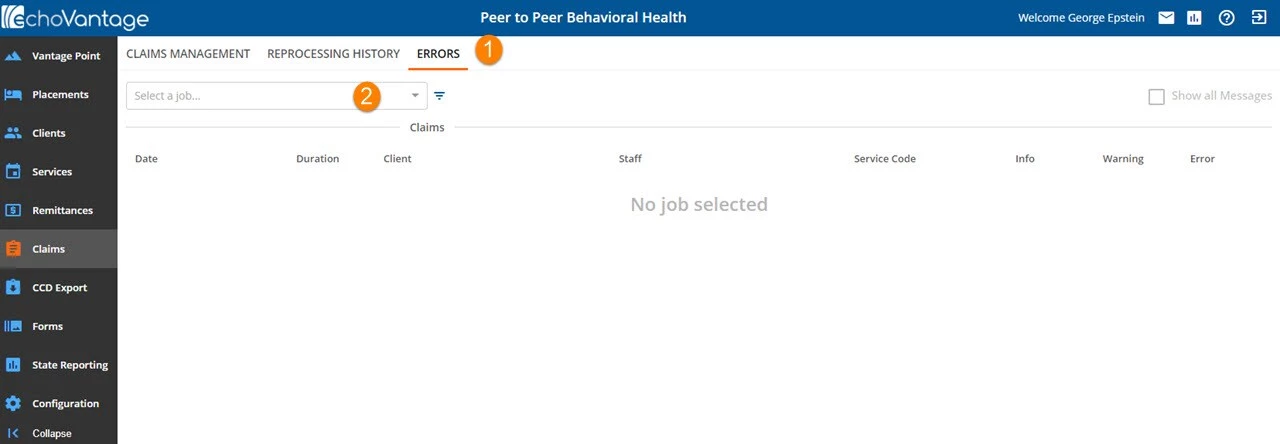
1. Errors - This tab displays batches with errors and provides details on what errors exist.
2. Select a job - Use this drop-down to select a processed batch for error review.
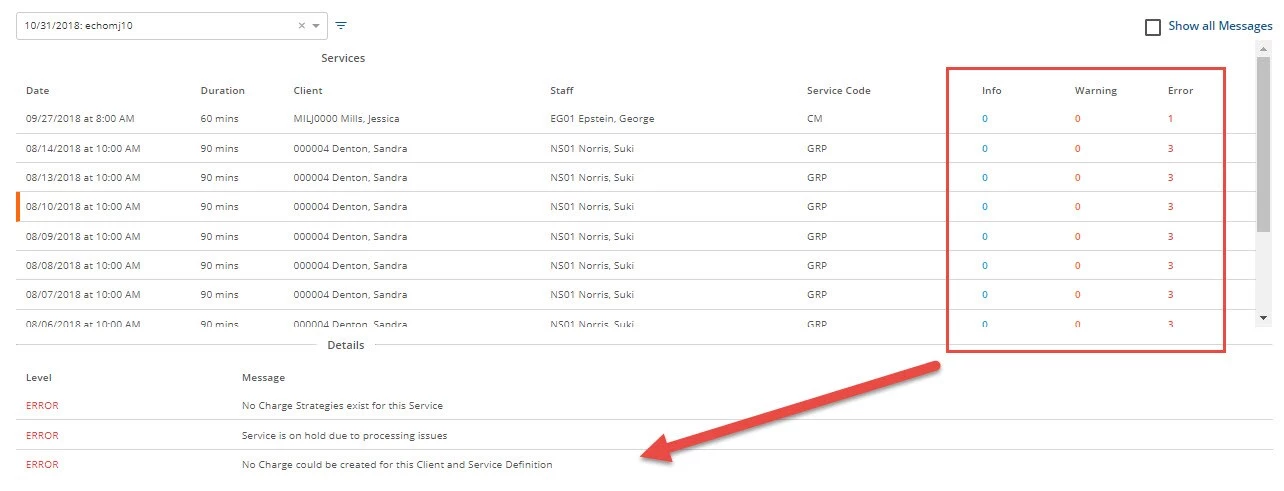
The screen shows the number of Errors, Warnings, and Info for each batch. To get detailed information on the errors click on a claim line. The selected line will be indicated with an Orange bar on the left side. By default, just the error messages are displayed.
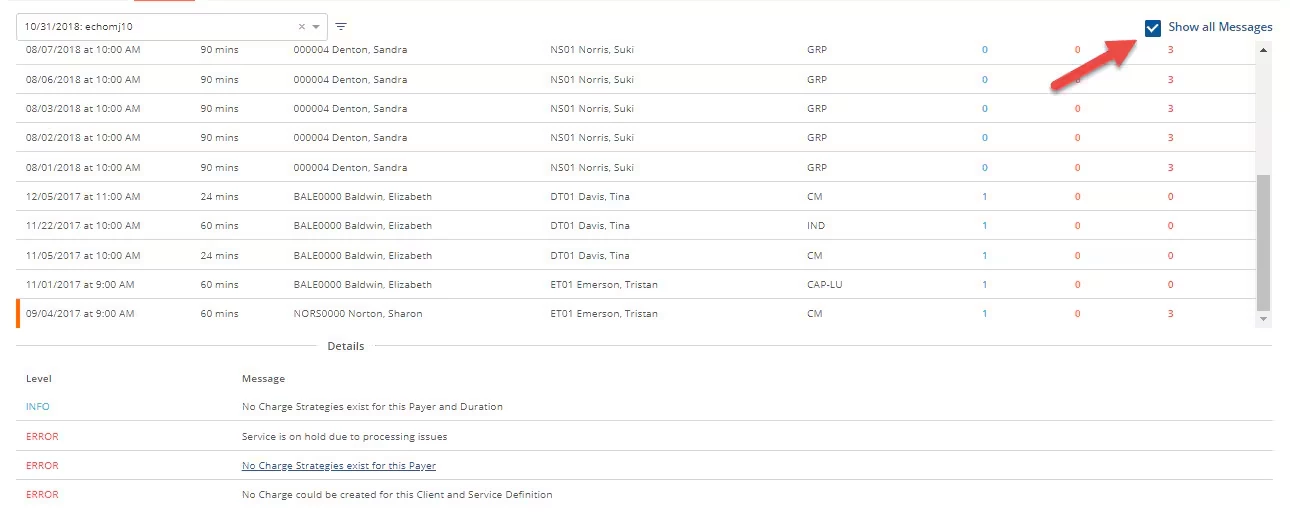
To view the Info and warnings, click on the Show All Messages checkbox in the top right corner.