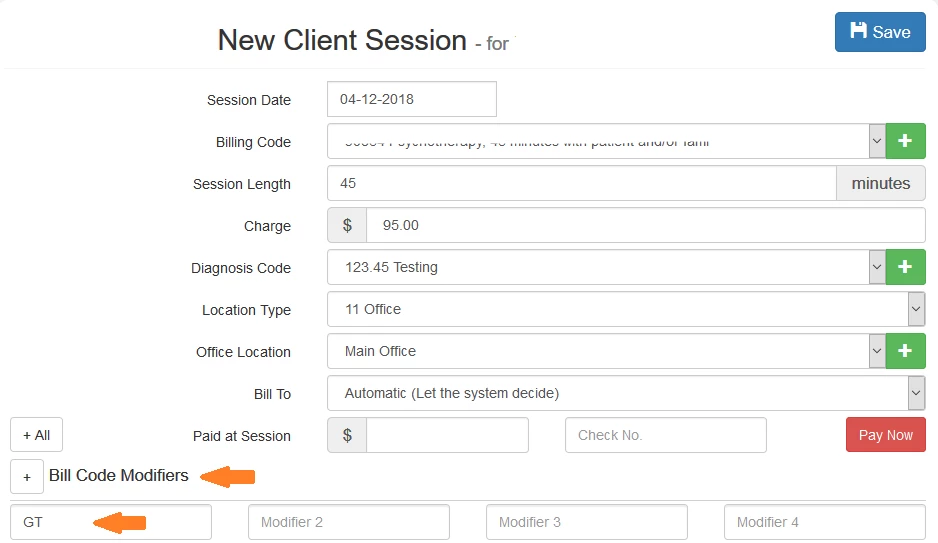
A Bill Code Modifier is a 2-character code that is used to indicate something different about the Bill Code used on a claim, such as, that the claim is for a videoconference, or there are multiple services for the day, and more.
The Bill Code Modifier is entered into the Client Session itself.
- Select the client in the drop-down box at the top of the screen and click on Client Session.
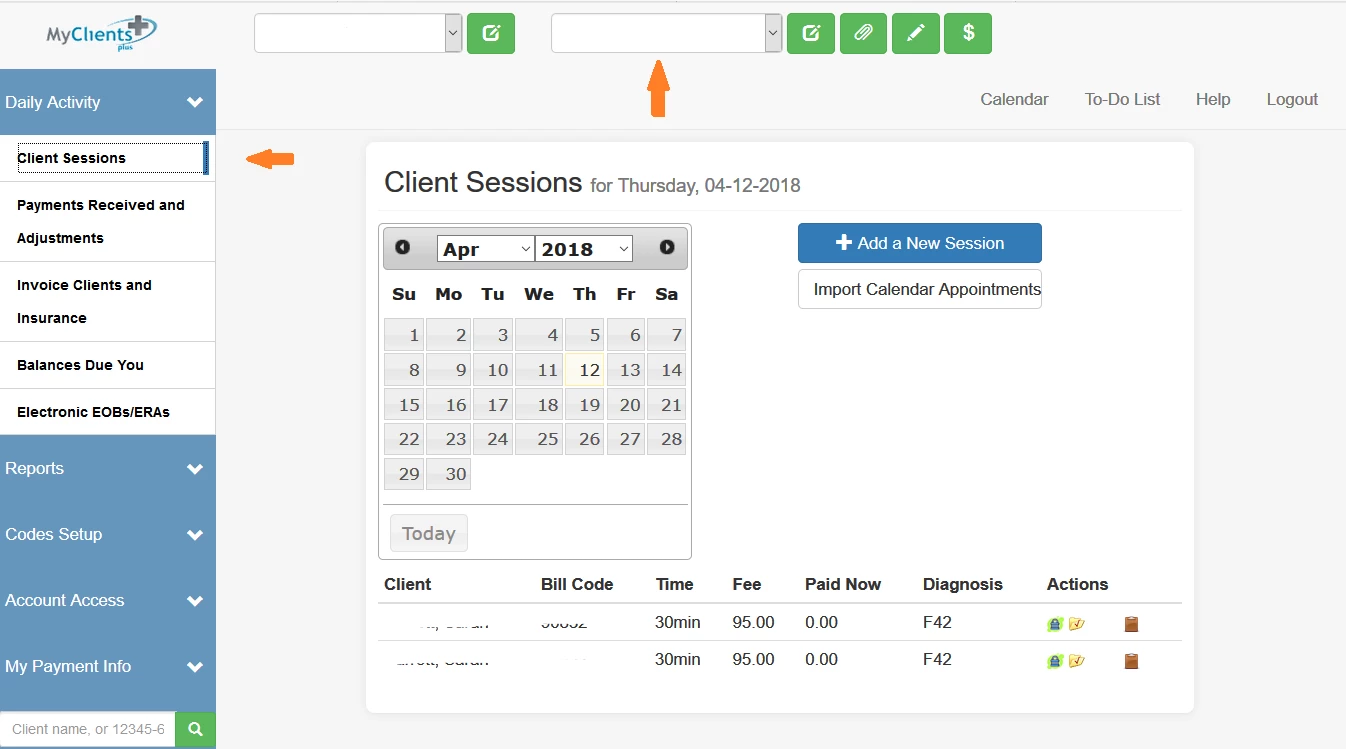
- Click on Add a New Session. Then click on the + icon next to Bill Code Modifier. Enter both characters in the first box. If there are multiple Bill Code Modifiers, enter the two-character code in each box. Up to four Bill Code Modifiers can be entered.