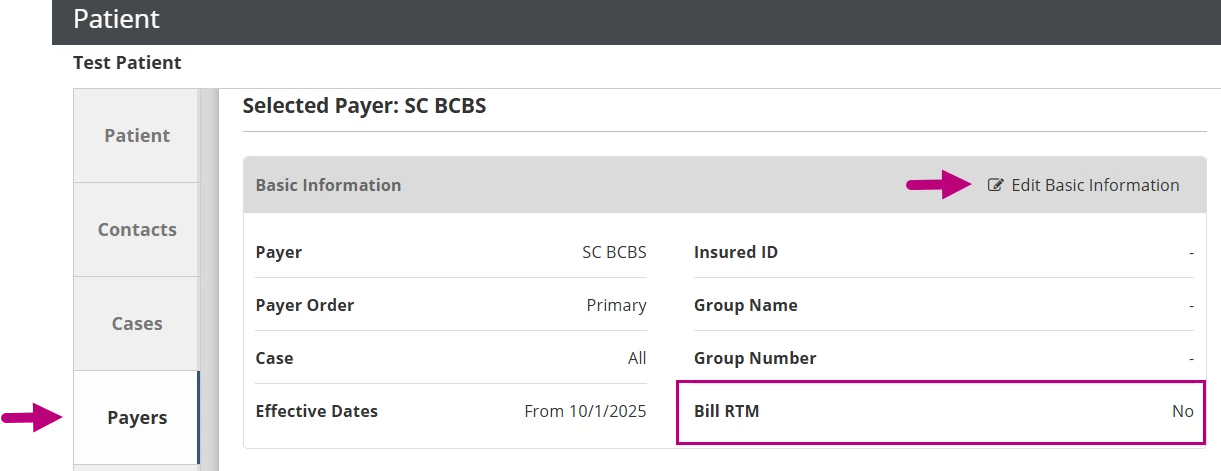
If a patient has one or more payers that should not be billed for RTM, you can exclude those payers from RTM billing for that patient in the system. This helps prevent RTM claims from being generated for payers that do not cover RTM services.
Exclude a Payer from RTM Billing
- Open the Patient Chart.
- Click on the Payers tab and select the payer.
- Scroll down to the Basic Information section and click Edit Basic Information.
- Click the Bill RTM drop-down and select No.