PERMISSIONS REQUIRED: You must have the Admin permission to download RCM assisted billing fees detail.
If your clinic is using RCM service, Admin users can view what remittance payment amounts contributed toward the Assisted Billing Fee for an invoice.
- Click on the Admin tab at the top of the screen.
- Click Fusion Billing Plan in the menu on the left.
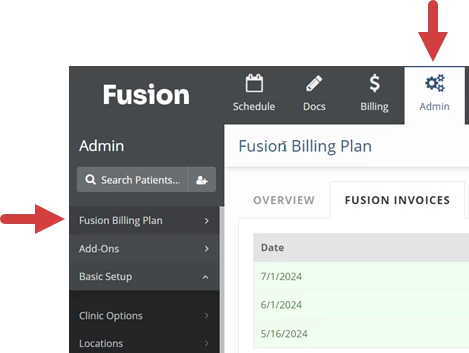
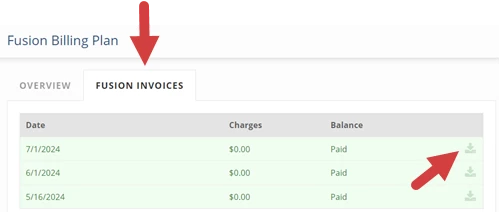
- Click the Fusion Invoices tab.
- Click the RCM Assisted Billing Fees icon for the invoice. This will download a CSV file that you can open in a spreadsheet application (such as Excel) or a text editor.