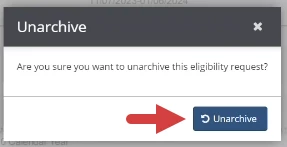
Archive or Unarchive an eligibility request made by the clinic from the Eligibility Requests tab on the Verification Reminders page.
Jump to Section:
Archive an Eligibility Request
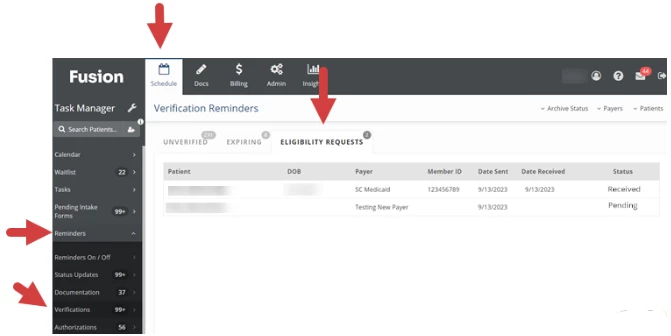
- Click the Schedule tab at the top of the screen.
- Click Reminders in the menu on the left.
- Click Verifications.
- Click the Eligibility Requests tab.
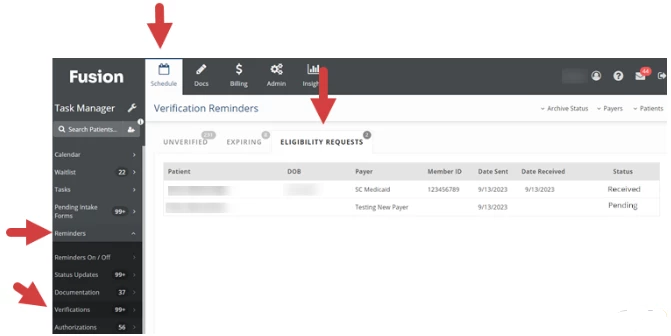
- Click on the Eligibility Request Row.

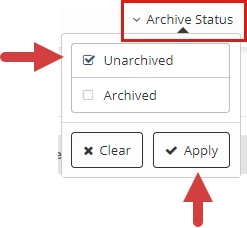
NOTE: If you do not see the eligibility request, make sure the list is filtered to display unarchived eligibility requests. Click the Archive Status button at the top of the list, select Unarchived, then click the Apply button.
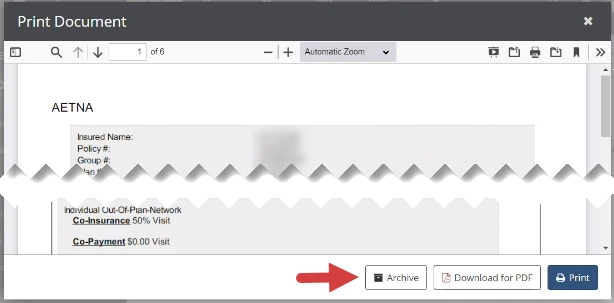
- Click the Archive button at the bottom of the eligibility request.
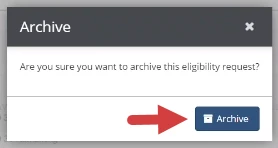
- Click the Archive button on the Archive window.
Unarchive an Eligibility Request
- Click the Schedule tab at the top of the screen.
- Click Reminders in the menu on the left.
- Click Verifications.
- Click the Eligibility Requests tab.
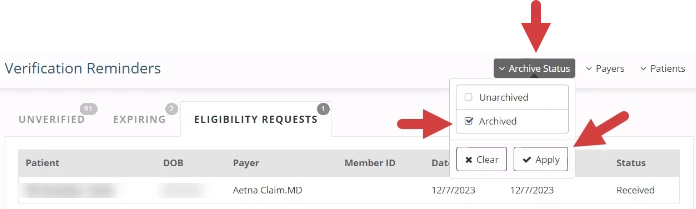
- Click the Archive Status button at the top of the list.
- Select Archived to display archived eligibility requests.
- Click the Apply button.
- Click on the Eligibility Request Row.

- Click the Unarchive button at the bottom of the eligibility request.
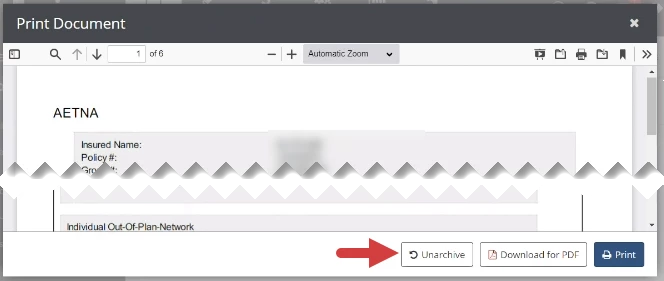
- Click the Unarchive button in the Unarchive window.