Referral Source Required
Some Payers, like Medicare may require the Referral Source to be listed/transmitted on the claim. You can add in Referral Companies. This allows you to transmit the name and National Provider Identifier (NPI) of the referral source on the claim.
To track a referral source only, see article: Add & Manage Referral Providers
Jump to Section:
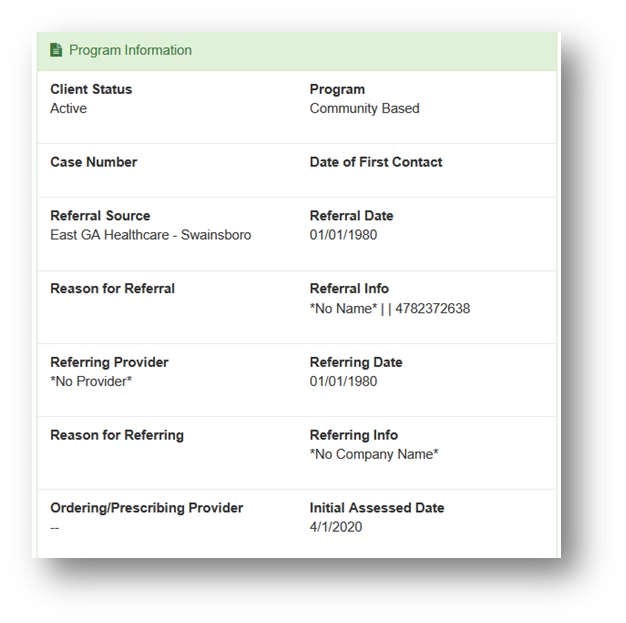
In Client Details, under Program Information, the Referral Source field is the field that electronically connects that field to populate boxes 17 and 17b of the CMS 1500 claim form. Box 17b is used to report information about the referring, ordering, or supervising physician or non-physician practitioner.
Add Referral Company
- Hover over the Managers tab in the navigation bar and select Preferences from the drop-down.
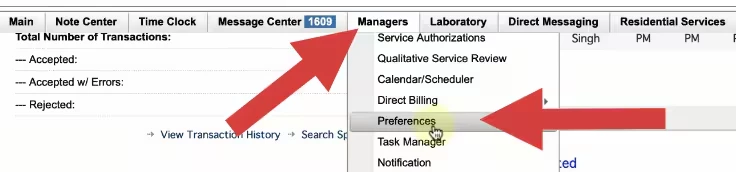
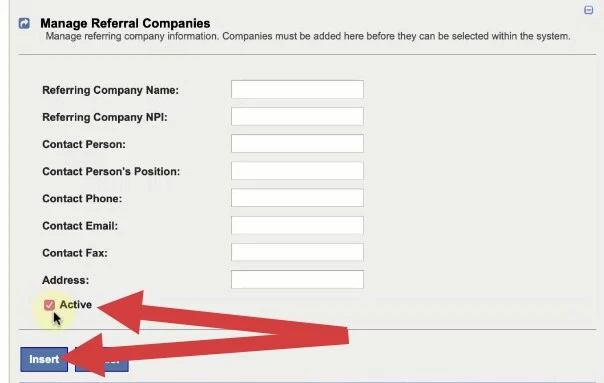
- Scroll to Manage Referral Companies section and expand the section.
- Enter in the appropriate Referral Company information.
- Select the Active checkbox.
- Click Insert.
Edit Referral Company
- Hover over the Managers tab in the navigation bar and select Preferences from the drop-down.
- Scroll to Manage Referral Companies section and expand the section.
- Click the Edit link for desired Referring Company.
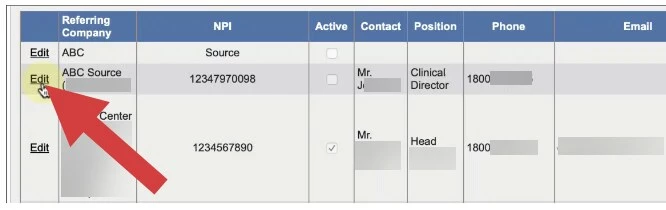
- Make appropriate changes and click the Update link.

Mark Referral Company as Active or Inactive
Although you are not able to delete a Referral Company, you can mark it as Inactive. Marking it as Inactive means that it will not display in any drop-downs. You can reactivate it at anytime.
- Edit desired Referral following the steps above.
- Select or deselect the Active Checkbox.
- Click the Update link.

Choose the Option in the Billing Profile
In the Billing Profile, the option to include referral information must be activated to ensure the referral information is pulled and populated on the claim.
- Navigate to Managers > Direct Billing and choose Billing Profile.
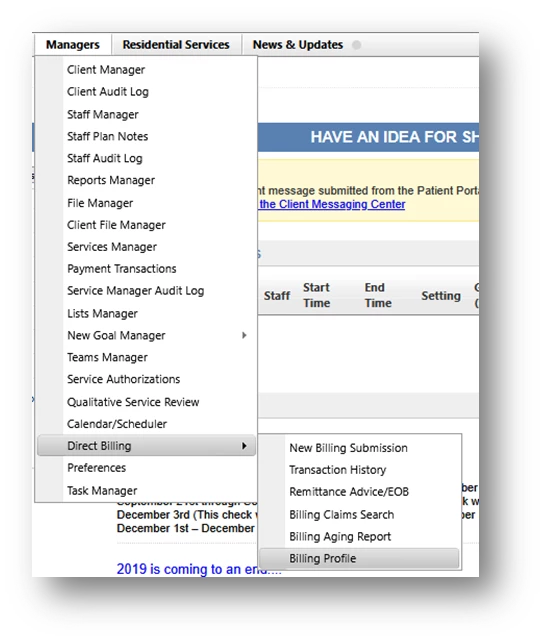
- Located the desired billing profile and click Edit.

- Scroll down and select Include Client Referral Info.