Once a Reminders subscription is set up and running for a Client, the Reminder status will be visible on each Appointment on the Calendar.
Jump to Section:
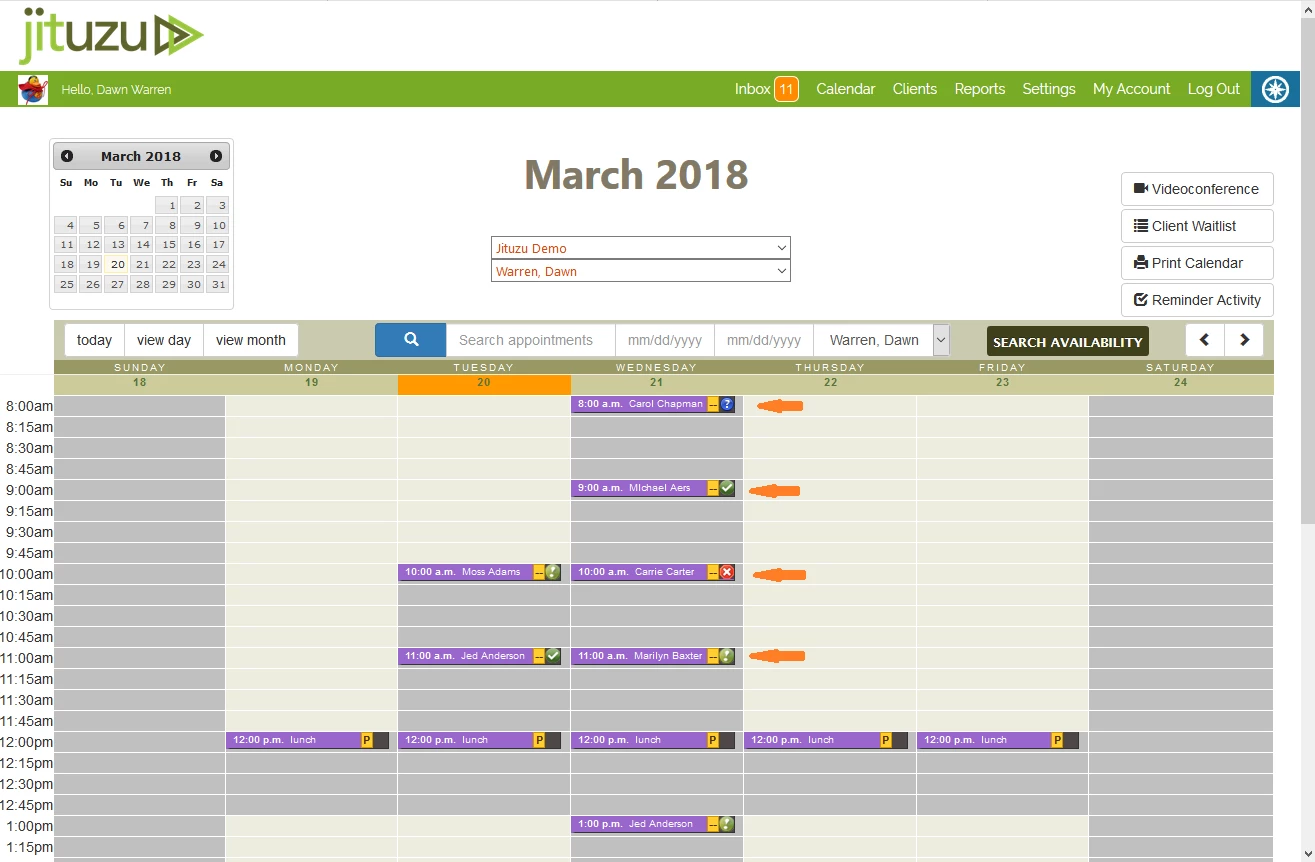
Reminder Status Icons on Calendar
On the Calendar you will be able to visually see the Reminder Status.
- Green Circle with a Checkmark - The Appointment has been confirmed by the Client.
- Green Circle with an Exclamation Point - The Reminder has been sent out, but not confirmed by the Client.
- Red Circle with an X - The Client has declined the Appointment. If a Client enters the decline code, they must enter it twice. They will receive a text message that lets them know that the Appointment has been cancelled and that normal cancellation policy applies. The Provider will also receive an Urgent Inbox message letting them know the Appointment has been cancelled. If the Provider has included their mobile number in their Provider profile in Settings, they will also receive an Urgent text message letting them know they have an Urgent Inbox message.
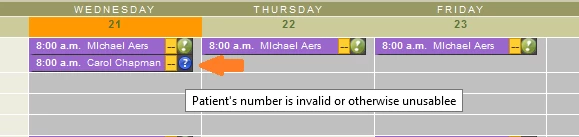
- Blue Circle with a Question Mark - Indicates that there is an issue with the phone number, or ‘Send Reminders’ is unchecked in Client or in the Appointment itself. Moving the mouse over the blue icon will show a message indicating what the type of issue has occurred.
View Reminder Activity - General
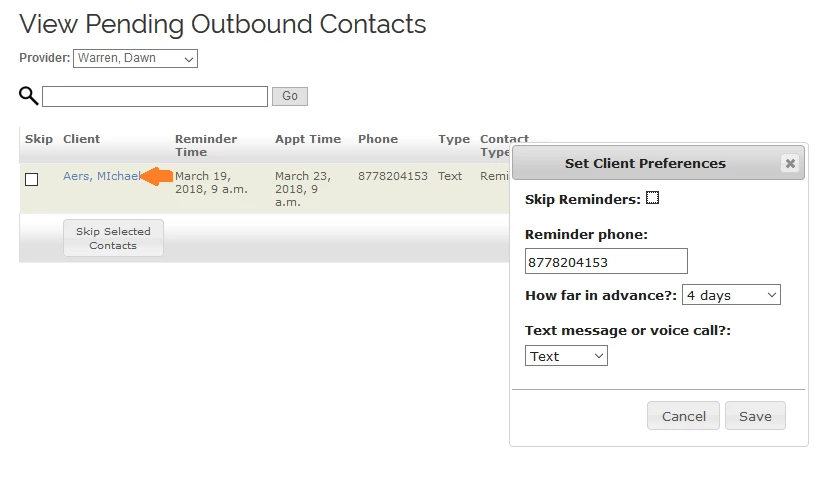
- Click Reminder Activity button above the Calendar. A list of outbound Reminders will display.
- On this page, you can also change the status of your Reminder Service or FYI Service to "Paused" or "Now Running".
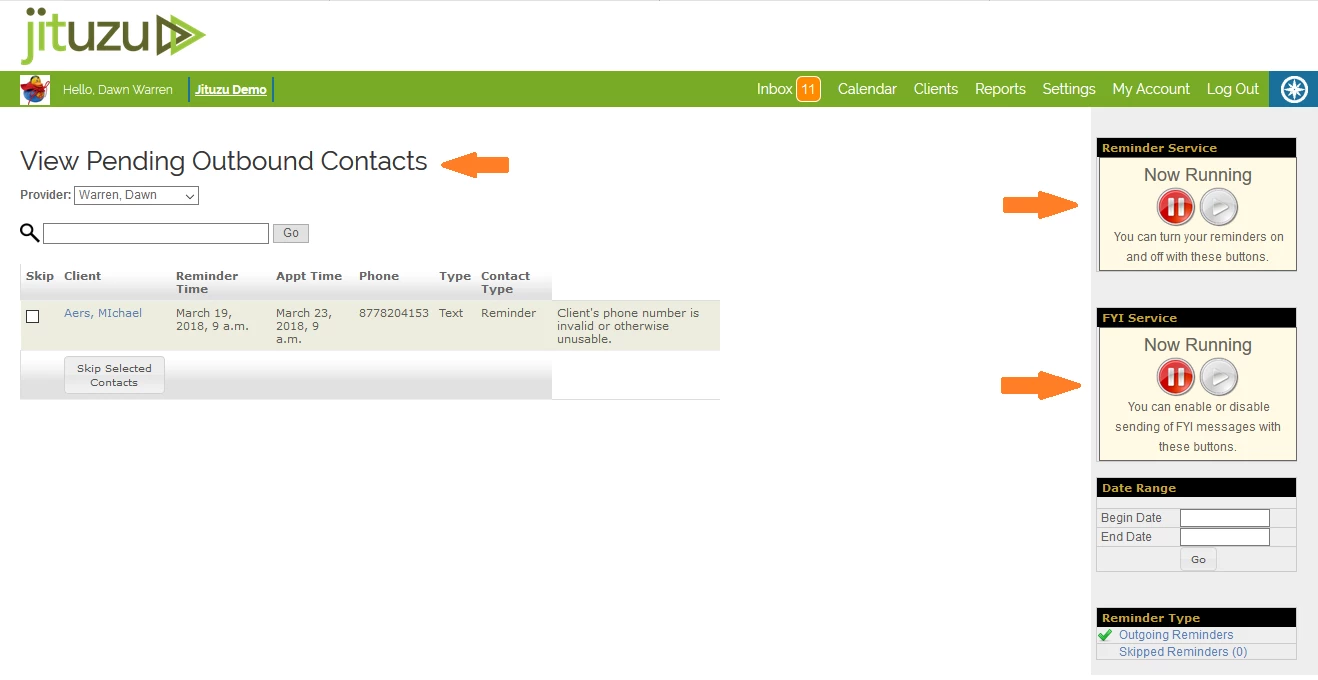
- If there are any issues with the Reminders, there will be a message on this screen. You may click on the client name to access the client record and make changes.
View Reminder Activity - By Provider or Date Range
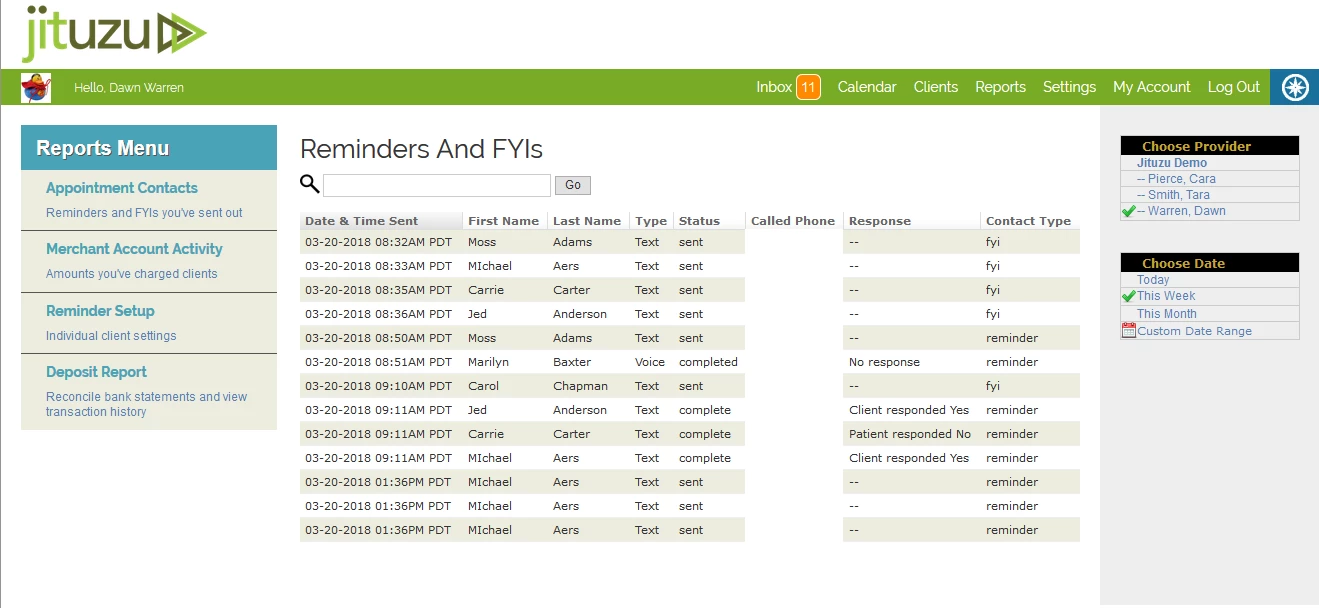
Reminder Activity can be viewed in Reports under Appointment Contacts.
This report can be selected by provider and date range. It details the following information:
- Date and Time sent
- Name of the recipient
- Type of reminder
- Status of reminder
- The phone number called
- Any response
- Contact type (FYI or Reminder)