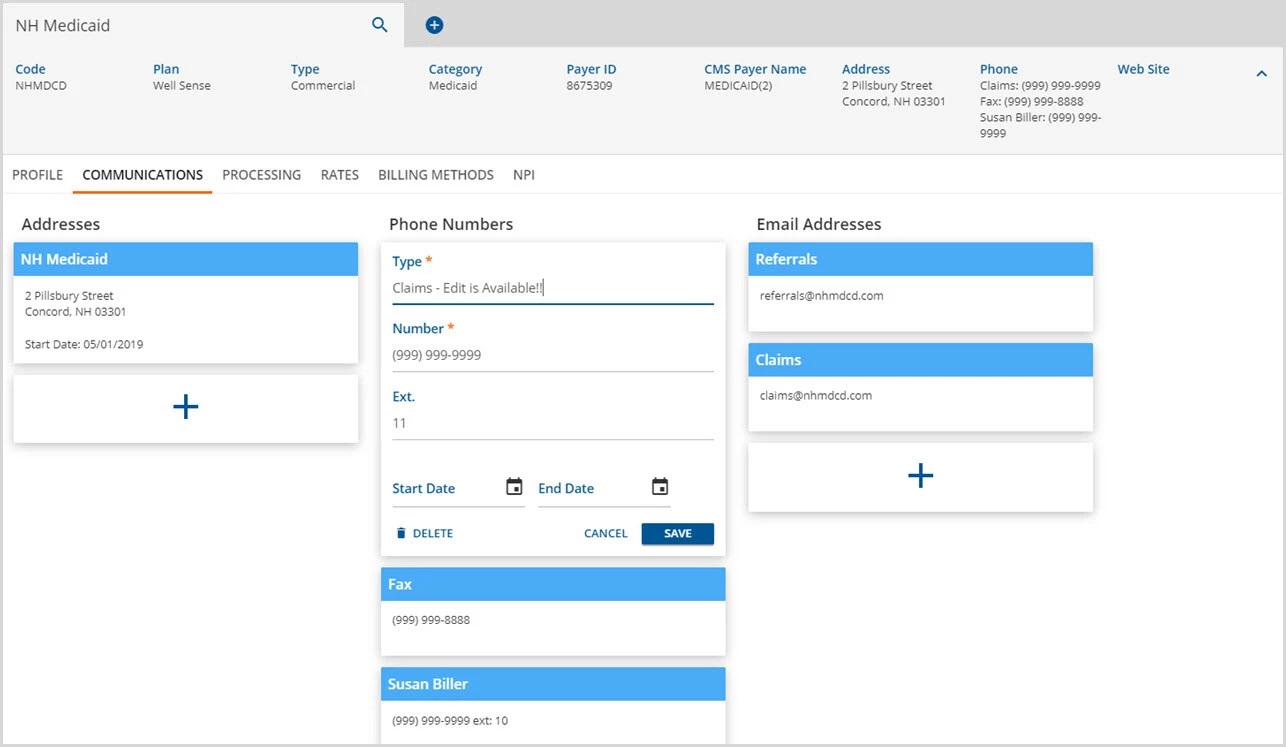
The Communications page stores contact information for the payer. This allows the organization to store multiple Addresses, Phone Numbers, and Email Addresses per Payer. A new payer's Communications tab will look similar to the example below.
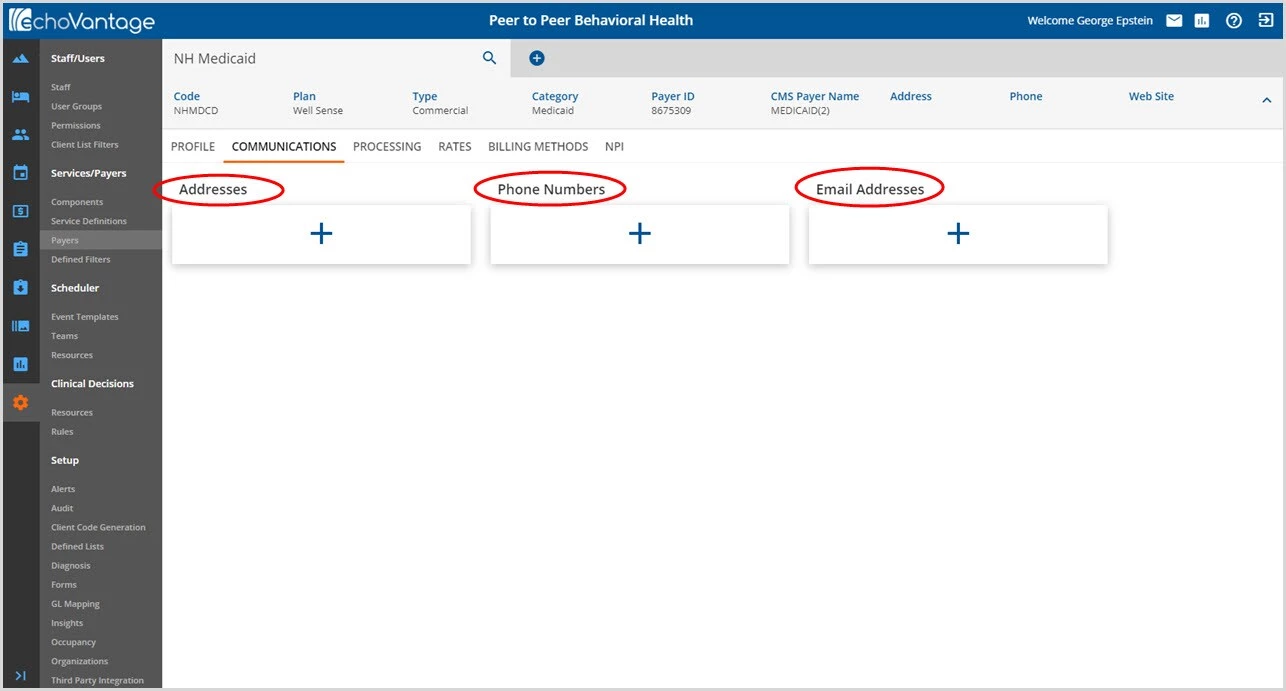
Click on the blue plus "+" to add a communication type.
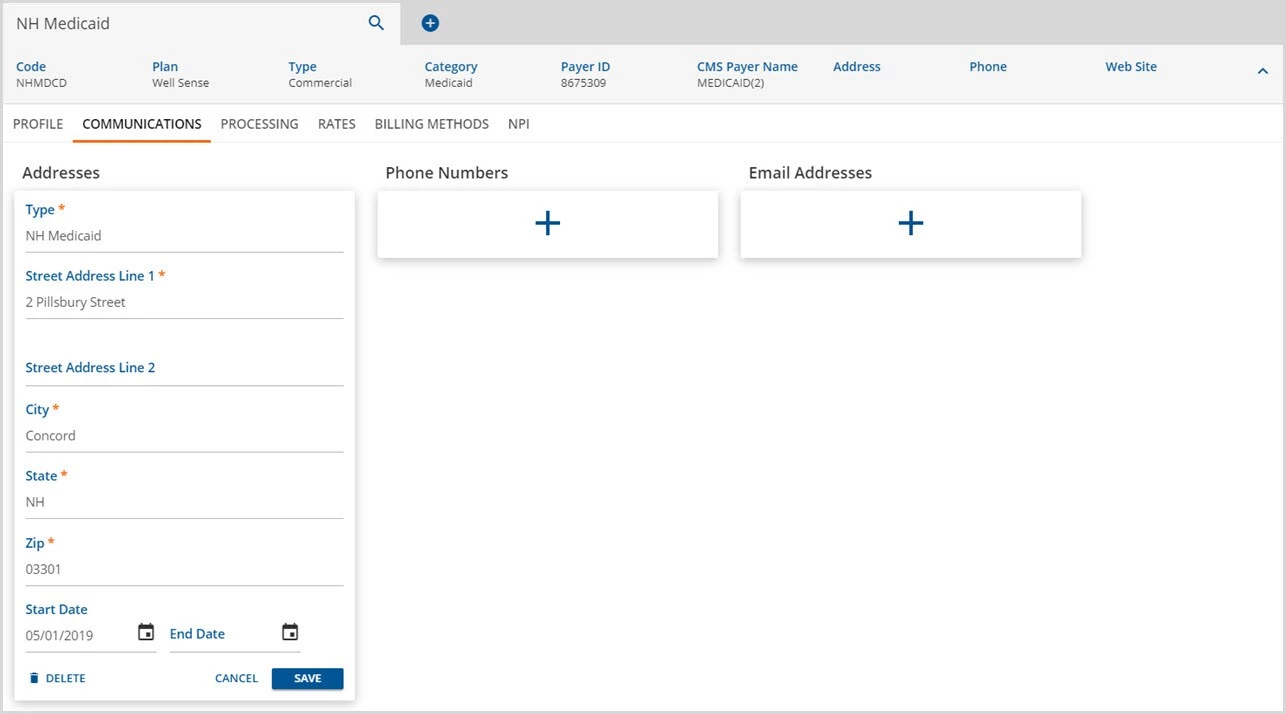
- The asterisks denote the minimum required entry.
- Addresses may be end-dated to maintain a history if desired.
- Remember to click SAVE to record the entry.
- The saved address is stored in a card nested beneath the Address column. (Red arrow below)
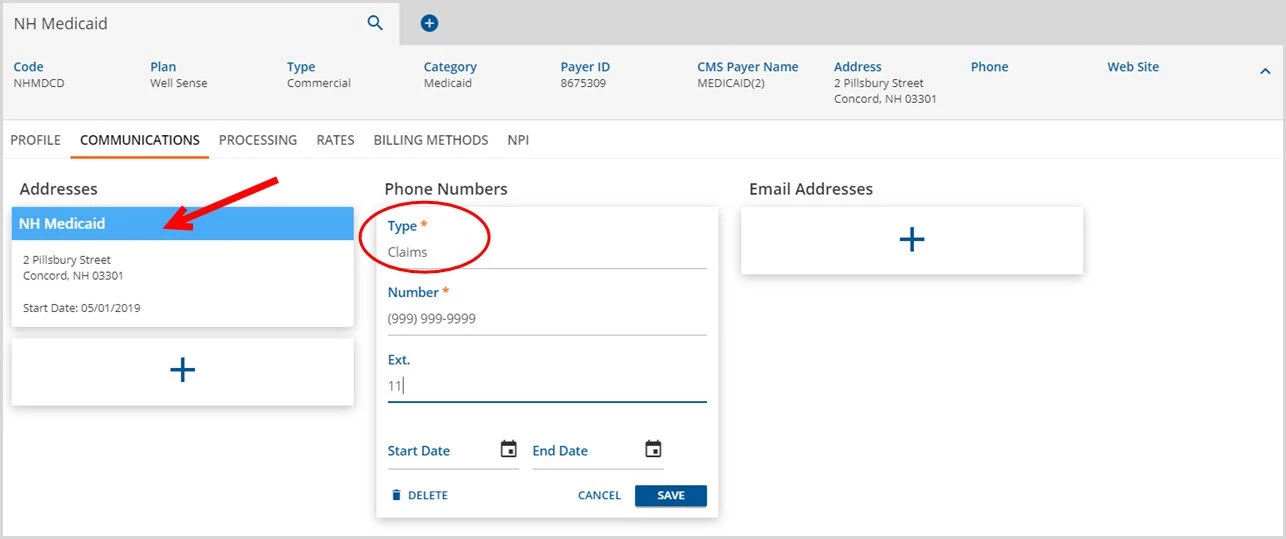
- Continue to add information by clicking the blue plus "+" for Phone Numbers
- Use Type to describe the phone number being entered. This could be a specific contact person, a department such as claims, or even a fax number. This is used as the title of the saved, nested card.
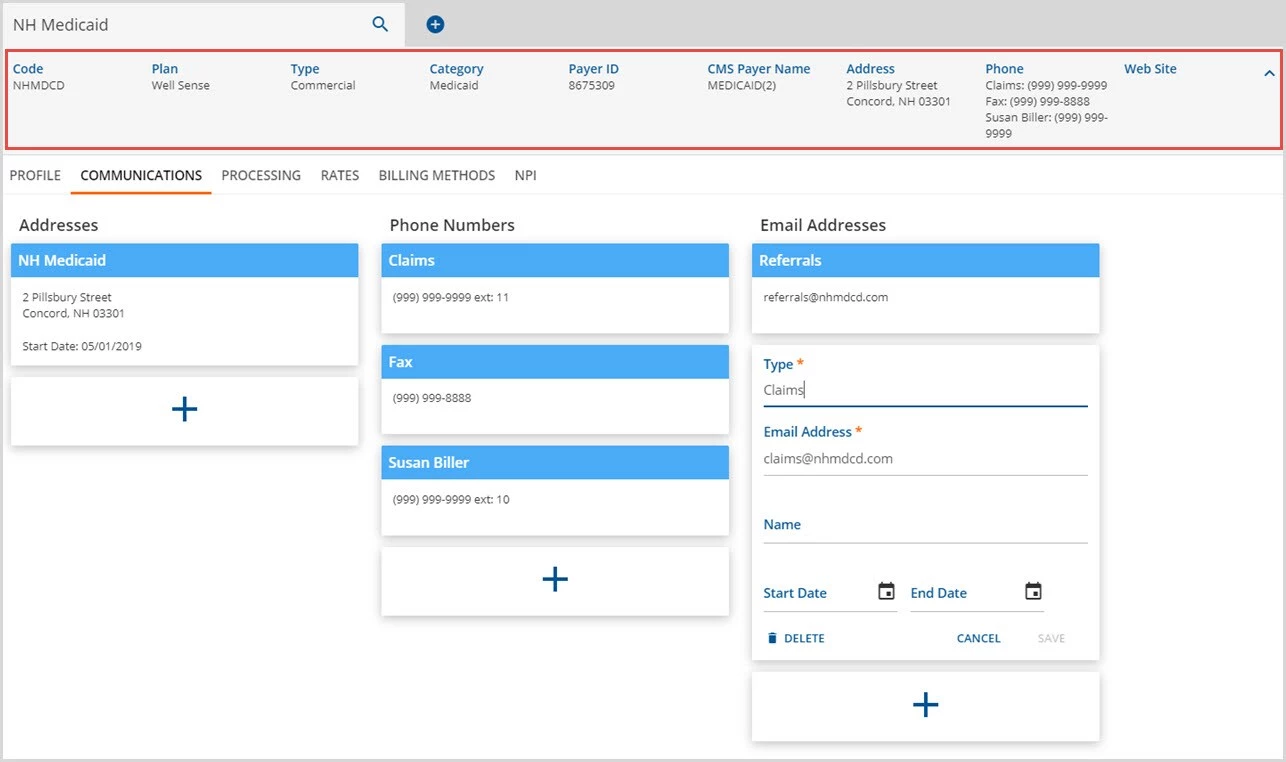
- Email has a required Type field similar to phones.
- Complete the required fields (denoted by the asterisks) plus additional if desired
- Click SAVE to record the entry
- After saving, the Summary header populates as read-only. If multiple phone numbers, all will be displayed on the Summary header.
As multiple communication entries are saved under each type, a card is created and nested beneath the column title. Click anywhere on this card to view details and/or edit the information.