


The way in which Client Payments become Remittances, depends upon the user's selected configuration during Client Payment entry.
This selection is made with the radio buttons of the Apply Payment To field. The options are:
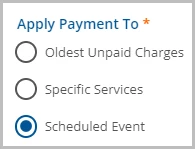
Oldest Unpaid Charges
When Oldest Unpaid Charges is selected, Remittance creation is automatic. Remittances are generated to match the oldest Self Pay charges first. These Remittances are marked Ready and are picked up in the next Remittance processing as long as the default GL Mapping for the unapplied default is configured.
NOTE: When the Apply Payment To Oldest Unpaid Charges option is selected:
- Although the Remittance creation process is automatic, it is not instantaneous.
- Remittance generation runs on an hourly basis via the APPLY_CLIENT_PAYMENTS Pending job.
- Remittances created from these payments will not have a value for "Created by Staff".
Specific Services
When Apply Payment To Specific Services is selected, the Client Payments must be allocated against charges in the Client Payments > Apply Payments screen.
A row displays on this screen for each Client with the following criteria:
- A Client Payment has been entered for the client with "Specific Services" selected.
- The Client Payment has been reconciled and marked Ready.
- The Client has a Self Pay balance.
- The balance of Client Payments has not been fully allocated against the Client's Self Pay charges.
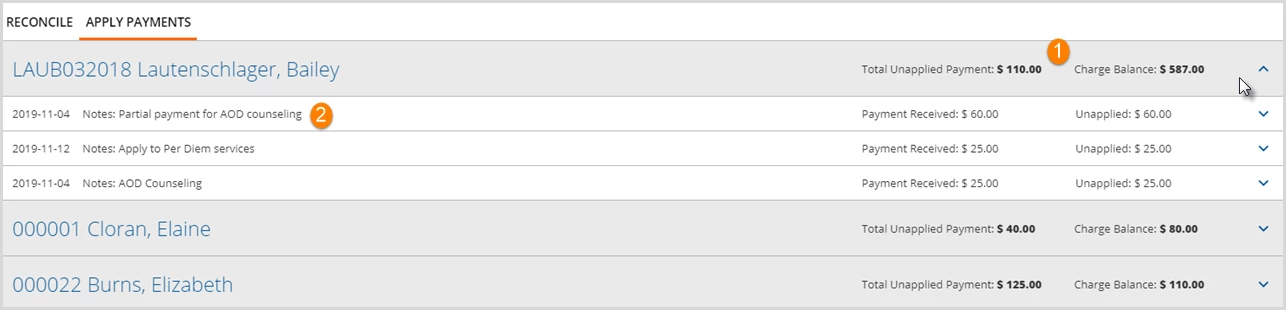
From this screen:
- A row may be selected to view the available Client Payments and Unpaid Charges.
- Notes entered with the payment are visible here.
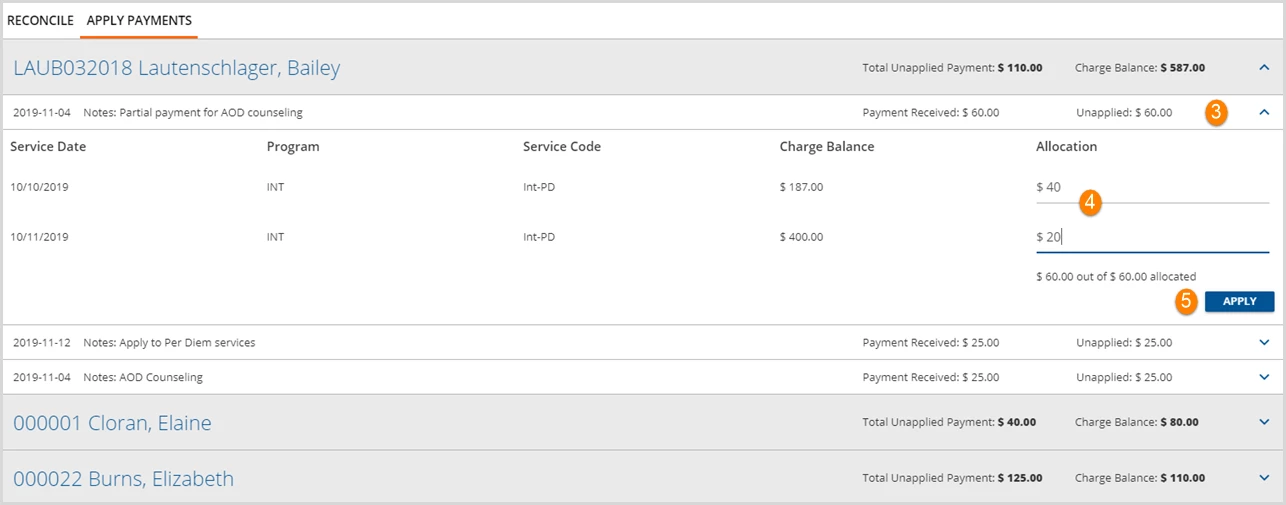
- Select a payment detail row to Allocate and Apply the payment(s).
- Enter the amount of the payment to be allocated.
IMPORTANT: The total Allocation amount must be less than or equal to the Unapplied Amount and the Charge Amount. If the Allocation amount is more than either, an error message will display and the blue Apply button will be disabled.
- Click the blue Apply button to post the payments to the selected charges.
- A Ready Remittance is created for each applied payment.
- The system records the user that applied the payment in the Created by Staff field within Remittances.
Scheduled Event
When Apply Payment To Scheduled Event is selected, the Client Payment is associated with the Event. The system automatically generates a Remittance for the amount of the Client Payment once a Self-Pay balance results from the associated Event's Service. This type of Client Payment remains attached to the Event until any of the following criteria are met:
- The Client Payment is fully applied to the Self Pay Charge, resulting from the Service related to the Event.
- The Client Payment is partially applied, and the Service created from the specified event has a Status of DONE.
- The Client Payment remains in Pending Status until the associated Services has a DONE Status.
- After the Service is set to Done and the APPLY_CLIENT_PAYMENTS job runs again, the Client Payment Apply To type is updated to Specific Service in place of Scheduled Event.
- The remaining amount is available to apply in this screen.
- The Event is deleted.
- A warning displays if the user attempts to delete an Event with an allocated Client Payment.
-
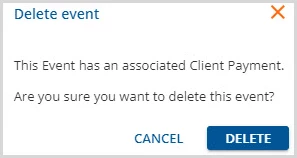
- If the Event deletion is confirmed, the allocated payment will follow the process for specific services.